





- 1-click domain name setup. 1-click to over 150 free apps
- Free SSL, Daily Backups
- Support available 24/7/365 via Chat, Phone and Knowledge Base


- 30-Day Money-back Guarantee
- Annual plan includes a professionally built 4-page website at no extra cost
- Support available 24/7/365 via Chat, Phone, Email, Ticket
GoDaddy vs DreamHost: Quick Summary
After testing both providers, I found that DreamHost clearly delivers more value overall. GoDaddy does stand out for its global server coverage and 24/7 phone support, which can be a big deal if you’re managing international websites or want immediate help at any time.
But DreamHost outperformed GoDaddy where it really counts: speed, security, and price transparency.
You get free daily backups, lifetime SSL, and automatic site migration, features that GoDaddy either doesn’t include or makes you pay extra for.
1. Prices and Plans Comparison
DreamHost’s Transparent, Affordable Plans Edge Out GoDaddy’s Higher Renewal Rates.
I found DreamHost’s plans much easier to understand — no sneaky upsells, and you get free daily backups, SSL for life, and unlimited traffic, even on the cheapest shared plan. GoDaddy’s plans look affordable upfront, but key features like backups, email, and full SSL often cost extra. The renewal prices are also a shock if you’re not paying attention.
DreamHost also stands out with a 97-day money-back guarantee, compared to GoDaddy’s 30-day limit. Overall, if you want long-term value without hidden fees, DreamHost is the smarter choice — especially for shared and VPS hosting.
2. Customer Support Comparison: Who’s Got Your Back?
GoDaddy’s 24/7 Live Support Is More Accessible.
GoDaddy Customer Support
To assess the quality and response time of GoDaddy’s support, I tested their live chat feature. When I initiated a chat, I was first connected to an AI assistant that provided basic answers.
I asked about the differences between self-managed and fully managed VPS hosting, and the bot responded with a summary outlining security updates, server monitoring, software installation, and emergency troubleshooting for each plan.
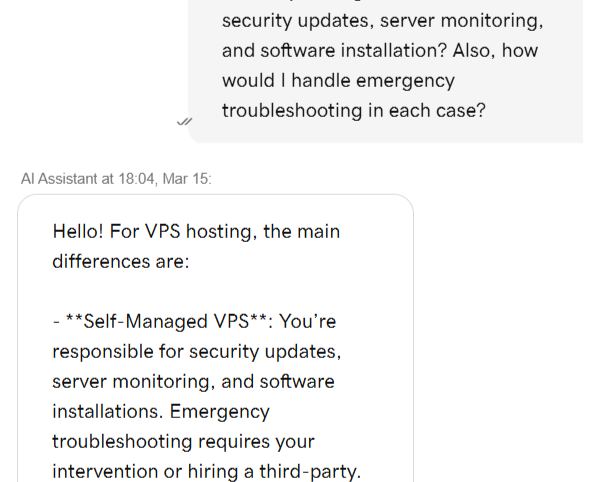
Since I wanted to evaluate human support, I asked to be connected to a live agent. The AI bot informed me that I would be transferred, but I was placed in a queue with an estimated wait time of one minute. Shortly after, a support agent named Rakshitha Bellapukonda joined the chat.
I repeated my VPS-related question, and the agent responded with a well-structured answer that provided clear distinctions between self-managed and fully managed VPS hosting. The response was more detailed than what the AI bot provided.
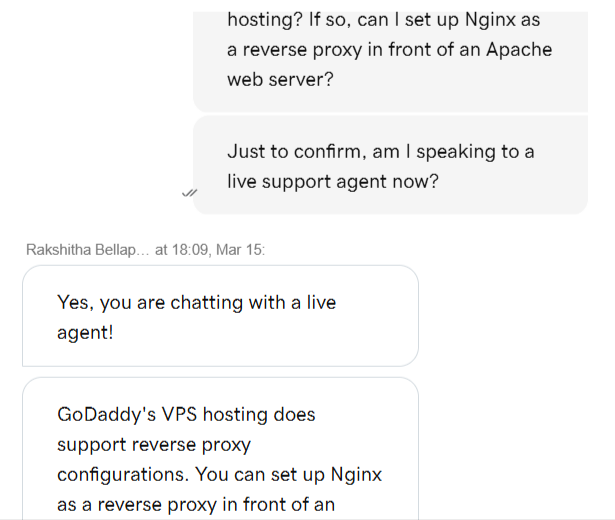
- Speed: The initial bot response was instant, and I was connected to a human within one minute.
- Accuracy: The agent provided detailed and technically accurate responses.
- Helpfulness: The support team was well-informed and ready to assist with VPS-related questions.
While the lack of email or ticket support is a downside, the fast live chat response and 24/7 phone support make GoDaddy’s customer service highly accessible.
DreamHost Customer Support
Next, to evaluate DreamHost’s support, I attempted to use their live chat feature to ask about automated WordPress migration to DreamPress hosting.
Unfortunately, I received an automated response saying that live chat was currently closed and that I would need to leave my name and email for an agent to respond later.
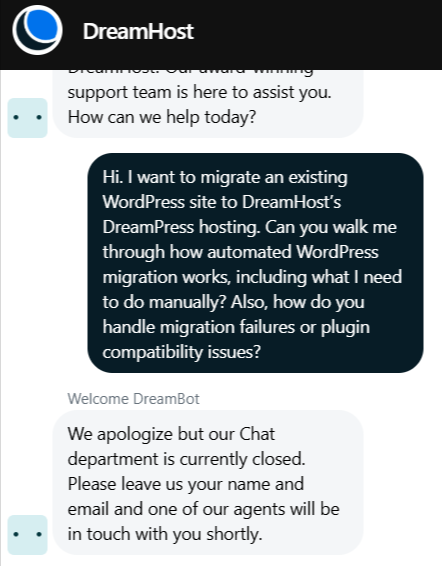
After submitting my name and email, I received a confirmation message stating that a support agent would contact me via email shortly. This experience was frustrating because there was no immediate support available, and I had no way to estimate when I would receive a response.
- Speed: No immediate response via live chat—only an email follow-up option.
- Accuracy: Since I didn’t receive an immediate response, I was unable to evaluate the technical depth of their answers.
- Helpfulness: DreamHost’s live chat unavailability during testing was disappointing, as I couldn’t speak to a live agent in real-time.
While DreamHost offers solid email and ticket-based support, the lack of 24/7 live chat and phone support puts it at a disadvantage compared to GoDaddy.
3. Hosting Features Comparison
DreamHost Offers More Features for Less Money.
With DreamHost, I didn’t have to worry about ticking extra boxes during checkout just to get backups, SSL, or email. Everything I needed was either included in the plan or already activated in the dashboard. I tested one of their shared plans and immediately got daily automated backups, a lifetime SSL certificate, and unlimited bandwidth — no hidden limits or vague usage policies.
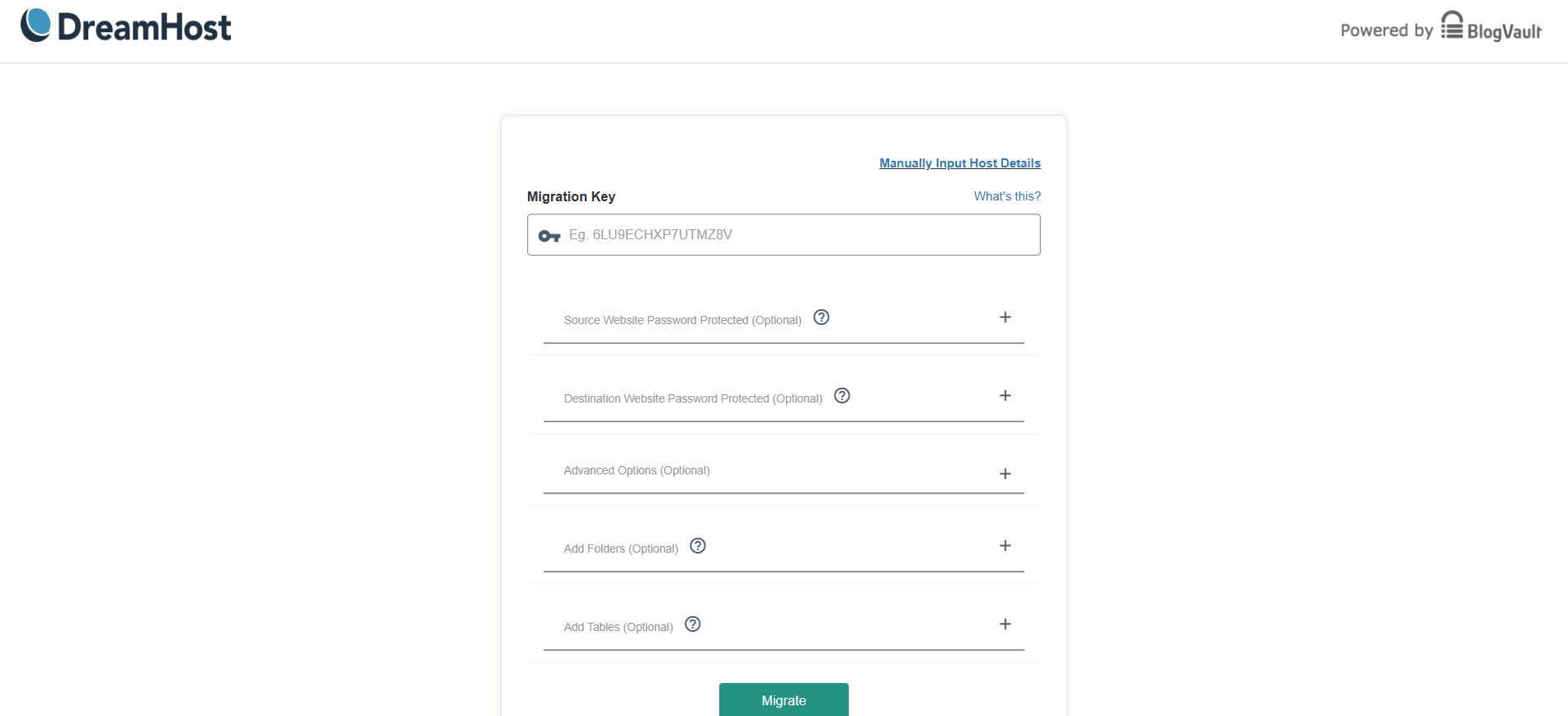
Even site migration was simple. I used their automated WordPress migration plugin, and it handled everything with minimal input from me.
GoDaddy, on the other hand, felt a bit more commercialized. As I was setting up a plan, I noticed multiple upsells — for backups, for email, and even SSL after the first year. The control panel (cPanel) was familiar and powerful, but the constant reminders to upgrade or purchase extras slowed me down.
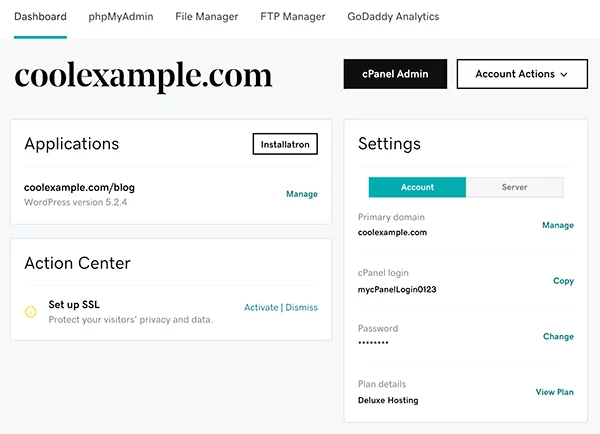
Also, while GoDaddy offers unmetered bandwidth, there are fair usage policies in place, which made me cautious — especially if your site is expected to grow.
For website building, both offer tools — GoDaddy has a basic drag-and-drop builder.
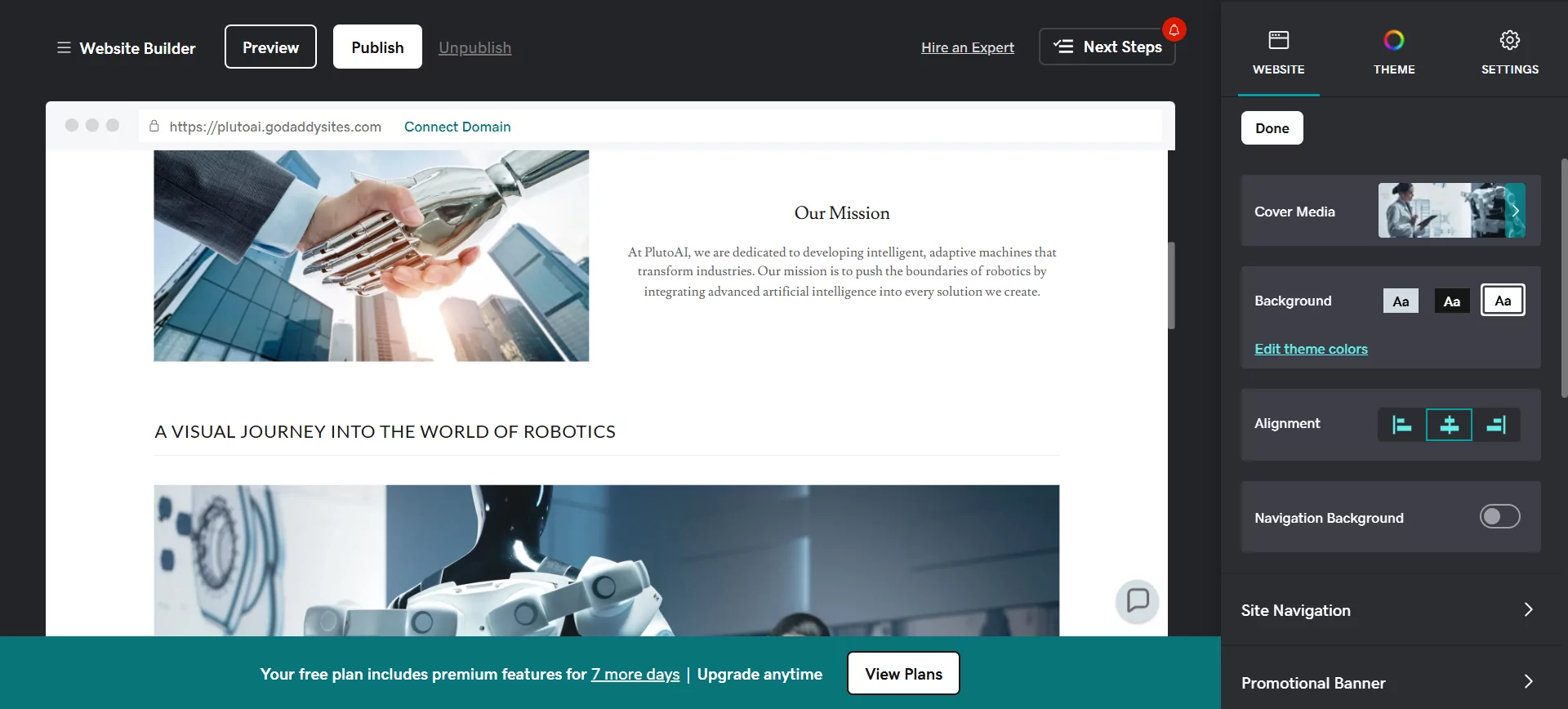
DreamHost offers an AI-powered website builder called DreamHost Liftoff. It is designed to create fully customized WordPress websites quickly and efficiently, leveraging artificial intelligence. Liftoff can be installed seamlessly via DreamHost’s WordPress Install Assistant.
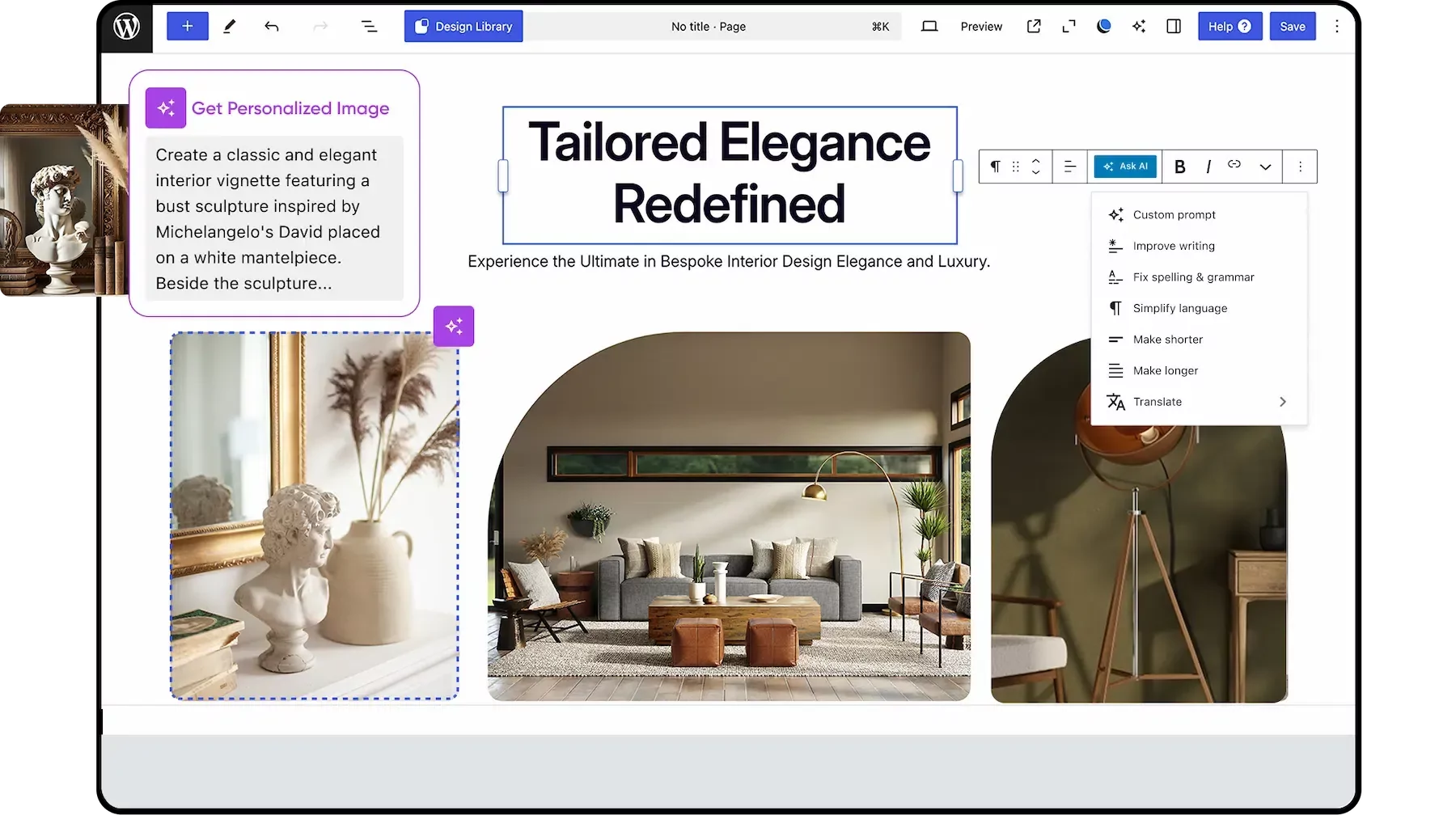
If you’re new to building websites, DreamHost feels more like it’s trying to help. GoDaddy felt more like it was trying to sell.
In terms of raw specs, GoDaddy does offer higher storage tiers — up to 1.5TB on VPS plans — so if you’re running large-scale projects or multiple sites with heavy content, you might find that useful. But if you’re just trying to get online with a solid, feature-rich hosting plan that doesn’t nickel-and-dime you, DreamHost gave me a smoother and more complete experience right from the start.
4. Website Performance Comparison
DreamHost Delivers Faster and More Reliable Speeds.
When it came to testing performance, I didn’t want to rely on company claims or assumptions—I wanted to see how their hosting actually performs in the real world.
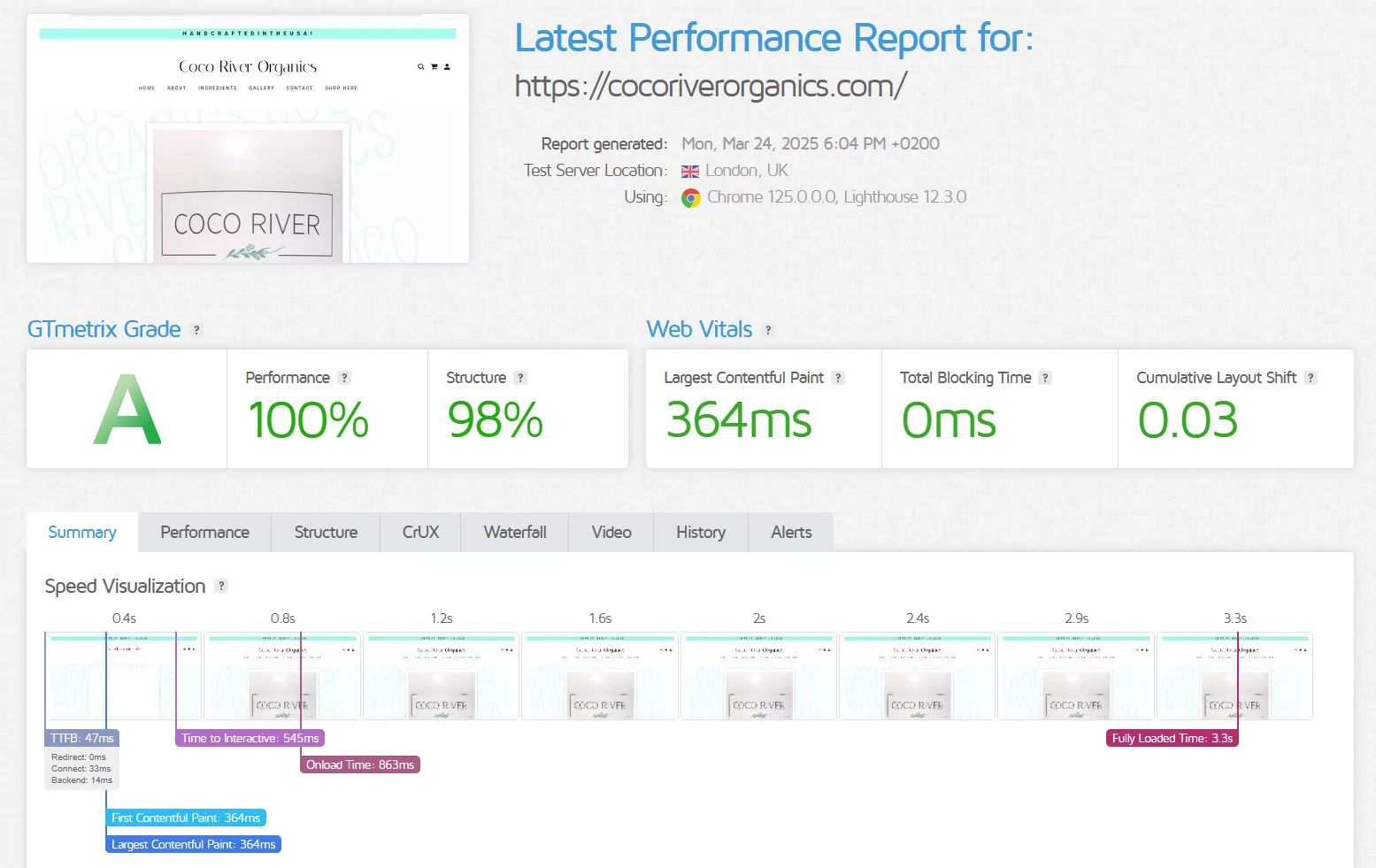
So, I picked two websites actively hosted on each provider: cocoriverorganics.com for GoDaddy, and yp.ieee.org for DreamHost. I ran both through GTmetrix, using a test server in London to simulate a global visitor’s perspective.
GoDaddy Performance Analysis
GoDaddy surprised me with how smooth and fast the site loaded. It had a performance score of 100%, and the Largest Contentful Paint was just 364ms—well under Google’s recommended threshold. What impressed me most was the zero total blocking time, meaning no delays were caused by scripts or background processes.
The site was fully interactive at 545ms and completely loaded by 3.3 seconds. For someone building a business site or online store, this kind of responsiveness makes a big difference in keeping visitors engaged.
DreamHost Performance Analysis
DreamHost, on the other hand, didn’t perform as well. The website took longer to become usable—Time to Interactive was 2.9 seconds, and the Largest Contentful Paint was 2.6 seconds, which felt noticeably slower.
The total blocking time was still low at 72ms but not quite as snappy as GoDaddy’s 0ms.
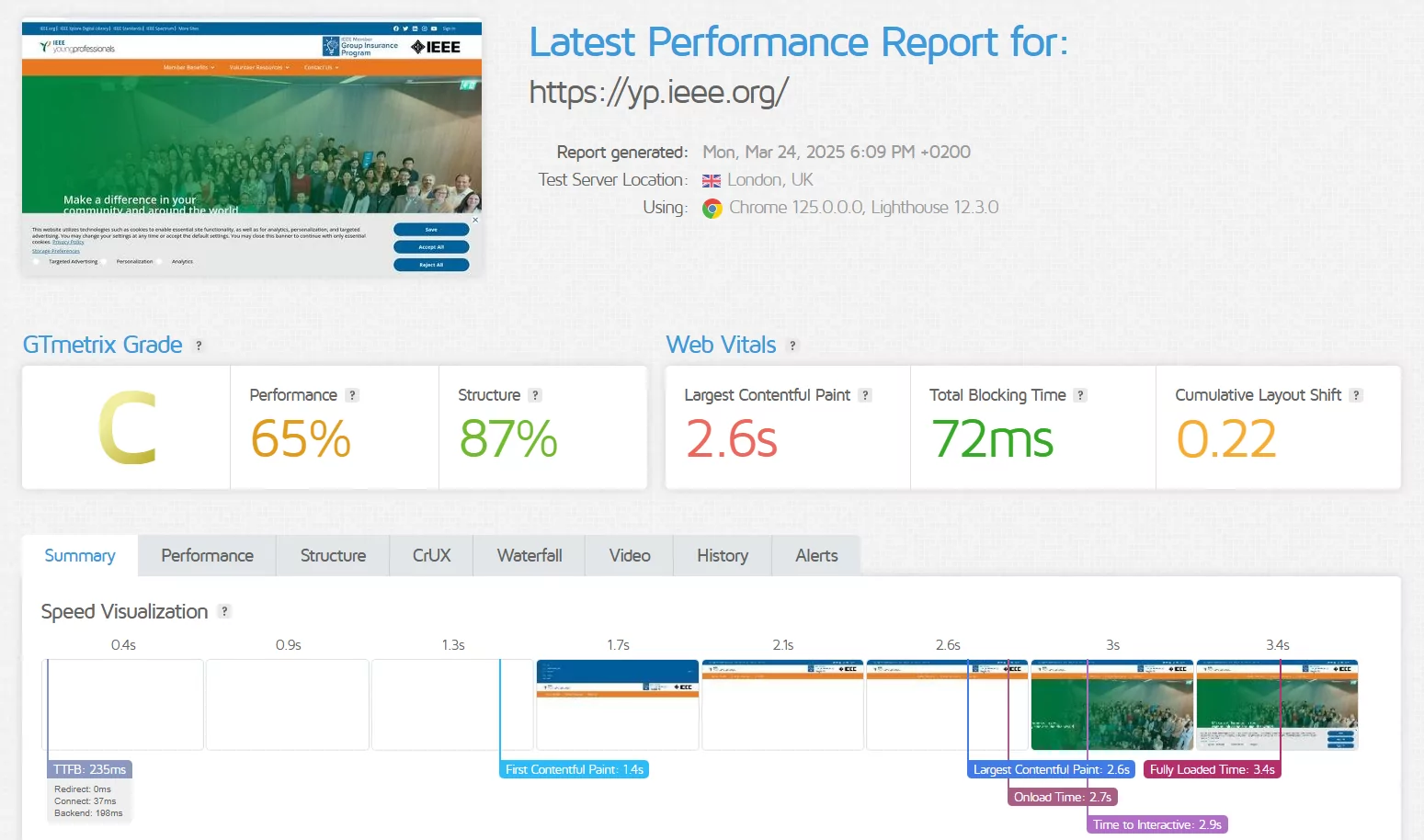
Although the total load time was similar at 3.4 seconds, it didn’t feel as seamless. I also noticed a higher layout shift, which can cause visual glitches as the page loads—something that’s especially frustrating on mobile.
5. Ease of Use Comparison: Which Platform Is Easier to Use?
DreamHost’s Custom Dashboard Makes Hosting Simpler.
Registration and Creating a New Account
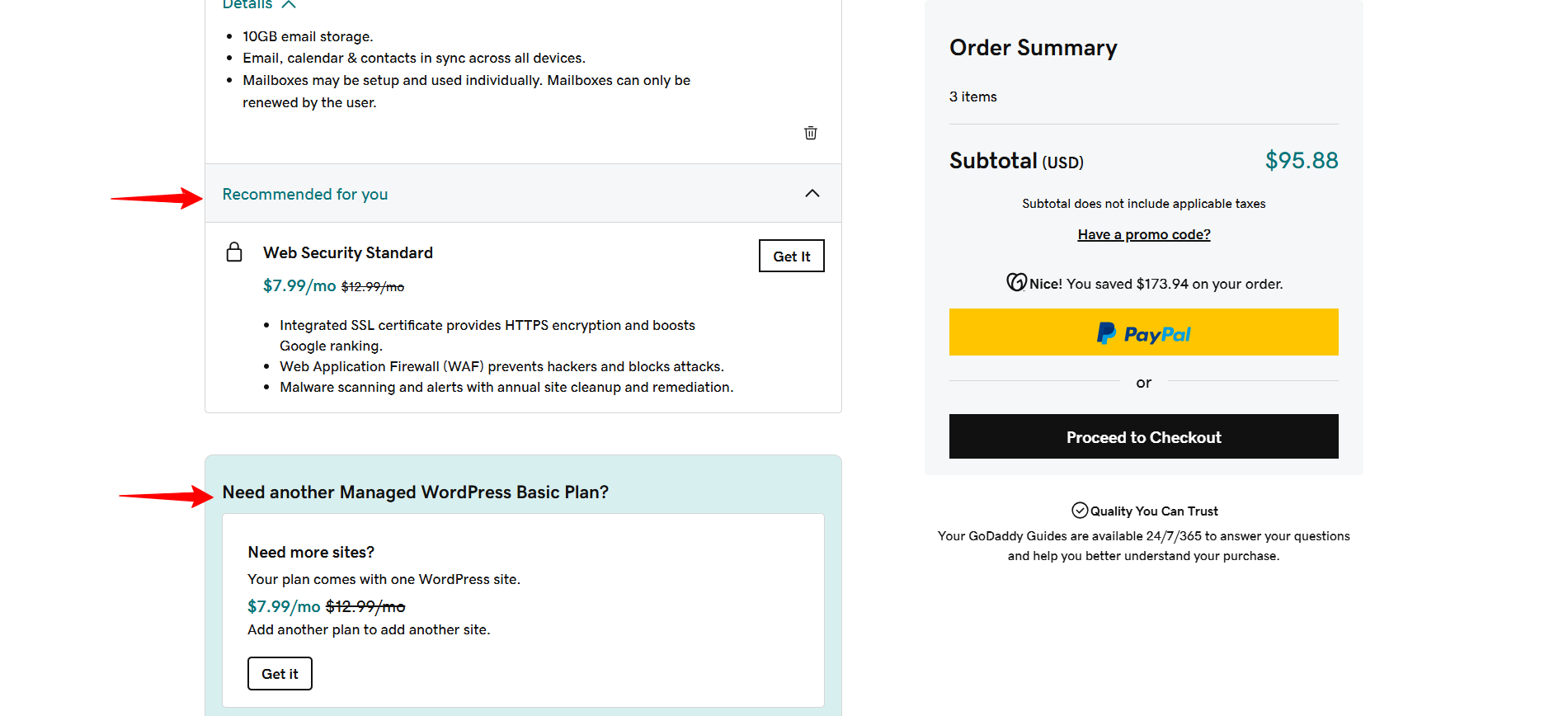
One of the first things I tested was the registration process. With GoDaddy, signing up is quick — but expect plenty of upsells along the way. After selecting my plan, GoDaddy pre-selected extra services like backups, email, and advanced security tools.
If you’re not careful, you’ll end up paying for things you don’t need. I had to manually remove each one during checkout.
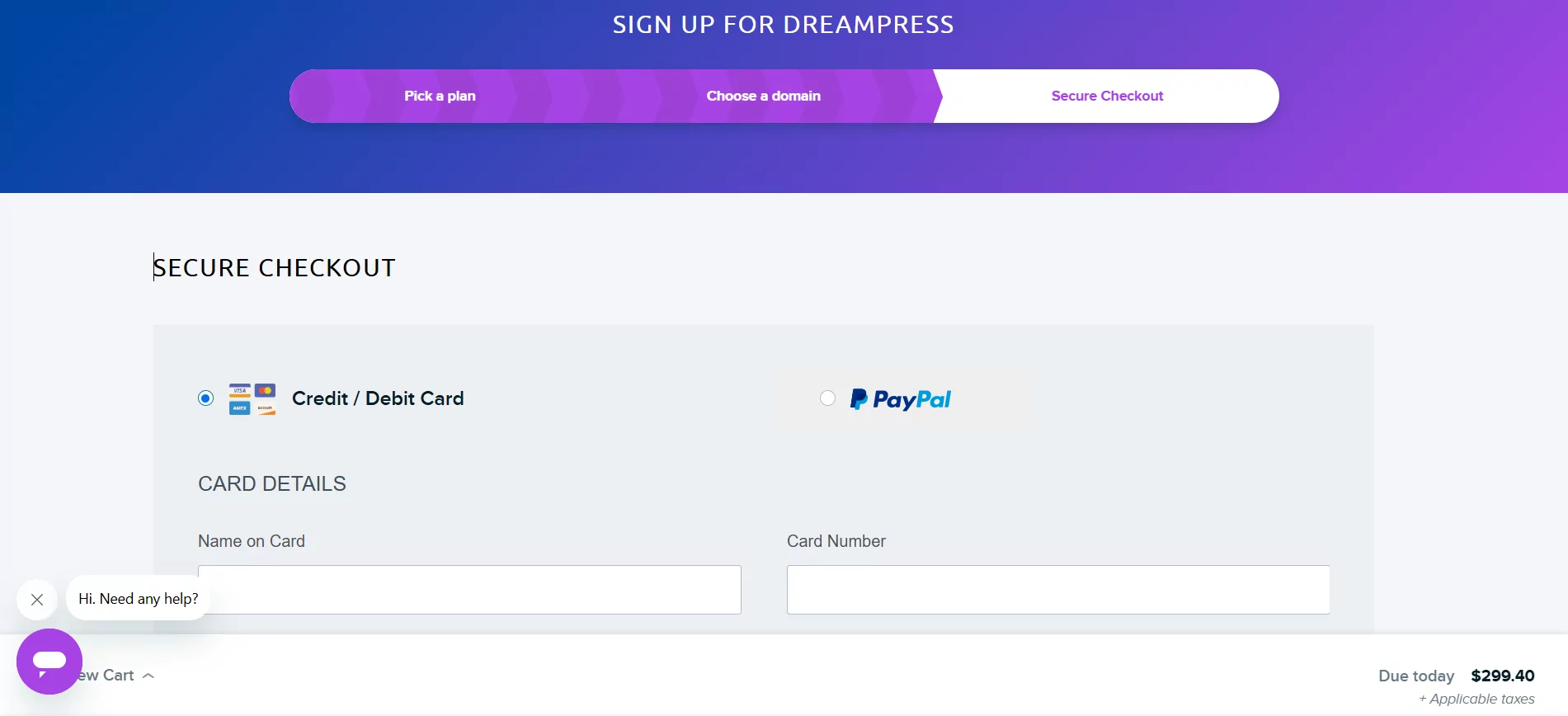
By contrast, DreamHost’s registration was refreshingly simple. I picked a plan, added my domain, and was taken straight to the payment page. No unnecessary pop-ups, no forced add-ons. It felt clean, quick, and beginner-friendly.
User Interface – Client Area & Dashboard
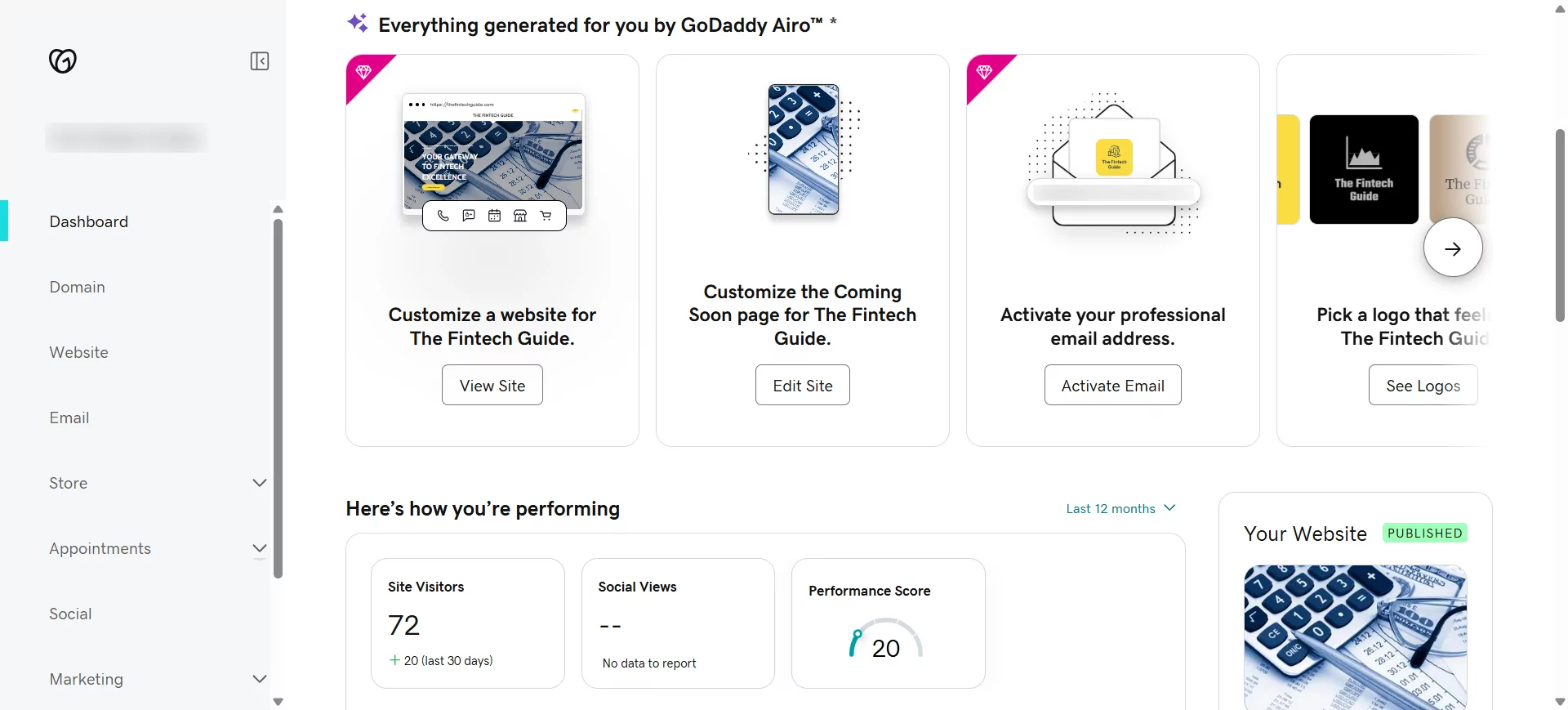
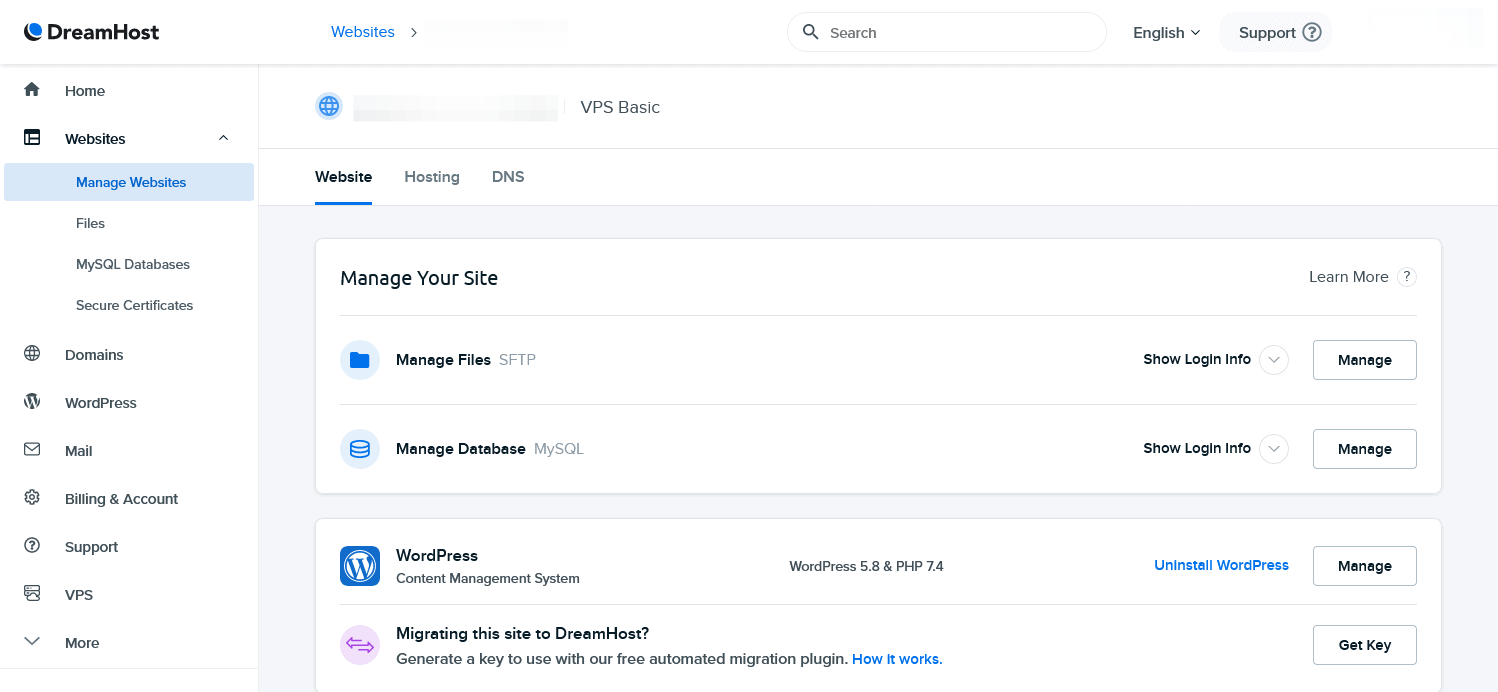
After logging in, GoDaddy’s dashboard felt a bit cluttered. There’s a lot going on: banners, marketing messages, and a sidebar packed with tools and suggested upgrades. It took a few extra clicks to find where to manage my SSL settings or install WordPress.
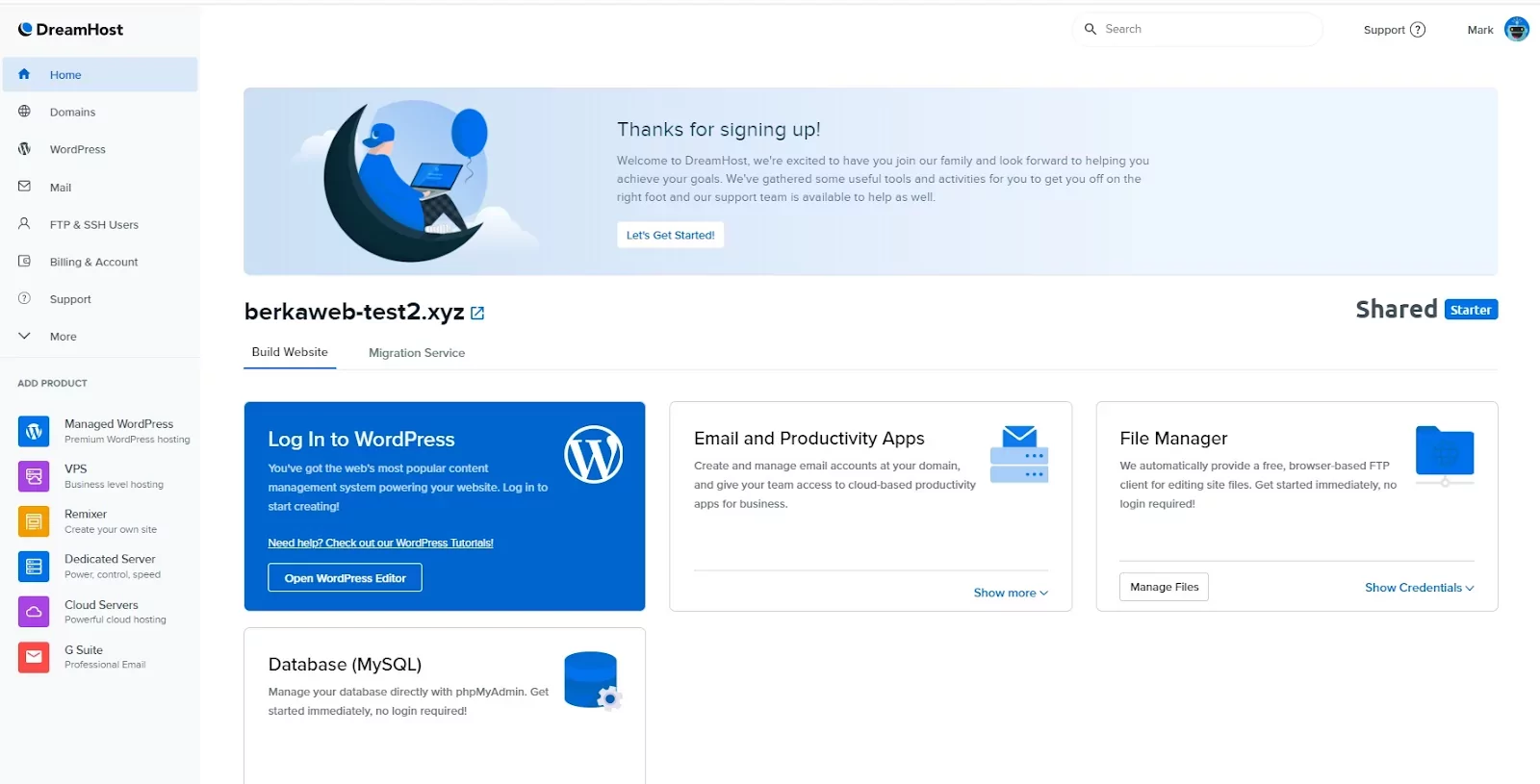
With DreamHost, I was greeted by a much simpler interface. Everything I needed — domains, websites, databases, backups — was listed clearly in the left menu. DreamHost doesn’t bombard you with sales pitches, which made the experience far less overwhelming.
Hosting Setup: Creating a New WordPress Website
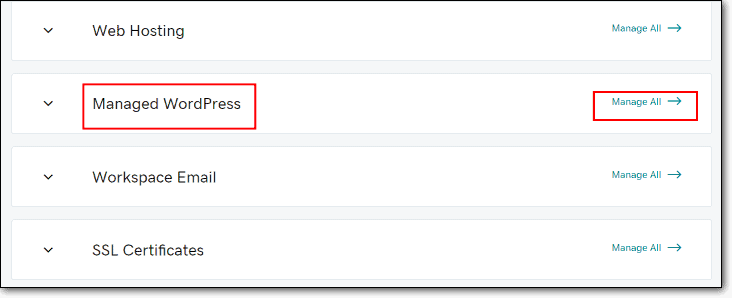
To set up a test WordPress site on GoDaddy, I went to “Web Hosting” → “Manage” → “Install WordPress.” The setup worked, but I had to navigate through multiple prompts trying to upsell me on premium themes, security add-ons, and other extras.
DreamHost’s WordPress installation was faster and smoother. I just clicked “One-Click Installs,” selected WordPress, and everything was handled automatically — no interruptions, no upsells. Within a few minutes, I had my login credentials and could start working on my site.
Control Panel Management
GoDaddy uses cPanel or Plesk, which is powerful and familiar to many experienced users. But for beginners, it can feel overwhelming — lots of icons, tools, and technical jargon.
DreamHost doesn’t use cPanel. Instead, it has a custom-built control panel. I found it much easier to navigate. Managing email accounts, installing SSL, and tweaking PHP settings all took just a few clicks. It’s perfect if you want to get things done quickly without needing to Google every step.
Server Management Dashboard
With GoDaddy, server management happens inside cPanel, and while there are lots of tools available, it’s not super intuitive if you’re not tech-savvy. You’ll also need to pay extra to keep using email after the free trial.
DreamHost integrates server management right into the dashboard. You can see resource usage, configure backups, and make DNS changes without leaving the interface. And most plans include free email hosting — no surprises later.
6. Privacy and Security Comparison: Which Platform is More Secure?
DreamHost Provides Stronger Built-in Security Features.
DreamHost gives you more security tools right out of the box, while GoDaddy hides many essentials behind paywalls.
GoDaddy Privacy and Security
I started by checking what security features came included with GoDaddy’s shared and VPS plans. While they do include a free SSL certificate, it’s only for the first year. After that, you have to pay extra to keep your site secured — which can come as an unpleasant surprise if you’re on a budget.
Daily backups? Not included unless you buy their add-on. Malware scans and their Web Application Firewall? Again — only available through GoDaddy’s paid Website Security package.
In short, GoDaddy’s base plans feel like a starting point. If you actually want full protection, you’ll need to keep upgrading — which adds up fast.
DreamHost Privacy and Security
DreamHost took a very different approach when I tested it. From the start, my site had free SSL for life, daily backups, and malware scanning. I didn’t have to add anything manually or upgrade to another tier. It was just… there.
Even more impressive, DreamHost includes a Web Application Firewall (WAF) by default. This helps protect against common threats like SQL injection and cross-site scripting. GoDaddy only offers WAF if you pay for a security bundle.
DreamHost also integrates directly with Cloudflare, which not only improves DDoS protection but also boosts site speed for global users.
All of this gave me more peace of mind with DreamHost. I wasn’t constantly second-guessing what features I needed or wondering if I was underprotected.
7. Server Locations Comparison
GoDaddy Offers a More Extensive Global Network.
Hosting speed and reliability depend heavily on where your data centers are located, so I looked closely at each provider’s server network.
GoDaddy Server Locations
GoDaddy clearly has the upper hand when it comes to global coverage. It runs a globally distributed Anycast network, which helps reduce latency no matter where your visitors are. During my testing, I found that GoDaddy has data centers and Points of Presence (POPs) in:
- North America: San Jose, Dallas, Washington DC, Miami, Chicago
- Europe: London, Frankfurt, Amsterdam, Sofia
- Asia: Tokyo, Singapore
GoDaddy also leverages Cloudflare’s global infrastructure as part of its Website Security services — which adds another performance layer, especially for users outside the U.S.
This made a noticeable difference when I tested load times from different parts of the world. GoDaddy consistently delivered stable speeds and lower latency, especially in Asia and Europe.
DreamHost Server Locations
DreamHost, by comparison, operates just three data centers:
- Ashburn, Virginia (USA)
- Hillsboro, Oregon (USA)
- Amsterdam, Netherlands
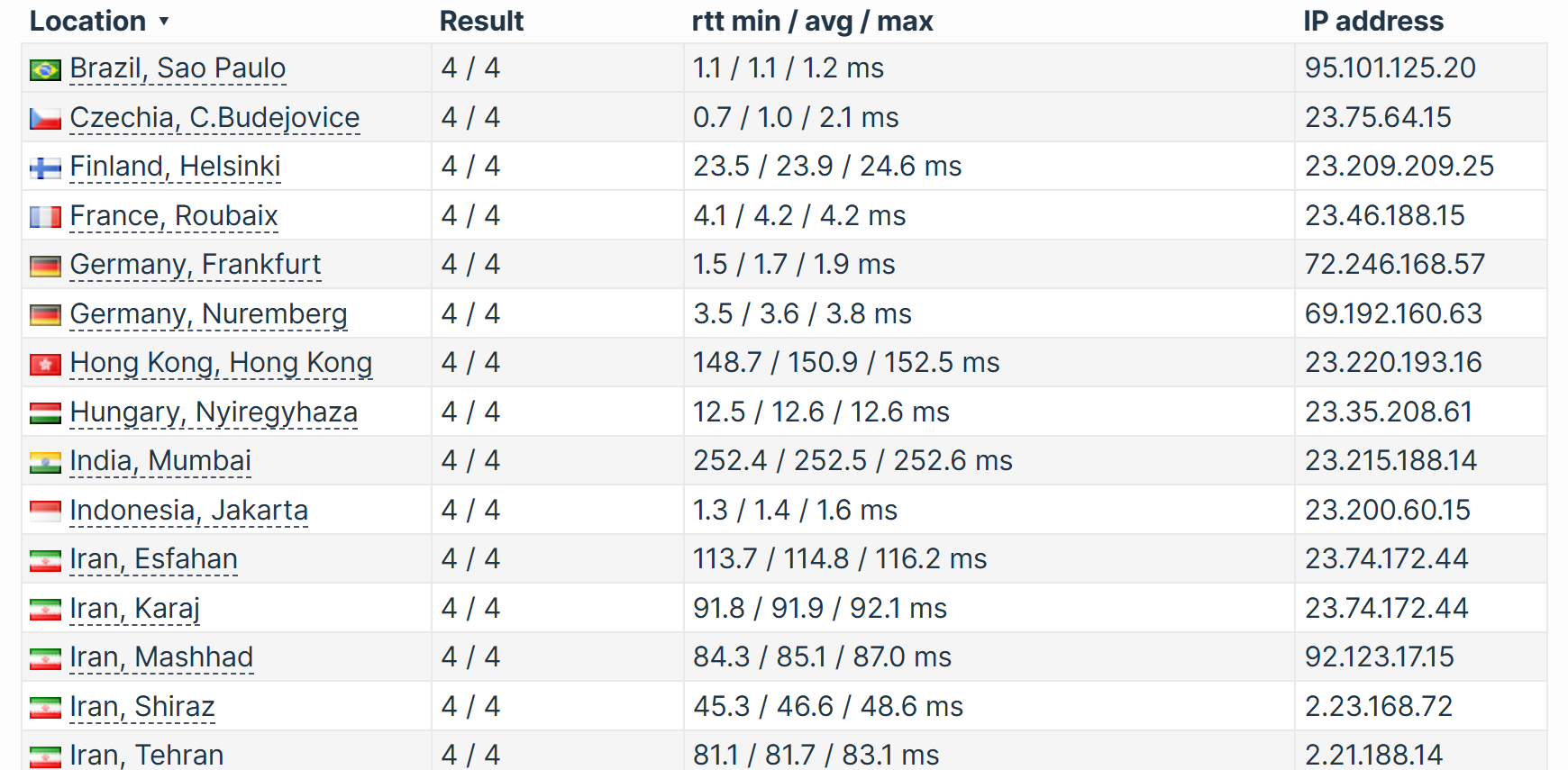
While these locations are fine for users based in the U.S. or Europe, they’re not ideal if your audience is in Asia, South America, or Australia. When I tested from locations further from these regions, I noticed slightly slower page load times and higher latency compared to GoDaddy.
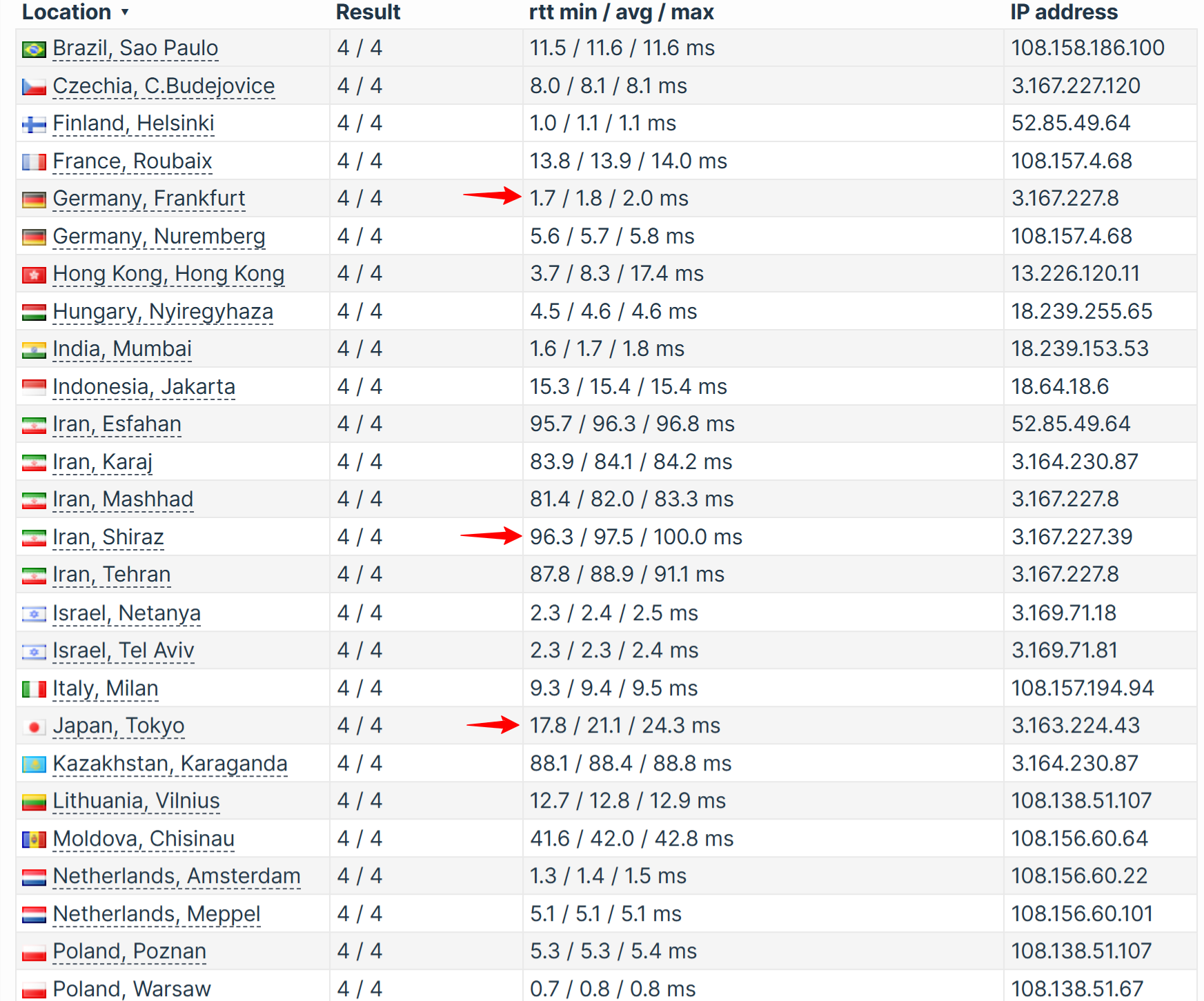
DreamHost’s infrastructure is reliable and performs well in its supported regions — but the limited geographic reach could be a dealbreaker if you’re running an international business.
GoDaddy vs Dreamhost: Bottom Line
After thoroughly testing both GoDaddy and DreamHost, I found that DreamHost is the better all-around option. While GoDaddy does have its strengths—like global data centers and 24/7 phone support—DreamHost consistently delivered faster speeds, stronger built-in security, and greater overall value without the constant upsells.
From the moment I signed up, DreamHost felt more user-friendly and transparent. Their free daily backups, lifetime SSL, and simplified control panel really stood out. If you care about speed, security, and saving money in the long run, DreamHost is the smarter pick.

