Hostinger is one of the most recognized names in web hosting, but reputation alone does not tell you how a provider actually performs.
Beyond performance, I evaluated the full ordering experience, the hPanel dashboard, the VPS management interface, and the live chat support, including both the AI assistant and human agent escalation.
In this Hostinger review, I will walk you through every finding to help you decide if Hostinger is the right fit for your needs.
To evaluate Hostinger, I applied our hosting review methodology, a structured framework used across all our hosting reviews to ensure scores are consistent, fair, and grounded in real hands-on testing rather than marketing claims.
Here is how Hostinger scored across every key parameter.
| Parameter | Score | Why This Score |
|---|---|---|
| Prices | 9.0/10 | Introductory rates are genuinely competitive. However, renewal pricing is higher, and a 24-month commitment is required to access promotional rates. |
| Features | 9.5/10 | An exceptionally broad feature set covering VPS, shared, cloud, WordPress, and agency hosting under one roof. The built-in Docker Manager, browser-based terminal, malware scanner, and AI assistant make the VPS product especially strong. |
| Performance | 9.3/10 | Near-gigabit network speeds with zero packet loss across all tested VPS plans and locations. CPU scaling is consistent across KVM tiers, with KVM 4 delivering strong multi-threaded performance. The web hosting plan achieved a 100% GTmetrix Performance score on a live WordPress site. |
| Ease of Use | 9.8/10 | The ordering flow is clean, and the VPS management panel is well designed. hPanel is polished, though the number of products on the dashboard may feel overwhelming for new VPS users. |
| Support | 9.8/10 | Kodee handles complex technical queries effectively. Human escalation is available, though it may require persistence. |
| Overall | 9.5/10 | Hostinger delivers a well-rounded platform with strong infrastructure, a capable AI assistant, and broad product coverage. Renewal pricing and refund conditions should be reviewed before committing. |
Hostinger offers a 30-day money-back guarantee on most of its core hosting products, including web, cloud, and KVM VPS plans.
Here’s a guide to help you choose a plan that meets your goal and budget.
| Plan Name | Space | Bandwidth | OS | Panel | Number of Sites | Price | |
|---|---|---|---|---|---|---|---|
| Premium | 20 GB | Unlimited | 3 | CA$3.62 | Details | ||
| Business | 50 GB | Unlimited | 50 | CA$4.83 | Details | ||
| Cloud Startup | 100 GB | Unlimited | 100 | CA$9.67 | Details |
| Plan Name | Space | CPU | RAM | Bandwidth | OS | Price | |
|---|---|---|---|---|---|---|---|
| Startup | 100 GB | 4 cores | 4 GB | Unlimited | CA$10.24 | Details | |
| Professional | 200 GB | 5 cores | 6 GB | Unlimited | CA$20.49 | Details | |
| Enterprise | 300 GB | 6 cores | 12 GB | Unlimited | CA$38.43 | Details |
| Plan Name | Warranty | Price | |
|---|---|---|---|
| Premium Business Email Deal | CA$0.00 | CA$2.26 | Details |
| Hostinger Reach | CA$0.00 | CA$2.83 | Details |
| Plan Name | Space | Bandwidth | Price | |
|---|---|---|---|---|
| Premium Website Builder | 20 GB | Unlimited | CA$3.62 | Details |
| Premium AI App Builder | 20 GB | Unlimited | CA$3.62 | Details |
| Business Website Builder | 50 GB | Unlimited | CA$4.83 | Details |
| Unlimited AI App Builder | 50 GB | Unlimited | CA$4.83 | Details |
| Cloud Startup AI App Builder | 100 GB | Unlimited | CA$9.67 | Details |
Before ordering, it is worth knowing the fine print:
| Feature | Description |
|---|---|
| KVM Virtualization | Full root access on all VPS plans with dedicated resource allocation per server. |
| AMD EPYC Processors | Powering the full VPS range for consistent, high-throughput compute performance. |
| NVMe SSD Storage | Fast solid-state storage across all hosting and VPS plans. |
| Browser-Based Terminal | Direct SSH access from within hPanel without needing a separate SSH client. |
| Built-in Docker Manager | Container management accessible directly from the VPS management panel. |
| Malware Scanner | Active by default on VPS plans, scanning for threats without manual setup. |
| Configurable Firewall | Custom firewall rules manageable from within the hPanel VPS interface. |
| Free Weekly Backups | Included by default on all plans, with daily backups available as a paid upgrade. |
Hostinger also offers an email marketing service, Hostinger Reach, a complementary yet advanced solution to Hostinger’s webmail. It is an AI-powered, beginner-friendly email marketing tool built into the Hostinger ecosystem.
It helps creators and business owners grow their audience and send professional emails fast, without technical setup, complex integrations, or prior experience. Sending stunning emails without tech or design skills is super easy.
To get a genuine picture of how Hostinger performs in practice, I tested four products across my account:
Each product serves a different type of user, so I tested each one differently.
Here’s the reason why I utilized this method:
Shared hosting performance is not just about raw server specs. It is about how a real website actually behaves for real visitors over time.
A single benchmark run on a quiet afternoon tells you very little about what your site will feel like on a Tuesday morning when traffic picks up, or a month into your hosting term when you are no longer a freshly provisioned account.
Shared hosting environments are also more susceptible to resource contention from neighboring accounts, which only shows up when you measure over longer windows.
The day-one result establishes a baseline. The week-long and month-long results tell you whether that baseline holds, or whether performance quietly degrades once the new-account shine wears off.
Before getting into the results, here is the plan I was running throughout this test:
This is a mid-range shared hosting configuration.
To simulate a real-world website rather than a bare installation, I built a WordPress site on my web hosting plan with actual content, images, plugins, and a theme applied.
This matters because a blank WordPress install with no content is not representative of anything a real user would run. My test site included:
I then set up a monitored GTmetrix job to automatically test the site from San Antonio, TX, using Chrome and Lighthouse, providing consistent, comparable data points across all three time windows.
The results were outstanding.
| Metric | Result |
|---|---|
| GTmetrix Grade | A |
| Performance Score | 100% |
| Structure Score | 97% |
| Largest Contentful Paint | 640ms |
| Total Blocking Time | 5ms |
| Cumulative Layout Shift | 0 |
| Time to First Byte | 118ms |
| First Contentful Paint | 616ms |
| Time to Interactive | 704ms |
| Onload Time | 644ms |
| Fully Loaded Time | 2.9s |
The three Core Web Vitals tell the more important story: an LCP of 640ms is well inside Google’s “Good” threshold of 2.5 seconds, a Total Blocking Time of just 5ms is effectively zero, and a Cumulative Layout Shift of 0 means the page renders with complete visual stability.

The TTFB of 118ms is particularly notable for shared hosting. It breaks down as 82ms for connection and just 36ms of backend processing time, which tells me the server is not under strain and is responding quickly to requests without queuing delays.
The Fully Loaded Time of 2.9 seconds reflects the complete page, including all assets, and for a WordPress site with real images and plugins, that is a strong result.
To go beyond a single snapshot and understand how the site performs over time, I set up a GTMetrix monitoring job that runs an automated daily test from San Antonio, TX, over four consecutive weeks, from April 3 to May 3, 2026.
The full dataset gives a much more reliable picture than any single test result, because it captures how the shared hosting environment behaves across different times of day, varying load conditions, and the natural rhythm of a live server.
Here is the weekly summary across the full monitoring period:
| Week | Period | Avg Grade | Avg Performance | Avg LCP | Avg TTFB |
|---|---|---|---|---|---|
| Week 1 | Apr 3-9 | 98 | 99.6% | 661ms | 201ms |
| Week 2 | Apr 10-16 | 97 | 96.7% | 1,038ms | 262ms |
| Week 3 | Apr 17-23 | 97 | 97.4% | 958ms | 194ms |
| Week 4 | Apr 24-May 3 | 99 | 99.8% | 655ms | 181ms |
Across 31 daily tests, the site achieved a Performance score of 97% or higher on 29 days. The average Performance score across the full period was 98.5%, and LCP stayed consistently below 900ms on all but two days.
The Structure score held at 96 to 97% almost without exception across the entire month, which tells you the server-side configuration is genuinely stable rather than variable.

Two days stand out as exceptions worth discussing directly. April 15 saw Performance drop to 86%, with LCP at 2,498ms, and April 21 returned to 85% Performance, with LCP at 2,258ms.
Both resolved the following day completely with no carry-over effect, and Uptime Robot, which was checking the site every five minutes throughout this period, logged no corresponding downtime during either window.

The pattern is consistent with brief periods of elevated resource contention on shared infrastructure rather than any structural problem with the plan.
To understand how Hostinger’s shared hosting infrastructure performs for visitors from different parts of the world, I ran a global ping test using Check-Host.
The test server resolves to an IP address in New York, United States, which is consistent with the server location selected during setup.
| Region | Location | Avg Latency |
|---|---|---|
| USA | Dallas, TX | 24.7ms |
| USA | Los Angeles, CA | 34.4ms |
| USA | Atlanta, GA | 47.2ms |
| USA | Miami, FL | 62.7ms |
| Canada | Vancouver | 52.6ms |
| Japan | Tokyo | 122.3ms |
| UK | Coventry | 131.6ms |
| Spain | Madrid | 128.6ms |
| France | Paris | 129.7ms |
| Germany | Frankfurt | 138.9ms |
| Netherlands | Amsterdam | 143.3ms |
| Switzerland | Zurich | 143.3ms |
| Finland | Helsinki | 149.0ms |
| Italy | Milan | 151.9ms |
| Austria | Vienna | 156.4ms |
| Singapore | Singapore | 197.3ms |
| UAE | Dubai | 241.6ms |
| India | Mumbai | 274.5ms |
| India | Delhi | 276.7ms |
The results reflect exactly what you would expect from a New York-based server, and they tell you something useful about who this hosting plan is best suited for.
North American performance is the standout. Dallas at 24.7ms and Los Angeles at 34.4ms represent sub-35ms latency that translates to near-instant server response for US-based visitors. Atlanta, Miami, and Vancouver all came in below 65ms.

European latency falls within the 128-170ms range across most locations. France, Spain, and the UK all sit below 135ms, with central and eastern European locations naturally a little higher, given the increased geographic distance. For a US-hosted site serving European visitors, these figures are acceptable.
They do explain why the response times recorded by Uptime Robot’s European monitoring agent are higher than the GTMetrix TTFB results measured from San Antonio: it is the same server, the same infrastructure, and a longer path between the monitoring point and the destination.

Asian and Pacific locations ranged from 122ms in Japan through to 197ms in Singapore. Middle Eastern and South Asian results came in higher still, with Dubai at 241ms and Indian cities ranging from 249ms to 276ms.
Hence, if you’re considering using Hostinger in Singapore, India, or targeting a Southeast Asian audience, these results show that selecting a data center closer to the region would significantly improve load times for local visitors.

I ran a Uptime Robot monitoring job checking the site every five minutes for 30 consecutive days, from April 3 to May 3, 2026. The monitor ran from a European region and logged any downtime events, response time variations, or availability gaps across the full window.
| Metric | Result |
|---|---|
| Monitoring period | April 3 to May 3, 2026 |
| Check frequency | Every 5 minutes |
| Uptime (last 30 days) | 100% |
| Downtime incidents | 0 |
| Total downtime | 0 minutes |
| Average response time | 555ms |
| Minimum response time | 519ms |
| Maximum response time | 591ms |
| MTBF | 179.90 days |
100% uptime across 30 days with zero incidents and zero downtime is the best possible availability result. The monitor ran a check every five minutes without interruption for the full month, and not a single one returned a failed response across 8,640 individual checks.

The response time figures are worth contextualizing correctly. The average of 555ms, minimum of 519ms, and maximum of 591ms represent the full round-trip from Uptime Robot’s European monitoring region to the New York server and back, which is a different measurement from GTMetrix’s TTFB.

The two should not be compared directly. What matters in the Uptime Robot data is not the absolute response time figure but the range between the minimum and maximum: 72ms across the entire month.
A tight spread like that tells you the server was not producing response time spikes or erratic behavior at any point during the monitoring window. Variance is usually the first sign of a struggling shared server, and there is essentially none here.
For additional context, I reviewed the GTMetrix daily monitoring data across the same 30-day period. Performance scores stayed at 97 to 100% on 29 of the 31 days monitored. Two days were the exception:
Both were isolated single-day events with no carry-over to the following day, and Uptime Robot logged no corresponding downtime during either window.
Hostinger’s shared hosting plan held up strongly across all four testing dimensions.
Here is a quick overview of the three plans I benchmarked:
| Plan | vCPU | RAM | Storage | Bandwidth |
|---|---|---|---|---|
| KVM 1 | 1 core | 4 GB | 50 GB NVMe | 4 TB |
| KVM 2 | 2 cores | 8 GB | 100 GB NVMe | 8 TB |
| KVM 4 | 4 cores | 16 GB | 200 GB NVMe | 16 TB |
I tested four areas on each plan: CPU performance, memory speed, disk I/O, and network speed, followed by a sustained 5-minute stress test to see how each server holds up under continuous load.
KVM 1
I ran the sysbench CPU benchmark using 4 threads and a prime number limit of 20,000.
| Metric | Result |
|---|---|
| Events per second | 1,581.64 |
| Total events (10s) | 15,819 |
| Average latency | 2.53ms |
| 95th percentile latency | 3.62ms |
| Thread stddev | 0.43 |
For a single-core VPS, these are solid numbers. The thread standard deviation of 0.43 is acceptably low, meaning the workload was distributed fairly across the available threads with no significant starvation.
For lightweight applications, small business websites, or development environments, this CPU allocation is more than adequate.

| Metric | Result |
|---|---|
| Transfer speed | 30,860.08 MiB/sec |
| Average latency | 0.03ms |
This was the most surprising result of the entire KVM 1 test. A memory throughput of over 30 GiB per second on the entry-level plan is exceptionally fast, actually outperforming both the KVM 2 and KVM 4 plans in this test.
Applications that rely heavily on in-memory operations, like caching layers or session management, will benefit meaningfully from this.

Sequential write speed during file preparation came in at 1,139.06 MiB/sec, which is an outstanding figure for this tier.
| Metric | Result |
|---|---|
| Reads per second | 3,996.77 |
| Writes per second | 2,664.52 |
| Read throughput | 62.45 MiB/s |
| Write throughput | 41.63 MiB/s |
| Average latency | 0.07ms |
| 95th percentile latency | 0.18ms |
These are genuinely strong random I/O numbers for an entry-level plan. The average latency of 0.07ms and 95th percentile of 0.18ms are well within what you’d want for database workloads.
The NVMe storage is clearly pulling its weight here.

I ran the Speedtest twice to ensure consistency.
| Run | Download | Upload | Idle Latency | Packet Loss |
|---|---|---|---|---|
| Run 1 | 985.71 Mbps | 988.63 Mbps | 0.36ms | 0.0% |
| Run 2 | 984.87 Mbps | 986.55 Mbps | 0.25ms | 0.0% |
Both runs came back virtually identical and remarkably close to the advertised 1 Gbps port speed. Zero packet loss across both runs, and idle latency under 0.4ms is exceptional.

I ran a 5-minute sustained stress test with 1 CPU stressor and 2 VM stressors, each using 512 MB of memory.
| Metric | Result |
|---|---|
| CPU bogo ops/s | 595.91 |
| VM bogo ops/s | 10,137.76 |
| Stressors passed | 3 out of 3 |
| Stressors failed | 0 |
| Run completed | Full 5 minutes, clean |
A clean pass with zero failures and no untrustworthy metrics. For a single-core plan sustaining continuous load for 5 minutes without degradation, that is exactly the result you want to see.

KVM 2
| Metric | Result |
|---|---|
| Events per second | 2,928.08 |
| Total events (10s) | 29,286 |
| Average latency | 1.36ms |
| 95th percentile latency | 2.81ms |
| Thread stddev | 161.96 |
The raw throughput nearly doubles compared to KVM 1, which is exactly what you would expect from adding a second core. However, one figure stands out immediately: the thread standard deviation of 161.96.
This indicates meaningful inconsistency in how work was distributed across the four threads during the test, with some threads handling significantly more events than others.
It does not necessarily indicate a problem with the hardware itself, as this can also be influenced by system scheduling and the workload mix at the time of testing, but it is worth noting as a contrast to the KVM 1 and KVM 4 results.

| Metric | Result |
|---|---|
| Transfer speed | 26,590.35 MiB/sec |
| Average latency | 0.04ms |
Still a very fast result at over 26 GiB per second, though slightly lower than the KVM 1 figure. The latency remains extremely low at 0.04ms, making this more than sufficient for any memory-intensive workload you would run on a two-core VPS.

Sequential write speed during preparation came in at 160.15 MiB/sec, which is noticeably lower than the KVM 1 result and worth flagging.
| Metric | Result |
|---|---|
| Reads per second | 1,997.53 |
| Writes per second | 1,331.69 |
| Read throughput | 31.21 MiB/s |
| Write throughput | 20.81 MiB/s |
| Average latency | 0.13ms |
| 95th percentile latency | 0.43ms |
The random I/O numbers are lower than the KVM 1 plan across every metric, which is an unexpected result.
The KVM 2 server was located in the United States, while the KVM 1 server was in Paris, so differences in underlying hardware, storage pool load at the time of testing, or data center infrastructure could all be contributing factors.
The numbers are still acceptable for most workloads, but if disk performance is a priority for your use case, this is something to keep in mind.

I ran the Speedtest twice to ensure consistency.
| Run | Download | Upload | Idle Latency | Packet Loss |
|---|---|---|---|---|
| Run 1 | 979.51 Mbps | 986.53 Mbps | 0.50ms | 0.0% |
| Run 2 | 982.38 Mbps | 984.05 Mbps | 0.56ms | 0.0% |
Both runs came back clean and virtually identical, which is exactly what you want to see. Download speeds sat just under 980 and 983 Mbps respectively, with uploads holding steady above 984 Mbps across both runs. Zero packet loss on both tests, and idle latency well under 1ms.
The consistency between the two runs gives me confidence that this is not a lucky single result but a reliable reflection of the network quality on this plan.

I ran a 5-minute stress test with 2 CPU stressors and 2 VM stressors, each using 512 MB of memory.
| Metric | Result |
|---|---|
| CPU bogo ops/s | 1,396.76 |
| VM bogo ops/s | 62,693.52 |
| Stressors passed | 4 out of 4 |
| Stressors failed | 0 |
| Run completed | Full 5 minutes, clean |
A clean pass across all four stressors with no failures and no untrustworthy metrics. The VM bogo ops figure of 62,693 is a significant jump from KVM 1’s 10,137, reflecting the additional RAM and the way stress-ng exercises memory under load.

| Metric | Result |
|---|---|
| Events per second | 6,504.76 |
| Total events (10s) | 65,055 |
| Average latency | 0.61ms |
| 95th percentile latency | 0.64ms |
| Thread stddev | 49.77 |
This is where the KVM 4 really separates itself. Over 6,500 events per second is more than four times the KVM 1 result, and the average latency of just 0.61ms with a 95th percentile of 0.64ms shows that the four cores are performing with exceptional consistency.
The near-identical average and 95th percentile figures mean that even under peak load, the server is not producing latency spikes. For applications running parallel workloads, APIs handling concurrent requests, or any multi-threaded processing, this consistency matters more than raw peak numbers.

| Metric | Result |
|---|---|
| Transfer speed | 26,125.74 MiB/sec |
| Average latency | 0.04ms |
Consistent with the KVM 2 result, and again very fast at over 26 GiB per second. The latency of 0.04ms is effectively the same across KVM 2 and KVM 4, suggesting the memory subsystem is well-provisioned across the upper two tiers.

Sequential write speed during preparation came in at 320.40 MiB/sec, the strongest of the three plans and double the KVM 2 figure.
| Metric | Result |
|---|---|
| Reads per second | 3,193.32 |
| Writes per second | 2,128.88 |
| Read throughput | 49.90 MiB/s |
| Write throughput | 33.26 MiB/s |
| Average latency | 0.08ms |
| 95th percentile latency | 0.35ms |
The random I/O results sit between KVM 1 and KVM 2, which reflects the reality that random I/O under a synchronous fsync workload is influenced by factors beyond just the plan tier.
The sequential write performance of 320 MiB/sec is the standout figure here and shows the NVMe storage operating at a high level on this plan.
NOTE: Average latency of 0.08ms is very low, and the 95th percentile of 0.35ms confirms the storage remains responsive even under pressure.

| Run | Download | Upload | Idle Latency | Packet Loss |
|---|---|---|---|---|
| Run 1 | 983.66 Mbps | 988.01 Mbps | 0.42ms | 0.0% |
| Run 2 | 985.44 Mbps | 988.37 Mbps | 0.37ms | 0.0% |
Both runs returned near-identical results and zero packet loss across the board. Sub-millisecond idle latency, near-gigabit speeds in both directions, and rock-solid consistency between runs.

Stress Test
I ran a 5-minute stress test with 4 CPU stressors and 2 VM stressors each using 512 MB of memory.
| Metric | Result |
|---|---|
| CPU bogo ops/s | 4,345.73 |
| VM bogo ops/s | 99,694.12 |
| Stressors passed | 6 out of 6 |
| Stressors failed | 0 |
| Run completed | Full 5 minutes, clean |
Six stressors, zero failures, no degradation, and no untrustworthy metrics across the full 5-minute run.
The VM bogo ops figure of nearly 100,000 per second reflects the larger RAM allocation being exercised heavily. This is the result you want to see from a plan you are trusting with production workloads.

Looking across all three plans, the picture that emerges is one of a provider that takes its infrastructure seriously across every tier.
Here is what the data actually tells you.
Every plan delivered near-gigabit speeds in both directions with zero packet loss and sub-millisecond idle latency, regardless of data center location.
This tells you two important things:
For most users, this means you will never have your application held back by the network itself.
The CPU results follow a clean, predictable progression that gives you a clear framework for choosing a plan:
The KVM 1 produced the highest memory throughput of the three plans at over 30 GiB per second, outperforming both the KVM 2 and KVM 4.
This is most likely explained by differences in the underlying hardware across the three data center locations tested, rather than any intentional allocation difference.
It does not change how you should think about choosing a plan, since all three results are fast enough for any realistic workload at these price points.
But it is a useful reminder that real-world performance can vary by location, and running your own benchmarks after provisioning is always a worthwhile step.
The sequential write speed tells the clearest story here:
The KVM 2 sequential write result is the outlier, and the location combined with storage pool conditions at the time of testing are the most likely explanation.
The random I/O latency figures across all three plans remain low enough for database workloads, and the KVM 4 random read and write throughput is strong.
If disk performance is critical to your use case, this data suggests the Paris and Manchester locations may currently offer an edge over the US location, though this is worth verifying with your own tests after provisioning.
All three plans completed the full 5-minute sustained stress test with zero failures and no untrustworthy metrics.
This is the single most important finding in the entire benchmark suite, because it confirms that Hostinger’s VPS resources are genuinely dedicated.
You are not silently sharing CPU or memory headroom with neighboring accounts in ways that cause degradation when your workload peaks. What you pay for is what you get.
Based on everything the benchmarks showed:
To give you an honest picture of what it’s like to actually use Hostinger, I went through the full journey from scratch: finding the VPS product, selecting a plan, configuring the order, creating an account, completing payment, and then exploring the dashboard and server management panel.
Here’s exactly how it went.
Starting from the Hostinger homepage, I clicked the ‘Services’ menu in the top navigation bar. A wide dropdown appeared instantly, divided into three clear columns:
Under Host and Deploy, VPS Hosting was listed second. I clicked it and landed on the VPS product page.

What greeted me was a clean, prominent ‘Choose Plan’ button that sat below that, with a ‘30-day money-back guarantee badge’ underneath it.
Clicking ‘Choose Plan‘ took me to the plan comparison page, which shows four tiers side by side.

Hostinger marks KVM 2 as “Most Popular,” and I’d agree it hits the right sweet spot for most users.
One thing worth flagging before you click: These are introductory rates tied to a 24-month commitment. Each plan card shows the renewal rate directly beneath the intro price. The KVM 2, for example, renews at $14.99/mo after your first term.
That transparency is appreciated, but make sure you’re reading both numbers before choosing.
After selecting KVM 2, I landed on a single configuration page where everything is handled before checkout. Here is what you work through:

The OS With Panel tab covers control panels such as cPanel and Plesk, while Application installs full stacks such as WordPress or Docker during provisioning. Selecting an OS is marked as ‘Optional‘ since you can configure it later from the dashboard.

For the KVM 2 plan at 24 months, my total came to $215.76 with a free domain for one year automatically included. The order summary on the right showed every line item clearly before I moved forward.
Clicking ‘Continue‘ from the cart opened the registration screen. You can sign up with Google or GitHub in one click, or use a traditional email and password.

Checkout is split into two clearly numbered steps:


That is one of the most globally inclusive payment lineups I have come across on a VPS provider. The cryptocurrency option via Coingate is particularly notable for privacy-conscious users or those without access to traditional payment rails.
After submitting payment, I immediately received a confirmation email with my order details and next steps, and was redirected straight into hPanel, Hostinger’s custom control panel.
hPanel is Hostinger’s proprietary control panel, and it is significantly more polished than what you would expect at this price point.
The homepage opens with a “Your to-dos” section at the top, which surfaced three action items immediately after signing up:

These prompts are genuinely useful. They prevent the common scenario of signing up, forgetting to finish configuring your server, and wondering later why nothing works.
Below the to-do list, a “Your Business” section lists all active websites and projects associated with your account, each with direct links to manage the domain, edit the website, or open the WordPress admin panel.

Further down sits the VPS section, showing all provisioned servers in a clean table with:

The left sidebar covers everything you’d need at the account level: Home, Websites, Domains, Horizons, Emails, Reach, VPS, Agents, Billing, More Services, and API. Nothing is buried, and the hierarchy makes intuitive sense.
One Criticism: The sheer volume of functionality on the home screen can feel slightly overwhelming on first login, especially for users who purchased only a VPS and were not expecting to find a website builder, email marketing tools, and AI agents all on the same page.
From the dashboard, I clicked ‘Manage‘ next to my active KVM 4 server. This opened a dedicated VPS management interface that is entirely separate from the general hPanel and considerably more focused.

The Overview page is the first thing you see after clicking ‘Manage‘, and it packs a lot of useful information without feeling cluttered.
At the top, a status banner immediately shows you:

Below that, six live metric tiles update in real time:
Four quick-access tiles sit beneath those, covering the most commonly needed configurations: SSH Key management, Firewall Rules (with a live rule count), Snapshot and Backups (showing 2 active), and Malware Scanner (showing Active).
The real depth comes from the left sidebar within the VPS management panel, which covers:
A Terminal button in the top-right corner opens a browser-based SSH session, meaning you can access your server directly from the browser without needing a separate SSH client.
That is a small but practically very useful addition for quick tasks or users who are not yet comfortable with standalone terminal tools.
The VPS Details section at the bottom of the Overview page completes the picture, showing server location, OS, hostname, VPS uptime, SSH username, IPv4 address, current plan, expiration date, CPU cores, RAM, and disk space, all editable from within the panel.

When it comes to Hostinger’s ordering and management:
The VPS management panel is where Hostinger really earns its reputation.
The one area worth flagging:
Other additional resources on Hostinger include: an email-based ticketing system, a comprehensive Knowledge Base, and Hostinger Academy, a library of video tutorials covering everything from basic server setup to advanced configurations.

For my test, I went straight to live chat, since that is where the real character of a support team reveals itself.
Clicking the ‘chat button‘ in the bottom-right corner of hPanel immediately opened a conversation with Kodee, Hostinger’s AI support assistant. I decided to test it with a genuinely technical question rather than something basic.
I asked how to configure OpenLiteSpeed to recognize a custom domain and route traffic to a Rails application running on Puma, given that I had already pointed my domain’s A record to the VPS IP.
Kodee’s response was impressive. It walked me through the full setup in a structured, practical way, covering:

It also offered to go further and provide exact configuration values if I shared my domain name and the port my Rails app was running on.
After Kodee’s response, I asked to speak with a human agent. This is where things got interesting.
Kodee’s first response was a soft deflection. It explained that live agents are not equipped to make direct VPS modifications, positioned itself as faster and more capable than human intervention, and only offered to escalate if I still felt my issue couldn’t be handled by AI.

That framing felt slightly off. A user who asks to speak with a human agent should not have to justify the request or be talked out of it first.
Nancy joined the conversation shortly after and opened with a friendly greeting before asking for a few minutes to review the query.
Her eventual response covered the same ground Kodee had already covered, structured as a five-step bullet list:

After delivering the response, Nancy asked twice whether the user was still connected and eventually noted that she would wait before the session closed.
There was no attempt to proactively dig deeper into the problem or offer to stay on while the user tested the configuration.
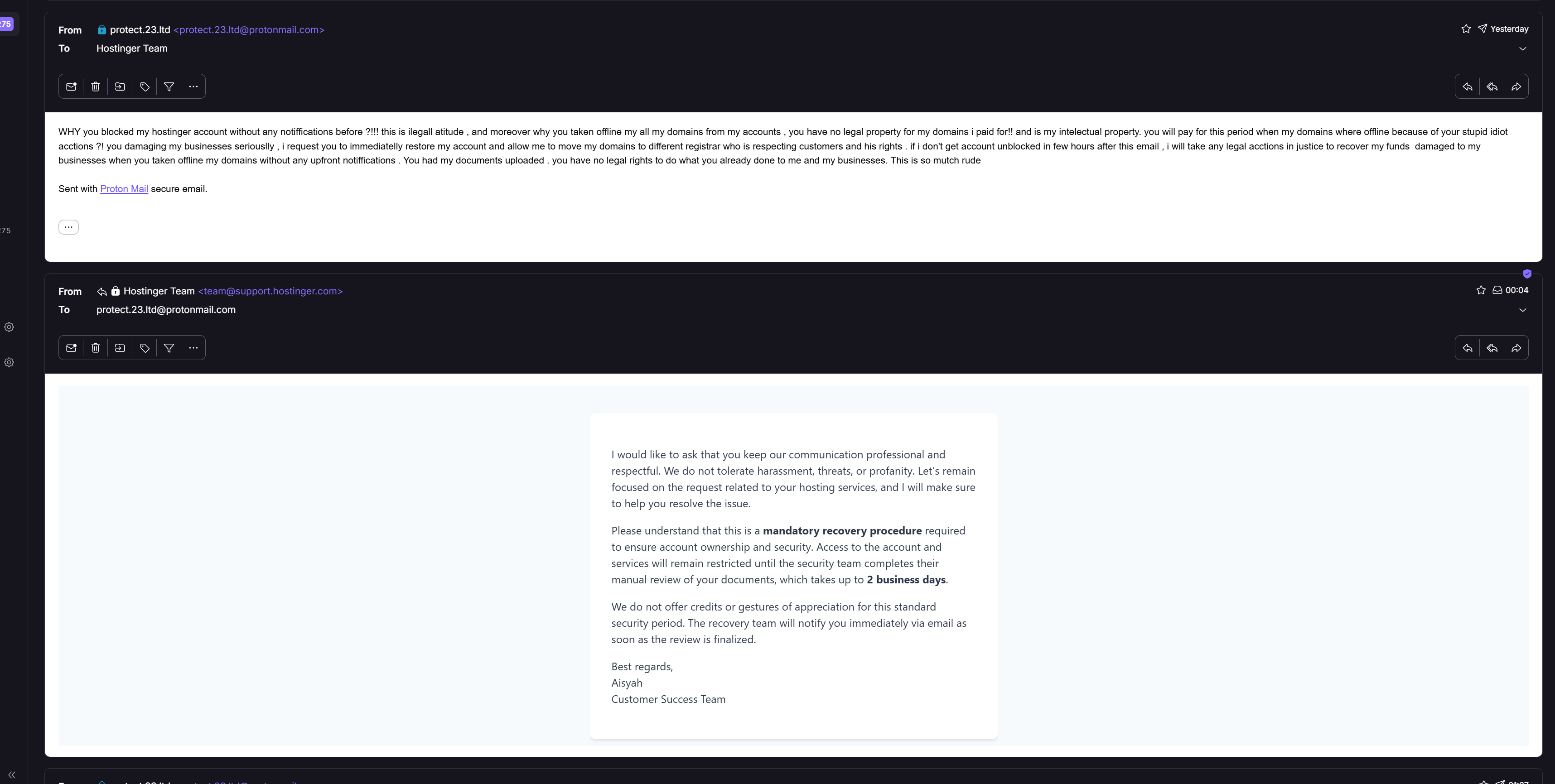
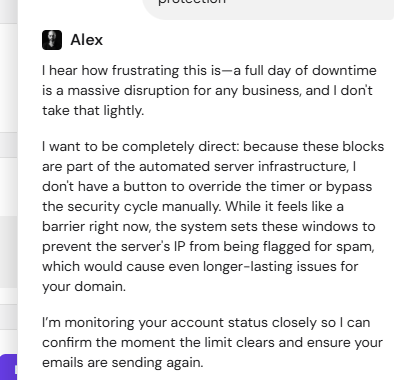
Hostinger’s support experience is a mixed picture, and it is worth being clear about that.
The human escalation path, however, has two friction points worth knowing about.
After thoroughly testing Hostinger across web hosting and three VPS plans, the overall picture is clear: this is a provider that earns its reputation rather than just coasting on it.
Hostinger’s Performance
Performance was the highlight. The numbers speak for themselves:
Hostinger’s Proprietary Control Panel
hPanel is one of the more polished control panels at this price point. The VPS management interface brings together a browser-based terminal, Docker Manager, DNS control, malware scanning, and contextual tutorials in one place, removing a lot of the friction that usually comes with self-managed hosting.
Hostinger’s Support System
Support is strong, with one caveat. Kodee, the AI assistant, handled genuinely technical questions impressively well. Human escalation works, but requires a little persistence, and human responses do not always add meaningfully to what Kodee already covered.
NOTE:
Before you commit, two things are worth knowing:
But overall, Hostinger is a great hosting tool worth trying!





Yes, Hostinger offers hosting plans optimized for high-traffic websites. Their Cloud Hosting and VPS Hosting solutions provide scalable resources, ensuring consistent performance even during traffic surges. These plans include enhanced CPU, RAM, and storage capabilities to handle increased demands effectively.
Hostinger offers a 99.9% uptime guarantee, ensuring that websites hosted on their servers experience minimal downtime. This commitment aligns with industry standards, providing users with reliable and consistent website performance.
Yes, Hostinger provides a 30-day money-back guarantee on most of their hosting plans. This policy allows users to try their services risk-free, with the option to request a refund if they are not satisfied within the first 30 days.
Hostinger’s AI Website Builder leverages artificial intelligence to simplify the website creation process. It enables users to design personalized websites quickly, even without prior technical knowledge. This tool automates design elements and content placement, allowing users to establish a professional online presence efficiently.
Hostinger prioritizes website security by offering free SSL certificates, which encrypt data transmitted between users and websites, enhancing trust and SEO rankings. They also provide daily backups, ensuring data integrity and quick recovery in case of issues. Additionally, Hostinger’s servers are equipped with advanced security protocols to protect against potential threats.

Answer a few simple questions and find the perfect solution for you!
Start Hosting Search