| Plan Name | Space | CPU | RAM | OS | Price | Score | |
|---|---|---|---|---|---|---|---|
| Bitcoin VPS | 30 GB | 1 core | 1 GB | CA$6.74 | 4.9 | View Plan | |
| VPS Business | 50 GB | 2 x 2.7GHz | 2 GB | CA$11.94 | 4.8 | View Plan | |
| Basic Windows VPS | 50 GB | 1 core | 2 GB | CA$16.57 | 5.0 | View Plan |
Summary of Best Windows VPS Hosting Providers
| Provider | Starting Price | Storage (GB) | CPU (Cores) | RAM (GB) | |
|---|---|---|---|---|---|
![]() | $3.99 | 30-100 | 1-4 | 1-6 | Visit Ultahost |
![]() | $4.00 | 20-4000 | 1-32 | 1-128 | Visit Kamatera |
![]() | $2.00 | 0-720 | 1-12 | 1-24 | Visit IONOS |
![]() | $4.00 | 20-80 | 1-4 | 1-4 | Visit VPSServer.com |
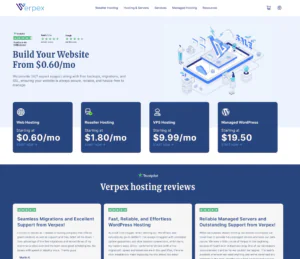
![]() | $4.99 | 80-320 | 2-8 | 4-16 | Visit Verpex Hosting |
![]() | $4.61 | 25-75 | 1-3 | 2-6 | Visit MVPS |
![]() | $3.00 | 40-1280 | 1-16 | 2-64 | Visit InterServer |
What Is Windows VPS Hosting?
A Windows VPS (Virtual Private Server) is a virtualized server that runs the Windows operating system. Windows VPS hosting provides a dedicated portion of server resources within a larger physical server. This setup offers better performance, security, and reliability compared to shared hosting.
Windows VPS hosting plans are ideal for larger websites and for users who want to host multiple websites from one server. They can handle large amounts of traffic and allow you to scale your resources as needed. This makes them suitable for growing businesses looking to grow quickly on the Internet.
Which Applications Require a Windows Server?
Certain applications are designed to run only on a Windows Server. Here are some examples:
- ASP Classic: A Microsoft tool for building interactive web pages by combining HTML and scripts.
- ASP.NET: An open-source framework for building websites and apps with HTML, JavaScript, and CSS.
- MSSQL (Microsoft SQL Server): A powerful database system by Microsoft, used for handling and analyzing large data sets in business environments.
- MS Access (Microsoft Access): Part of Microsoft 365, this tool helps businesses store and manage their data efficiently.
- Visual Basic Development: A Microsoft tool used to create and modify software and applications with Visual Basic.
- C#: A versatile programming language for developing apps, websites, games, and more.
When to Choose and When to Avoid Windows VPS Hosting
| When to Choose Windows VPS Hosting | When to Avoid Windows VPS Hosting |
| You need to run Windows-only software. | You need a cheaper hosting option. |
| You want a user-friendly interface (GUI). | You prefer free, open-source software. |
| Your team is familiar with Windows. | You want to avoid Windows security risks. |
| You need Microsoft product compatibility (e.g., ASP.NET, MSSQL). | You need high performance and stability. |
| You need to integrate with other Windows servers. | You want a lightweight, resource-efficient solution. |
| You rely on Windows features like Remote Desktop. | You have experience with other operating systems. |
| You want strong support and regular updates from Microsoft. | You want a reliable hosting solution with community support. |
| You use Windows-based development tools. | You aim for lower operational costs and easy maintenance. |
If Windows VPS is not relevant to your needs, consider these alternatives:
- Linux VPS Hosting: An excellent choice for users who prefer Linux operating systems. It offers greater control, flexibility, and is generally more cost-effective than Windows VPS hosting.
- Managed VPS Hosting: Ideal for those who need VPS resources but prefer not to manage the server themselves. This option includes maintenance, updates, and technical support.
- Windows Hosting: Suitable for websites or applications requiring a Windows environment. It offers the benefits of hosting with a Windows OS.
- Offshore VPS Hosting: Great for projects that need additional privacy and data protection. This type of hosting allows you to host your data in different countries.
How To Choose The Best Windows VPS Hosting Provider
Choosing a Windows VPS hosting provider can be overwhelming. These steps will help you make a smart and confident decision:
- Identify Your Needs: Determine what you will use the VPS for and the resources you need (CPU, RAM, storage, bandwidth).
- Evaluate Performance and Reliability: Check uptime guarantees, performance reviews, and the location of data centers for low latency.
- Compare Pricing and Plans: Look at the cost and features of different plans, and watch out for hidden fees.
- Check Customer Support and SLAs: Make sure that there’s 24/7 support and clear service commitments for uptime and response times.
- Consider Security and Backup Options: Look for complete security measures and backup solutions to protect your data.
The Best Windows VPS Hosting Services of 2026 (Bought and Tested):
-
Best Dedicated Hosting Provider 2026
-
Best Windows Hosting Provider 2026
-
Top 5 France Web Hosting 2026
-
Top 10 Website Builder 2026
-
Top 10 Web Hosting 2026

Ultahost is a powerful web hosting provider that offers all kinds of services, including shared, WordPress, Windows VPS, dedicated, and other types of hosting. What’s best, all of its Windows VPS hosting plans come with unlimited bandwidth!
- Overall Score: 4.9
- Performance: 4.9
- Security: 4.9
- Support: 4.9
- Features: 4.8
- Pricing: 4.9
Not many web hosts offer unlimited bandwidth. However, with Ultahost, you will get unlimited bandwidth no matter which Windows VPS plan you choose – the cheapest, the most expensive one, and everything in between!
Research Findings:
- Performance: All Ultahost servers are optimized with an advanced cache by Varnis, Redis, and Memcached that enhances your website’s speed. Also, the provider offers a 99.9% uptime guarantee and uses fast-paced SSD & NVMe Storage, the latest versions of Windows Server, and more!
- Security: dedicated firewalls, free SSL certificates, Two-Factor authentication, BitNinja security, built-in database security, enterprise-grade DDoS protection that is always active, 24/7 proactive server monitoring, auto-healing, regular security patching, free daily backups, and more!
- Support: Ultahost offers 24/7/365 support via live chat, email, and phone. It also offers fully-managed services, an extensive knowledge base, a ticketing system, support add-ons, and automated troubleshooting.
- Features: Ultahost supports both Windows and Linux OS, multiple programming languages, including PHP 5-8, Perl, and Python, vertical scaling, RDP access, a built-in team collaboration feature, Floating IPs, user roles, a CDN add-on, HTTP/2-enabled servers, SSH & SFTP access, and more.
- Pricing: Ultahost offers six Windows VPS plans, starting at $15.90/month for two CPU Cores, 2GB RAM, 50GB NVMe Storage, and managed services.
Pros & Cons
- Unlimited bandwidth included in all plans;
- 30-day money-back guarantee;
- Excellent security;
- When purchasing a plan, you will have to pay a transaction fee (but the fee is only 3% of your total cost, which is a minuscule amount)

-
Best VPS Hosting 2026
-
Top 5 Europe Web Hosting 2026
-
Top 5 Australia Web Hosting 2026
-
Top 10 Best Gaming Hosting Provider 2026
-
Top 10 Reseller Hosting 2026

If you are looking for a Windows-compatible, enterprise-grade VPS hosting provider, then Kamatera is the right solution for you. The provider has been around for 20 years and provides the best overall Windows VPS hosting plans at excellent prices!
- Overall Score: 4.9
- Performance: 5.0
- Security: 5.0
- Support: 4.9
- Features: 4.8
- Pricing: 4.8
Kamatera is a top-tier VPS hosting provider that offers excellent services and is compatible with many operating systems. It is an ideal choice for all Windows users out there and supports Windows 10 Desktop 64-bit, Windows 8.1 Desktop 64-bit, and Windows 8.1 Desktop 32-bit!
Research Findings:
- Performance: Kamatera offers high-performance servers that run on cutting-edge technology, including 600Gbit bandwidth, SSD drives, and Xeon Platinum/Cascade Lake processors. It offers an uptime guarantee of 99.95% and supports all Microsoft Windows Server versions and editions.
- Security: Kamatera provides high-level security in all of its hosting plans, including its VPS hosting ones. It also allows users to add an extended daily backup service to their server specs.
- Support: Kamatera offers 24/7 first-class customer service with ultra-fast response time. You can reach its customer support team via phone and email.
- Features: Scalable resources, no hardware maintenance, root/administrator access, remove servers without paying a fine, use its proprietary API to set up servers & all other resources on-the-fly without being present, stop & restart your servers at any time, add as many databases as you want, and more!
- Pricing: With Kamatera, you can customize your own server and choose the server type you prefer. Its prices start at $4/month for one vCPU core (Type A, 2667MHz), 1,024MB RAM, 20GB SSD Storage, and 5TB Internet Traffic for an Ubuntu Server 20.04 (LTS) 64-bit.
Pros & Cons
- A flexible pricing system;
- Excellent performance;
- Compatible with all Windows Server versions and editions;
- Not as suitable for beginners as other VPS hosting providers (but offers a fully-managed option that you can get)

-
Best Value for Money 2026
-
Editor's Choice 2026
-
Most Recommened PHP Hosting 2026
-
Top 5 UK Web Hosting 2026
-
Top 5 Europe Web Hosting 2026

I don’t believe IONOS’ rating fairly represents its quality. While the host might not have the best reputation, its fully virtualized VPS with full root access and API is worth every dime.
- Overall Score: 1.5
- Features: 1.5
- Reliability: 1.8
- User-Friendly: 1.5
- Support: 1.4
- Pricing: 1.4
IONOS offers the best VPS servers with various options; you can choose from Linux or Windows, standard or memory-optimized VPS, optional Plesk web host, and several data centers around the globe.
Research Findings:
- Features: 1-click WordPress install and WP Toolkit, SSL encryption, firewall management, DDoS protection, preconfigured email functionality, unlimited bandwidth, and optional backups.
- Reliability: IONOS utilizes last-generation hardware, including Intel Xeon E5 processors and 100% SAN SSD storage for maximum availability and 99.99% uptime.
- User-Friendly: You’ll benefit from an intuitive IONOS cloud panel, streamlining your VPS management.
- Support: IONOS’ server experts are available 24/7 to solve your issue quickly, minimizing downtime.
- Pricing: You can choose from monthly or annual billing terms, pre-paid and post-paid billing, and cancel anytime with a monthly period or after 12 months with a yearly term. IONOS’s VPS plans start at $2 per month for 1 vCore, 512MB RAM, and 10GB SSD.
Pros & Cons
- Compatible with a variety of operating systems & administration tools
- Certified infrastructure with maximum security and a 99.99% uptime guarantee
- Easy administration with full root access and Plesk Obsidian management software
- Acronis backups cost an additional fee
- Plesk costs an additional fee
- Registration is available from a limited number of countries


VPSServer.com offers Windows VPS hosting that suits users who need a Microsoft-friendly environment for business applications, development, or remote desktop workflows. This category is popular with teams running .NET apps, IIS-based websites, Windows-only software, lightweight automation tasks, and remote work setups that benefit from a persistent Windows server. Compared to shared hosting, a Windows VPS gives you dedicated resources and more control over system configuration, which can improve stability for applications that don’t perform well in constrained environments. VPSServer.com is best for users comfortable managing Windows Server basics (updates, roles, security policies) or those who can assign an admin to keep the server maintained.
Rating Overview
- Overall Score: 4.3
- Performance: 4.5
- Support: 4.2
- Security: 4.4
- Pricing: 4.1
- Ease of Use: 4.2
Detailed Analysis
Performance: VPSServer.com’s Windows VPS plans provide stable compute for IIS hosting, remote desktop usage, and Windows-native applications. Performance depends on right-sizing CPU/RAM, especially for workloads like databases or multiple concurrent RDP sessions. With proper tuning and sensible background services, the server remains responsive and consistent.
Support: Support is generally effective for provisioning, connectivity, and platform stability concerns. For Windows-specific configuration—roles/features, IIS tuning, application errors—you’ll typically need to manage it yourself or involve a Windows admin. This makes it suitable for technical users, while beginners may prefer a more fully managed Windows hosting service.
Security: A Windows VPS benefits from isolation and the ability to enforce stricter policies than shared hosting. You can harden RDP, configure firewall rules, implement least-privilege access, and apply update policies that fit your environment. Security still depends on maintenance discipline, including patching, endpoint protection practices, and careful credential management.
Pricing: Pricing is reasonable for Windows VPS resources, but Windows licensing and higher resource needs can make it costlier than Linux VPS options. Value is strongest when you truly need Windows-only software or IIS rather than choosing Windows out of habit. For heavier workloads, scaling up resources increases cost, so capacity planning is important.
Ease of Use: Windows VPS can be easier for users familiar with the Windows ecosystem, especially when managing via Remote Desktop. Common tasks like installing software and configuring IIS can feel straightforward, but ongoing maintenance adds responsibility. With a repeatable setup and basic monitoring, day-to-day operation becomes predictable.
Pros and Cons
Good fit for IIS, .NET, and Windows-only applications
Remote Desktop access simplifies administration
Stable VPS resources for consistent performance
Strong security control with firewall and policy settings
Scales easily for more users and heavier workloads
Typically costs more than Linux VPS due to licensing
Requires regular patching and Windows admin upkeep
App-level troubleshooting is largely self-managed
-
Best Reseller Hosting Provider 2026
-
Top 5 Australia Web Hosting 2026
-
Top 5 UK Web Hosting 2026
-
Top 10 Windows Hosting 2026
-
Top 10 VPS Hosting 2026

Rating Overview:
- Overall Score: 4.5
- Performance: 4.5
- Support: 4.6
- Security: 4.4
- Pricing: 4.3
- Ease of Use: 4.6
Verpex’s Windows VPS hosting offers a solid solution for users looking to run Windows-based applications, development environments, or remote desktop solutions in a virtualized server setup. It is well-suited for developers, IT professionals, and businesses that rely on Windows-specific software stacks. With flexible configuration options and SSD-backed infrastructure, Verpex combines user control with efficient resource delivery. While it’s not the cheapest in the market, it offers good value for the reliability and service provided.
Detailed Analysis:
- Performance:Verpex provides fast SSD storage, sufficient RAM allocations, and consistent CPU performance across its Windows VPS plans. The platform ensures smooth remote desktop operations and application responsiveness, even during moderate workloads.
- Support: Their 24/7 technical support is knowledgeable and quick to respond, especially for Windows-specific concerns. The support team is accessible via chat and ticket system, offering reliable assistance with both setup and troubleshooting.
- Security: Basic security measures like firewall controls and DDoS protection are included. However, advanced Windows-specific hardening may require manual configuration by the user, so a bit more responsibility lies with the client.
- Pricing: Verpex’s Windows VPS pricing is reasonable for the performance offered, though not the most budget-friendly. Entry-level plans are competitively priced, but scalability to higher-tier configurations can become relatively costly.
Pros and Cons:
Offers full admin access with customizable Windows environments
High uptime and consistent SSD-based performance
Quick deployment and scalable resources
Knowledgeable Windows-specific support
Clean and intuitive control panel
Limited advanced security features on entry-level plans
Higher-tier plans can get expensive
-
Top 10 Windows Hosting 2026
-
Top 10 VPS Hosting 2026
-
Great Support 2026
-
Excellent Service 2026
-
Over 99% Uptime 2026

Rating Overview:
- Overall Score: 4.7
- Performance: 4.8
- Support: 4.5
- Security: 4.6
- Pricing: 4.9
- Ease of Use: 4.6
MVPS offers affordable Windows VPS hosting with strong performance and reliable security. Ideal for businesses and developers requiring a flexible hosting solution, it provides an excellent balance of price, security, and performance for Windows-based applications.
Detailed Analysis:
- Performance: MVPS provides Windows VPS hosting with powerful resources, ensuring smooth operations for resource-intensive applications.
- Support: Basic support is available, ensuring assistance for common issues, but advanced technical configurations may require more hands-on management.
- Security: With built-in firewall protection and DDoS protection, MVPS ensures a secure environment for Windows VPS users.
- Pricing: Competitive pricing makes MVPS one of the best value Windows VPS providers, offering affordable plans with scalable options.
Pros and Cons:
- Low-cost Windows VPS hosting with great value
- Powerful resources for running Windows-based apps
- DDoS protection and firewall security
- Scalable plans to suit various business needs
- User-friendly interface
- Support is limited to basic troubleshooting
- Lacks some premium features compared to high-end providers
-
Best Linux Hosting Provider 2026
-
Top 5 USA Web Hosting 2026
-
Top 10 Reseller Hosting 2026
-
Top 10 Windows Hosting 2026
-
Great Support 2026

InterServer’s Windows VPS targets developers and businesses that need reliable, scalable resources for ASP.NET, IIS, and SQL Server workloads. It’s a pragmatic choice for US-centric projects, staging environments, and agencies hosting multiple Windows sites. Plans scale in small increments, letting you start lean and add RAM, CPU, and storage as usage grows. The value proposition is strong for those who want predictable monthly pricing without committing to long contracts, though hands-on server management is expected unless you add management services.
Rating Overview
- Overall Score: 4.6
- Performance: 4.6
- Support: 4.5
- Security: 4.6
- Pricing: 4.7
- Ease of Use: 4.6
Detailed Analysis
Performance: KVM-based virtualization and SSD storage deliver consistent I/O for Windows workloads. Resources are dedicated per slice, minimizing noisy-neighbor effects. Scaling up is straightforward when traffic or database demands spike.
Support: 24/7 help via tickets and live channels covers core issues. They assist with provisioning, connectivity, and common configuration hurdles. Deep Windows administration usually requires a managed add-on.
Security: Network-layer protections help absorb common DDoS patterns. You get firewall controls and the option to harden RDP and IIS. Patch cadence is your responsibility unless you opt into management.
Pricing: Transparent monthly pricing and granular slices keep costs predictable. Windows licensing is included, avoiding surprise line items. Optional backups, extra IPs, and panels add to the bill but stay clear.
Ease of Use: Rapid image deployment gets you from order to RDP fast. Rebuilds and upgrades are handled from a clean control panel. Admins familiar with Windows Server will feel at home quickly.
Pros and Cons
Flexible monthly scaling with granular resource slices
Strong value for Windows-based web and app hosting
Fast provisioning and easy rebuilds from the control panel
Solid baseline security with straightforward hardening options
Predictable pricing with clear add-ons
Not fully managed by default; self-administration required
Add-ons like backups and extra IPs increase total cost
Fewer global data center options than hyperscalers
Windows vs. Linux VPS Hosting
Windows and Linux VPS hosting are built on different operating systems. For example, while Linux is free and open-source, while Windows needs a paid license.
Here are the other key differences between the two platforms:
| Windows VPS Hosting | Linux VPS Hosting |
| Uses Windows Server, familiar for those used to Windows environments. | Uses various Linux distributions (e.g., Ubuntu, CentOS), ideal for users familiar with Linux. |
| Generally more expensive due to licensing fees. | Typically cheaper as most Linux distributions are free. |
| Often uses Plesk, which is user-friendly. | Commonly uses cPanel or Webmin, offering extensive control. |
| Best for running .NET, ASP, and MSSQL applications. | Ideal for PHP, Perl, Python, and MySQL applications. |
| Regular updates and patches, but often targeted by malware. | Strong community support for frequent security patches. |
| Limited customization due to closed-source nature. | Highly customizable with access to source code. |
| May require more resources due to a heavier OS. | Generally more efficient and lightweight, offering better performance with fewer resources. |
| User-friendly with a familiar Windows interface. | Requires some technical knowledge but offers powerful command-line tools. |
How to Secure Your Windows VPS
Ensuring the security of your Windows VPS is critical to protect your data, prevent unauthorized access, and safeguard against cyber threats. Below are key steps to secure your Windows VPS effectively.
- Enable Windows Firewall and Antivirus – Activate the built-in Windows Defender Firewall and install reputable antivirus software to protect against malware and unauthorized access.
- Regularly Update Windows & Software – Keep Windows Server OS, applications, and security patches up to date to prevent vulnerabilities.
- Use Strong Passwords & Enable Two-Factor Authentication (2FA) – Create complex, unique passwords for all user accounts and enable 2FA to add an extra layer of security.
- Restrict Remote Desktop Protocol (RDP) Access – Change the default RDP port and allow only whitelisted IP addresses to connect to your server.
- Disable Unused Services & Features – Turn off unnecessary Windows services and ports to reduce attack surfaces and improve server performance.
- Implement Data Backups & Disaster Recovery Plan – Schedule automated backups to an external server or cloud storage to prevent data loss in case of cyberattacks or system failures.
- Monitor Logs & Server Activity – Regularly review system logs and use monitoring tools to detect suspicious activities and unauthorized login attempts.
Windows VPS vs. macOS VPS
Below is a comparison of different VPS operating systems based on key factors.
| Feature | Windows VPS | macOS VPS |
| Ease of Use | User-friendly GUI, similar to Windows desktop | Apple users may find it intuitive |
| Performance | Higher resource usage, requires more RAM/CPU | Good for Apple development, but resource-heavy |
| Cost | Paid OS license required | Requires Apple hardware, expensive |
| Security | Regular updates but prone to malware attacks | Secure but not common for VPS hosting |
| Software Compatibility | Best for Microsoft applications like ASP.NET and MSSQL | Designed for macOS applications only |
| Use Case | Business applications, remote desktop, Windows-specific software | Apple ecosystem integration, development |
Do Windows VPS hosting plans support WordPress?
Yes, WordPress can run on Windows VPS, but it performs better on a Linux server with Apache or Nginx. For best performance, use a Windows VPS with IIS and a MySQL-compatible database.
Why Trust Our Recommendations
At HostAdvice, our recommendations are based on in-depth research, hands-on testing, and real user feedback. We evaluate Windows VPS providers on key factors like performance, security, uptime, pricing, and customer support.
Each provider is tested for speed, resource allocation, and compatibility with Microsoft tools like ASP.NET and MSSQL. We also analyze long-term reliability, ensuring you get a VPS that can handle demanding workloads without unexpected downtimes. Our goal is to help you find a hosting solution that best fits your needs, ensuring reliability and scalability for your projects.
How Do We Test and Rank
To make sure we give you the best rankings, we test everything really carefully. Our hosting experts look at all the important factors and test out all the best VPS providers on their own.
We also take independent user reviews into account during our testing.
Each factor we test is assigned a specific percentage to reflect its importance in choosing the best Windows VPS hosting providers:
- Server Uptime (15%): Measures how reliable the server is, aiming for 99.95% uptime or higher, with good hardware, SSD storage, and Cloudflare CDN.
- User Interface (4%): Checks how easy and intuitive the provider’s control panel is, especially for beginners.
- Server Management Tools (5%): Looks at the availability and ease of use of control panels like cPanel, Plesk, and DirectAdmin.
- Type of Hosting Service (6%): Evaluates if the provider offers both managed and unmanaged Windows VPS hosting solutions.
- Customer Support (10%): Tests the quality and availability of 24/7 support through live chat, phone, email, guides, and tutorials.
- Security (11%): Examines security features like daily backups, disaster recovery options, dedicated IP addresses, malware scans, and constant monitoring.
- Extra Hosting Features (9%): Includes additional benefits like free migrations, automatic security patches, free CDN, and domain services.
- Pricing and Value for Money (10%): Analyzes if the hosting plans offer enough features and resources to meet your needs at a reasonable price.
- User Reviews (30%): Gathers insights from real user experiences to understand the provider’s reliability, performance, and customer satisfaction.
Best Windows VPS Hosting: Final Recommendations
Choosing the right Windows VPS provider depends on your specific needs—whether it’s performance, pricing, or Microsoft compatibility. Look for a host that offers strong uptime, scalable resources, and seamless integration with ASP.NET, MSSQL, and other Windows-based applications.
Prioritize providers with excellent security features, responsive customer support, and flexible billing options. A provider with dedicated CPU, SSD storage, and DDoS protection is ideal for businesses handling high-traffic websites or resource-heavy applications. Based on our research and testing, the best Windows VPS hosting solutions balance performance, security, and affordability.