SaaS (Software as a Service) hosting providers offer infrastructure and tools to support the deployment and management of SaaS applications. These providers ensure scalability, security, and performance for cloud-based software solutions. Typically, SaaS hosting includes features like high-availability environments, integration tools, and analytics, allowing businesses to deliver their software to users over the internet without worrying about backend infrastructure management.
When to Choose and When to Avoid SaaS Hosting
Reasons to Use SaaS Hosting
Reasons Not to Use SaaS Hosting
You need a scalable infrastructure to handle variable traffic.
Your software is designed for on-premises deployment.
Your application requires frequent updates and integrations.
You want complete control over the hosting infrastructure.
You prioritize speed-to-market for launching new applications.
Your budget is too limited for premium SaaS hosting costs.
Your business lacks the technical expertise to manage servers.
You manage software with minimal user demand or updates.
You want built-in features like backups, security, and monitoring.
Your software relies heavily on specific legacy systems.
Alternatives to SaaS Hosting
If SaaS hosting doesn’t suit your needs, consider these alternatives:
Shared Hosting: Ideal for smaller-scale applications with lower user demand. It’s affordable and suitable for lightweight software solutions.
VPS Hosting: Offers more control and resources than shared hosting, making it suitable for mid-sized software with moderate resource needs.
Dedicated Servers: Best for software requiring maximum performance and security, offering complete control over the hosting environment.
Cloud Hosting: Great for applications experiencing fluctuating traffic, with on-demand scalability and resource allocation.
How to Choose the Best SaaS Hosting Providers
Assess Scalability Needs: Ensure the provider offers flexible scaling to handle user growth and varying workloads.
Check Performance Metrics: Look for fast response times, high uptime guarantees, and low latency.
Evaluate Security Features: Choose providers with robust security, including data encryption, regular backups, and compliance with industry standards.
Review Integration Support: Opt for a hosting service that supports easy integration with tools and APIs relevant to your application.
Compare Pricing and Plans: Analyze the cost of features and select a provider that fits your budget without compromising on quality.
Consider Support Availability: Choose a provider with reliable 24/7 support to resolve any technical issues promptly.
HostGator delivers a robust SaaS hosting platform that blends performance with ease of use, making it a solid fit for developers and SaaS startups alike. Its managed environment streamlines deployment, while the built‑in scaling tools cater to businesses expecting rapid growth.
Rating Overview
Overall Score: 4.3
Pricing: 4.2
Features: 4.4
Performance: 4.3
Support: 4.1
User Friendly: 4.5
Key strengths include a straightforward control panel, automated backups, and built‑in load balancing that keep SaaS applications running smoothly. The platform also offers a variety of pre‑configured stacks, SSL management, and one‑click app deployments, which reduce time‑to‑market for developers.
While pricing is competitive for the feature set, larger enterprises may need to consider custom plans for higher traffic volumes. Overall, HostGator’s SaaS hosting strikes a balance between cost‑effectiveness and the advanced tools required by modern web applications.
Detailed Analysis
Features: HostGator provides a full suite of SaaS‑ready tools, including auto‑scaling, integrated CI/CD pipelines, managed databases, and a marketplace of one‑click apps, all accessible via a clean dashboard.
Reliability: With a 99.9% uptime SLA, multiple data centers, and redundant network paths, the service ensures consistent availability, crucial for subscription‑based software.
User‑Friendly: The custom control panel is intuitive, offering drag‑and‑drop site builders, easy domain management, and clear resource monitoring, which helps both novices and seasoned developers.
Support: 24/7 live chat and ticket support are available, backed by a knowledgeable team familiar with SaaS environments; response times are generally under an hour for priority issues.
Pricing: Plans start at $9.99 per month with generous resource allocations, and the tiered pricing model scales predictably as you add users or need more compute power.
Pros
Auto‑scaling infrastructure for seamless growth
Integrated CI/CD and one‑click app deployment
99.9% uptime SLA with multiple data centers
Intuitive control panel with robust monitoring
Cons
Limited advanced networking options for large enterprises
Higher-tier plans can become pricey as resources increase
HostGator’s SaaS hosting is a reliable and developer‑friendly solution ideal for startups and mid‑size SaaS businesses seeking automated scaling without a hefty price tag. It shines in ease of use and built‑in tools, though large enterprises may look for more granular network controls.
Kamatera stands out for its ability to scale SaaS hosting environments with ease. It offers a range of customizable options, from single-CPU servers to enterprise-grade setups with up to 104 vCPUs, ensuring it meets the needs of various SaaS applications. Kamatera’s cloud-based infrastructure eliminates downtime risks and simplifies hosting management for SaaS businesses.
Rating Based on Expert Review
Overall Score: 4.9
Features: 5.0
Reliability: 5.0
User-Friendly: 4.8
Support: 4.9
Pricing: 4.8
Detailed Analysis
Features: Kamatera provides highly customizable hosting plans that include advanced tools such as load balancers, firewalls, and SSD storage. Users can configure their servers precisely to suit their SaaS applications, making it an ideal choice for businesses needing tailored solutions.
Reliability: With data centers across four continents and a guaranteed uptime of 99.95%, Kamatera ensures reliable performance for SaaS operations. Its cloud infrastructure minimizes single points of failure, ensuring uninterrupted service.
User-Friendly: Kamatera’s intuitive control panel allows seamless configuration and monitoring of servers. It’s suitable for developers and businesses needing simple management tools for complex SaaS applications.
Support: Kamatera offers 24/7 technical support via live chat, phone, and email. Their team is highly responsive and ready to assist with any hosting or SaaS-related queries.
Pricing: Kamatera employs a pay-as-you-go pricing model, letting users pay for resources they use without long-term commitments. Plans start as low as $4 per month, making it accessible for startups and growing businesses.
Pros and Cons
Pros
Extensive scalability options
Customizable configurations for SaaS needs
High uptime and reliable performance
Round-the-clock support
Cons
Managed support plans can be expensive
Basic technical knowledge required for setup
Kamatera provides a flexible SaaS hosting platform with scalable solutions and reliable infrastructure. Start building your SaaS business on Kamatera today!
Bluehost delivers a comprehensive SaaS hosting platform designed for businesses that need reliable, scalable solutions. It’s ideal for developers, startups, and enterprises looking to launch subscription‑based applications with minimal hassle.
Rating Overview
Overall Score: 4.5
Pricing: 4.2
Features: 4.6
Performance: 4.4
Support: 4.3
User Friendly: 4.5
Bluehost’s SaaS hosting combines a powerful infrastructure with an intuitive control panel, allowing users to deploy and manage cloud‑based applications quickly. Key strengths include automated scaling, integrated billing, and robust security layers that keep services running smoothly.
Detailed Analysis
Features: The platform offers one‑click SaaS app deployment, built‑in subscription management, API access, and a marketplace of pre‑configured templates, enabling rapid time‑to‑market for new services.
Reliability: With a 99.9% uptime SLA, multiple data centers, and redundant network paths, Bluehost ensures your SaaS products remain available and performant under varying traffic loads.
User-Friendly: The custom control panel provides visual resource scaling, easy domain management, and clear analytics, making it straightforward for both novices and seasoned developers to navigate.
Support: 24/7 live chat and ticket support staffed by knowledgeable engineers, plus an extensive knowledge base, help resolve issues quickly and keep your SaaS operations stable.
Pricing: Plans start at competitive rates with tiered resources, though higher‑tier options can become costly for large‑scale deployments; however, the value aligns with the included managed services and security features.
Pros
One‑click SaaS app deployment
Integrated billing and subscription tools
Robust security suite with SSL and DDoS protection
99.9% uptime guarantee
Cons
Higher pricing than basic shared plans
Limited advanced developer customization options
Bluehost’s SaaS hosting is a solid choice for businesses that prioritize scalability and managed security. It’s best suited for growing startups and enterprises needing a reliable, all‑in‑one solution.
DreamHost delivers a robust SaaS hosting platform tailored for developers and growing businesses seeking reliable, scalable solutions. It excels for agencies, startups, and enterprises that need easy deployment and integrated tools without compromising performance.
Rating Overview
Overall Score: 4.6
Pricing: 4.4
Features: 4.7
Performance: 4.5
Support: 4.3
User Friendly: 4.6
DreamHost’s SaaS hosting combines a powerful infrastructure with developer‑centric tools such as one‑click app installers, Git integration, and managed databases. The platform offers automatic scaling, built‑in CDN, and daily backups, ensuring applications stay online and data stays safe.
With an intuitive control panel and extensive documentation, even non‑technical users can launch SaaS products quickly. The service includes free SSL, DDoS protection, and a 97‑day money‑back guarantee, making it a low‑risk choice for businesses of any size.
Detailed Analysis
Features: DreamHost provides a full suite of SaaS tools, including API access, auto‑scaling containers, managed Redis and PostgreSQL, plus a marketplace of pre‑configured applications to accelerate development.
Reliability: The platform runs on redundant, enterprise‑grade hardware across multiple data centers, delivering a 99.9% uptime SLA and real‑time monitoring to minimize downtime.
User‑Friendly: An intuitive custom control panel and extensive tutorials enable rapid onboarding, while CLI support and Git hooks cater to advanced developers seeking automation.
Support: 24/7 ticket support, live chat during business hours, and a vibrant community forum ensure issues are resolved quickly; premium plans add dedicated account managers.
Pricing: Transparent monthly and annual plans start at $15 per month for modest workloads, scaling up with usage; the pricing model includes generous bandwidth and storage allowances.
Pros
Developer‑centric tools and API access
Automatic scaling and built‑in CDN
99.9% uptime SLA with redundant data centers
Generous free SSL and daily backups
Cons
Live chat support limited to business hours
Higher-tier plans can become pricey for large traffic
DreamHost’s SaaS hosting is ideal for developers and growing businesses that value scalability, robust features, and reliable performance. Its intuitive interface and strong support make it a solid, cost‑effective choice for launching SaaS applications.
IONOS offers enterprise-grade SaaS hosting solutions tailored for large-scale applications. With extensive security features and scalable plans, IONOS is designed for businesses needing robust hosting environments.
Rating Based on Expert Review
Overall Score: 4.7
Features: 4.7
Reliability: 4.9
User-Friendly: 4.6
Support: 4.8
Pricing: 4.5
Detailed Analysis
Features: IONOS provides a range of tools, including dedicated resources, managed services, and a custom firewall, making it suitable for scaling SaaS applications.
Reliability: IONOS ensures 99.9% uptime and robust infrastructure, backed by its data centers in Europe and North America.
User-Friendly: While slightly more complex than others, IONOS offers a well-designed control panel and onboarding support.
Support: Their 24/7 support team provides personalized assistance through live chat, phone, and email.
Pricing: Pricing starts at $8 per month for entry-level plans but can increase significantly for advanced features.
Pros and Cons
Pros
Advanced security features
Scalable hosting plans
Reliable infrastructure for enterprise needs
Cons
Higher costs for advanced features
Steeper learning curve for new users
IONOS delivers powerful SaaS hosting for enterprises. Explore IONOS and see how it supports your SaaS growth!
Hostinger is a popular choice for SaaS hosting on a budget, offering affordable plans without sacrificing performance. It includes various features like free SSL, daily backups, and cloud-based infrastructure to support SaaS startups and small businesses.
Rating Based on Expert Review
Overall Score: 4.7
Features: 4.6
Reliability: 4.8
User-Friendly: 4.8
Support: 4.6
Pricing: 5.0
Detailed Analysis
Features: Hostinger includes powerful features like automatic backups, a custom control panel, and integrated performance optimization tools, ensuring smooth operation for SaaS applications.
Reliability: With a 99.9% uptime guarantee and servers located worldwide, Hostinger provides consistent performance and dependable hosting. Its infrastructure ensures SaaS applications stay online.
User-Friendly: The hPanel, Hostinger’s custom control panel, makes server management straightforward for users of all experience levels.
Support: Hostinger offers 24/7 customer support via live chat and ticketing. While response times are fast, the support team is best suited for basic queries.
Pricing: Hostinger’s plans are affordable, starting at $2.99 per month, making it one of the most cost-effective options for SaaS hosting.
Pros and Cons
Pros
Affordable pricing plans
Global server locations for better latency
User-friendly control panel
Free SSL and backups
Cons
Limited support for complex issues
Fewer advanced features for scaling
Hostinger combines affordability with solid performance, making it a great choice for budget-conscious SaaS businesses. Get started with Hostinger and launch your SaaS today!
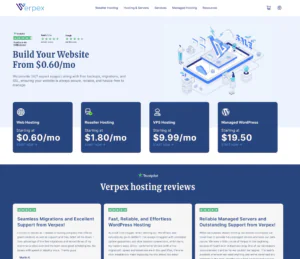
Verpex’s SaaS hosting is a good fit for founders, agencies, and small product teams that want a straightforward environment to run a lightweight SaaS app without overbuilding infrastructure early. It works best for predictable workloads—such as dashboards, member portals, booking apps, and internal tools—where stable uptime and a manageable server footprint matter more than complex cloud-native services. Verpex tends to appeal to users who want an easier management experience and responsive support for common hosting hurdles like SSL, migrations, and basic server configuration. It’s a practical choice for early-stage SaaS where you want to move fast, keep operations simple, and scale gradually as usage becomes clearer.
Rating Overview
Overall Score: 4.3
Performance: 4.3
Support: 4.5
Security: 4.4
Pricing: 4.2
Ease of Use: 4.6
Detailed Analysis
Performance: Verpex performs reliably for typical SaaS stacks when workloads are moderate and resources are sized appropriately. It’s well-suited for consistent traffic patterns and apps that rely on efficient caching and database tuning. For rapid growth or high concurrency, you may need upgrades and a more deliberate scaling plan to avoid bottlenecks.
Support: Support is a strong point for founders who want help with setup, migrations, and routine troubleshooting. It’s effective for resolving hosting-level issues that can block releases or cause downtime. Deep application profiling and architecture guidance remain largely on the user side.
Security: The platform supports solid hardening practices such as SSH keys, firewalls, and routine patching. It works well when you implement least-privilege access and keep secrets management disciplined. SaaS security still depends on your app-layer controls, logging, and vulnerability management practices.
Pricing: Pricing is reasonable for small-to-mid SaaS workloads where you value usability and support. It can be cost-effective if it reduces time spent maintaining infrastructure. If you need highly elastic scaling, usage-based clouds may become more economical long-term.
Ease of Use: The management experience is beginner-friendly, making deployments and routine administration straightforward. This helps small teams keep operational overhead low. Advanced automation and multi-environment orchestration may require external tooling.
Pros and Cons
Pros
Easy management experience for early-stage SaaS teams
Strong support for setup and common hosting issues
Stable performance for predictable SaaS workloads
Good fit for dashboards and member-based applications
Practical option for gradual, controlled scaling
Cons
High-concurrency scaling may require tier upgrades
Deep app optimization is self-managed
Less suited to highly elastic, cloud-native architectures
Verpex is ideal for early-stage SaaS teams that want simple hosting with helpful support, especially for steady workloads that benefit from low operational overhead and gradual scaling.
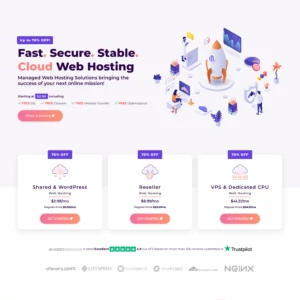
Hostarmada’s SaaS hosting is well-suited for small businesses and teams that want a smoother operational experience while running a SaaS-style application or customer portal. It works best for steady workloads where reliable performance, support assistance, and an approachable management experience reduce day-to-day friction. Hostarmada is a practical choice for founders who want to focus on product and customers rather than infrastructure, especially during early growth where time spent troubleshooting servers can slow releases. While it may not be the most automation-heavy environment, it offers a balanced option for running production services with less operational stress.
Rating Overview
Overall Score: 4.3
Performance: 4.4
Support: 4.6
Security: 4.4
Pricing: 4.1
Ease of Use: 4.6
Detailed Analysis
Performance: Hostarmada performs well for steady SaaS workloads, particularly dashboards and customer portals with predictable traffic. It’s reliable when you size resources appropriately and apply caching and database tuning. If your product scales rapidly or sees sharp spikes, you may need tier upgrades and a more robust scaling strategy.
Support: Support is a standout advantage, helping with setup, migrations, and troubleshooting issues that can disrupt uptime. This is valuable for teams without dedicated DevOps who need faster resolution on hosting blockers. Application profiling and deep architecture work remain mostly self-managed.
Security: The platform supports a solid security baseline when you enforce strict access controls and routine patching. It works well for teams that want a more guided approach to keeping production stable. SaaS security still depends on app-layer practices like authentication, rate limiting, and secure secrets handling.
Pricing: Pricing can be higher than barebones VPS providers, reflecting a more service-oriented experience. It’s good value when support reduces downtime and operational time costs. If you’re purely optimizing for lowest compute cost, more DIY providers may be cheaper.
Ease of Use: The management experience is beginner-friendly, helping teams deploy and maintain services with less friction. Routine tasks and maintenance workflows are straightforward to manage. Advanced automation and multi-environment orchestration may require extra tooling.
Pros and Cons
Pros
Beginner-friendly operations for SaaS-style workloads
Strong support for setup and troubleshooting
Reliable performance for steady portals and dashboards
Good choice for teams without dedicated DevOps
Solid baseline security with proper hardening
Cons
Pricing may be higher than budget VPS options
Scaling for spikes may require tier upgrades
Advanced automation is more DIY
Hostarmada is ideal for SaaS teams that want an easier hosting experience with strong support, especially for steady customer-facing portals where operational simplicity matters.
MVPS is a practical SaaS hosting option for developers who want a straightforward VPS foundation to run an application stack with minimal platform overhead. It fits lightweight-to-moderate SaaS workloads such as APIs, internal tools, small multi-tenant apps, and background workers where you prefer direct server control and predictable costs. MVPS is best for technical users who can manage deployments, updates, monitoring, and backups on their own. If you’re comfortable operating a Linux server and optimizing your stack, it can be a cost-effective way to host a SaaS product without paying for bundled managed features.
Rating Overview
Overall Score: 4.2
Performance: 4.3
Support: 4.2
Security: 4.3
Pricing: 4.5
Ease of Use: 4.3
Detailed Analysis
Performance: MVPS performs well for steady SaaS workloads when you size resources correctly and keep the stack optimized. It’s suitable for single-node deployments running web, worker, and database components on one VPS. For higher concurrency and growth, you’ll likely need to scale up resources and separate services to maintain consistent performance.
Support: Support is generally helpful for provisioning, access issues, and connectivity problems that can affect uptime. It’s most effective for platform-level troubleshooting rather than advising on SaaS architecture. Teams with strong logging and monitoring will resolve issues faster and more predictably.
Security: The VPS can be secured effectively with SSH keys, firewalls, and disciplined patching routines. It’s a good foundation for SaaS when you enforce least privilege and keep secrets managed securely. Security outcomes depend heavily on your operational practices, especially updates and access control.
Pricing: Pricing is a strong point, making it attractive for bootstrapped SaaS teams that need predictable monthly costs. It’s cost-effective for MVPs and small production deployments where you can keep a lean footprint. Costs rise mainly when you add redundancy or scale resources for growth.
Ease of Use: The experience is straightforward and functional for technical users who don’t need handholding. Routine administration is manageable with standard Linux skills. Newer users may find it less guided than support-heavy providers.
Pros and Cons
Pros
Strong pricing for bootstrapped SaaS hosting
No-frills VPS control for technical teams
Suitable for lean MVP and small production deployments
Predictable costs for single-node application stacks
Flexible to customize your own deployment workflow
Cons
Monitoring, backups, and scaling are user-managed
Less guided experience for non-technical founders
Growth may require re-architecting beyond one VPS
MVPS is best for technical SaaS teams that want a lean, cost-effective VPS foundation and are comfortable managing deployments, security, and scaling as the product grows.
InterServer offers flexible SaaS hosting with customizable plans and dedicated resources. It supports small to mid-sized businesses needing reliable hosting for their SaaS platforms.
Rating Based on Expert Review
Overall Score: 4.6
Features: 4.7
Reliability: 4.6
User-Friendly: 4.6
Support: 4.7
Pricing: 4.5
Detailed Analysis
Features: InterServer provides unlimited storage and bandwidth, SSD caching, and customizable configurations, ensuring adaptability for various SaaS needs.
Reliability: InterServer guarantees 99.9% uptime, backed by redundant power supplies and advanced hardware.
User-Friendly: With its simple control panel and flexible configuration options, InterServer suits users seeking customizable hosting.
Support: The 24/7 support team assists with technical queries and server management.
Pricing: Plans start at $6 per month, offering value for businesses needing scalable solutions.
Pros and Cons
Pros
Customizable hosting plans
Unlimited storage and bandwidth
24/7 support
Cons
Limited global data centers
Some plans require manual configurations
InterServer combines flexibility and performance, making it an excellent choice for SaaS hosting. Start your SaaS journey with InterServer today!
At HostAdvice, we prioritize transparency and reliability in our evaluations. Our recommendations are based on extensive testing, user feedback, and industry expertise. By thoroughly analyzing each hosting provider’s performance, features, and customer satisfaction, we ensure you receive accurate and practical advice for selecting the best SaaS hosting service.
How Do We Test and Rank?
Our ranking methodology is rooted in real-world performance tests and user-focused evaluations. We purchase plans like regular customers, analyze uptime, speed, scalability, and security features, and validate promises made by hosting providers. Additionally, we consider customer support responsiveness and value-for-money factors. This meticulous process ensures our rankings reflect actual performance and reliability.
SaaS Hosting: Final Recommendations
SaaS hosting is ideal for businesses aiming to deliver scalable, secure, and user-friendly software applications. Choosing the right provider involves balancing scalability, performance, integration capabilities, and pricing. Evaluate your project’s specific needs to find a hosting service that supports your goals effectively.
SaaS hosting provides scalable infrastructure and built-in tools for software deployment, reducing the need for in-house server management.
Can SaaS hosting handle large-scale applications?
Yes, most SaaS hosting providers offer robust scalability to manage applications of all sizes, ensuring consistent performance.
Is SaaS hosting secure?
Reputable SaaS hosting providers implement advanced security measures, such as data encryption, regular backups, and compliance with industry standards, to protect your application and user data.
How does SaaS hosting differ from traditional hosting?
SaaS hosting is specifically tailored for cloud-based software delivery, providing tools and environments optimized for integration, updates, and multi-user accessibility, unlike traditional hosting focused on basic website hosting.
Are there free SaaS hosting options available?
Some providers offer free plans with limited features, but for production-ready environments and advanced features, paid plans are typically necessary.
Click to go to the top of the page
HostAdvice.com provides professional web hosting reviews fully independent of any other entity. Our reviews are unbiased, honest, and apply the same evaluation standards to all those reviewed.While monetary compensation is received from a few of the companies listed on this site, compensation of services and products have no influence on the direction or conclusions of our reviews. Nor does the compensation influence our rankings for certain host companies.This compensation covers account purchasing costs, testing costs and royalties paid to reviewers.





 4.5
4.5