As I dug into Bluehost Email Hosting, my first impression was that it’s crafted for professionals who want a straightforward yet powerful email solution.
From domain-matching email addresses to secure storage and productivity tools, it’s clear that Bluehost has packed this service with useful features.
With domain-matching email addresses, customizable storage from 25GB to 80GB, and seamless integration of calendars, contacts, and tasks, it promises a reliable platform for business communications.
It also has a user rating of 2.8 from 381 customer reviews in our Bluehost hosting review. This service shows potential but also leaves some questions.
Read on to see my complete take on what Bluehost Email Hosting brings.
Bluehost Email Hosting offers two plans tailored for businesses and professionals.
The plans include Professional Email and Professional Email Plus—each designed to provide secure, ad-free email with improved productivity and seamless device synchronization features.
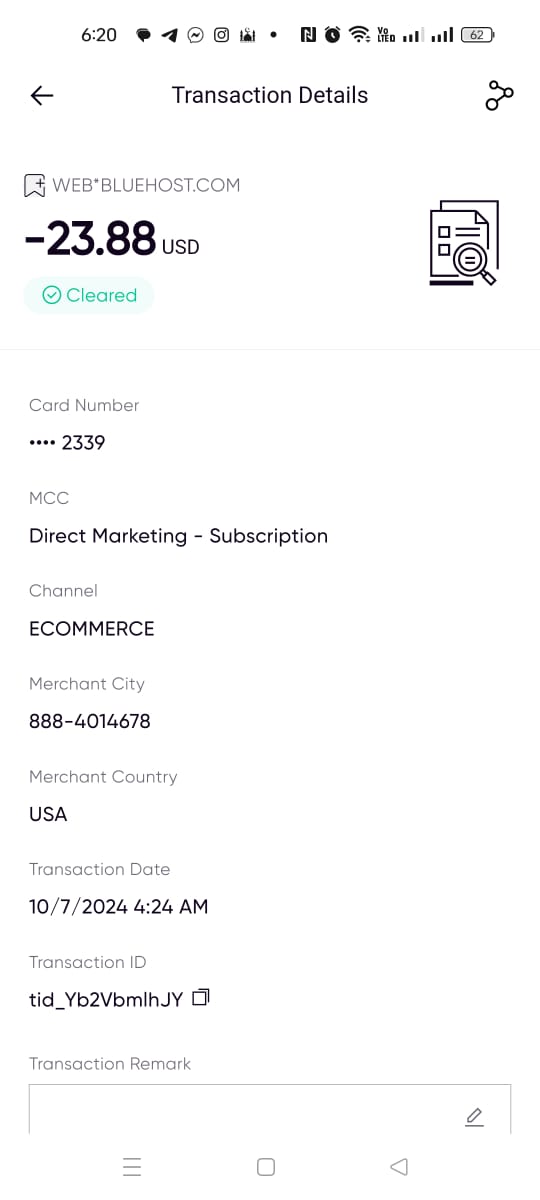
However, it’s important to note that Bluehost’s email hosting plans do not have a standalone 30-day money-back guarantee, unlike their other hosting services. If you purchase only the email hosting plan, you won’t have the option for a refund if you decide it’s not the right fit.
| Plan Name | Warranty | Price | |
|---|---|---|---|
| Professional Email | CA$0.00 | CA$2.35 | Details |
| Professional Email Plus | CA$0.00 | CA$3.52 | Details |
| Professional Email Ultra | CA$0.00 | CA$8.20 | Details |
However, if you purchase a general hosting plan that includes email hosting (such as WordPress hosting), you’ll be eligible for a 30-day refund on the hosting portion, which allows you to test the email features indirectly. Keep in mind, though, that any domain registration and setup fees are non-refundable, even with the hosting plan.
If you’re looking for a trial period with email hosting alone, this refund policy might be something to consider.
Payments are convenient, as Bluehost accepts all major credit cards and PayPal, with options to pay by check or wire transfer for renewals.
Here are what the plans offer:
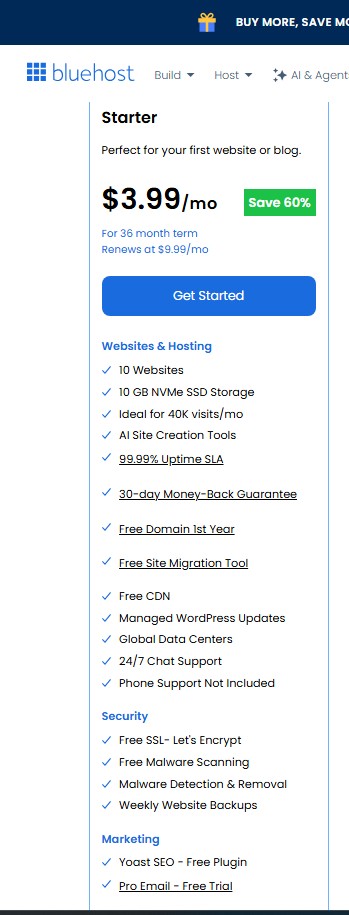
The Professional Email plan is perfect for those needing a reliable, branded email experience without extensive storage needs.
This plan includes 25 GB of storage—plenty of space for routine business communications. You’ll also get 25 email aliases, allowing you to manage multiple addresses under one inbox.
The ad-free experience keeps your inbox clean, and you’ll benefit from spam and antivirus protection for safer communication. Professional Email also integrates a shared calendar, contacts, and tasks, simplifying team coordination right within your email dashboard.
You’ll also find essential email tools like document creation for text, spreadsheets, and presentations, along with a safe unsubscribe service.
The Professional Email Plus plan offers more robust features for growing teams or businesses handling larger volumes of email.
With 80GB of storage, you’ll have ample room for storing important files and ongoing projects. You also get 50 email aliases, doubling your capacity to create different emails for various departments or business functions.
This plan includes one-click encryption for emails and files, which adds a layer of security for sensitive information. It also retains the shared calendar, contacts, and tasks for improved workflow, and the rich webmail features provide a smooth user experience with email undelete capabilities and real-time anti-phishing protection.
To assess Bluehost’s email hosting performance, I analyzed their main website using GTMetrix and PageSpeed Insights.
Although direct metrics for email hosting aren’t available, testing the website’s performance gives us a glimpse into the infrastructure behind their services, providing insights into speed, reliability, and potential user experience.
The GTMetrix analysis of Bluehost’s website revealed a Performance Score of 57% and a Structure Score of 78%, suggesting that while the design is well-structured, there’s room for optimization in loading speed.
The Largest Contentful Paint (LCP) time, a critical measure of load speed, was at 1.5 seconds, which reflects Bluehost’s commitment to quick initial loading—a positive indicator for their backend infrastructure.
However, the Total Blocking Time (TBT) of 2.2 seconds and the Time to Interactive (TTI) at 8.3 seconds indicate delays in processing content fully. A fully loaded time of 22.4 seconds suggests that while primary content loads fast, heavier elements might slow down the experience overall.

Key infrastructure takeaways: The low Time to First Byte (TTFB) of 233ms hints at a responsive server setup, which is crucial for email hosting.
Quick backend response times like this can translate to email retrieval faster and sending.
On PageSpeed Insights, Bluehost achieved a Performance Score of 56, notably high scores in Accessibility (93) and SEO (92), focusing on usability and search optimization.
The First Contentful Paint (FCP) at 1.2 seconds and the Largest Contentful Paint (LCP) at 2.3 seconds are decent metrics that reflect the capability of Bluehost’s infrastructure to serve initial content quickly.

The Total Blocking Time (TBT) of 720ms and the Speed Index of 2.1 seconds suggest efficient initial load speeds but highlight areas for further improvement in fully interactive content. This efficiency in initial loading reflects favorably on Bluehost’s backend infrastructure and implies that similar responsiveness may be present in their email hosting service.
From the analysis, it’s evident that Bluehost’s infrastructure is built to handle high traffic and provides relatively quick load times, especially in terms of initial interactions.
This infrastructure supports the idea that their email hosting should offer reliable performance, especially for essential tasks like email retrieval and sending.
Bluehost Email Hosting offers a variety of support options to assist users with any questions or technical issues.
You can reach out 24/7 through live chat, phone, email, and even social media, so you’re never left alone in case you need help.
I tried each of these channels myself to see how well they support Bluehost’s email hosting service, and here’s my honest take on each.
The live chat option is easily accessible on any Bluehost page in the bottom right corner. When I clicked on it, I was quickly prompted with a few initial questions to narrow down my concerns.
This step took less than a minute, and I was connected to an agent named Dhanush shortly after. I appreciated how fast the initial connection was; within seconds, I could engage with someone live.

When I asked about the money-back guarantee, the agent promptly responded. The agent clarified that while there is a 30-day refund policy for hosting services, email hosting specifically doesn’t have a standalone money-back guarantee. However, you can use email hosting features within a larger hosting plan.
In terms of response time and support quality, the chat was quick to respond. Still, this is a reliable option if you’re looking for immediate help, especially for setup guidance.
I also tested Bluehost’s phone support by calling 888-401-4678. The call connected almost immediately, and I didn’t have to wait long to speak to an agent.
The support representative I spoke with was friendly and knowledgeable, and they provided clear answers to my questions about managing email hosting within the control panel.
The phone option was great for more personalized and detailed assistance, and I appreciated the human touch and thorough explanations. However, remember that international fees may apply if you’re calling from outside the U.S.
For specific program or office queries, like media or affiliate program inquiries, Bluehost provides dedicated email addresses such as press@bluehost.com and affiliates@bluehost.com.
Though these emails are for specialized requests, seeing options available for media or affiliate-related questions is nice.
Impression: Useful for specialized inquiries, though not for general support.
You can also reach Bluehost on popular social media platforms like Facebook, Instagram, X, LinkedIn, and Pinterest.
I tested their responsiveness by sending a message on Facebook. The response took a bit longer than the live chat and phone options, but within 20 minutes, I received a polite and helpful response.

Social media might be better suited for non-urgent questions, and it’s nice to know that you can reach out this way if you’re already active on these platforms.
Impression: Useful for non-urgent inquiries; response in less than an hour.
For users who prefer self-service support, Bluehost provides an extensive Knowledge Base packed with articles, guides, and tutorials to assist with various aspects of email hosting.
I found the Knowledge Base especially valuable for troubleshooting and setup guidance, as it covers everything from creating email accounts to managing storage and configuring spam filters.

Navigating the Knowledge Base is straightforward, with topics organized by category, making it easy to find the specific help you need without scrolling through unrelated information.
For example, I could easily locate step-by-step instructions on setting up email addresses and adjusting security settings, which saved time compared to waiting for live support.
I decided to explore the registration process and control panel setup to get a feel for how user-friendly Bluehost Email Hosting is.
Overall, I found the steps intuitive, with clear guidance along the way.
Signing up for Bluehost Email Hosting was a simple and straightforward experience. From the Bluehost homepage, I hovered over the “Email” option in the top menu, selected “Professional Email,” and was taken to a page where I could view the plan options.

Once I decided on the Professional Email plan, I clicked “Select” to move forward.

On the next page, I was prompted to choose the number of mailboxes. Bluehost makes this step easy by suggesting the number of mailboxes based on the needs of your organization, including general addresses like help@, admin@, or sales@. I noticed the pricing was shown as $1.49 per month for each mailbox during the first month, with a renewal rate of $2.49 per mailbox per month after that. I selected my desired number and continued to the next step.

Next, I was prompted to choose a domain name. Here, you have options to:
I opted to Choose Domain Later to keep things moving quickly.

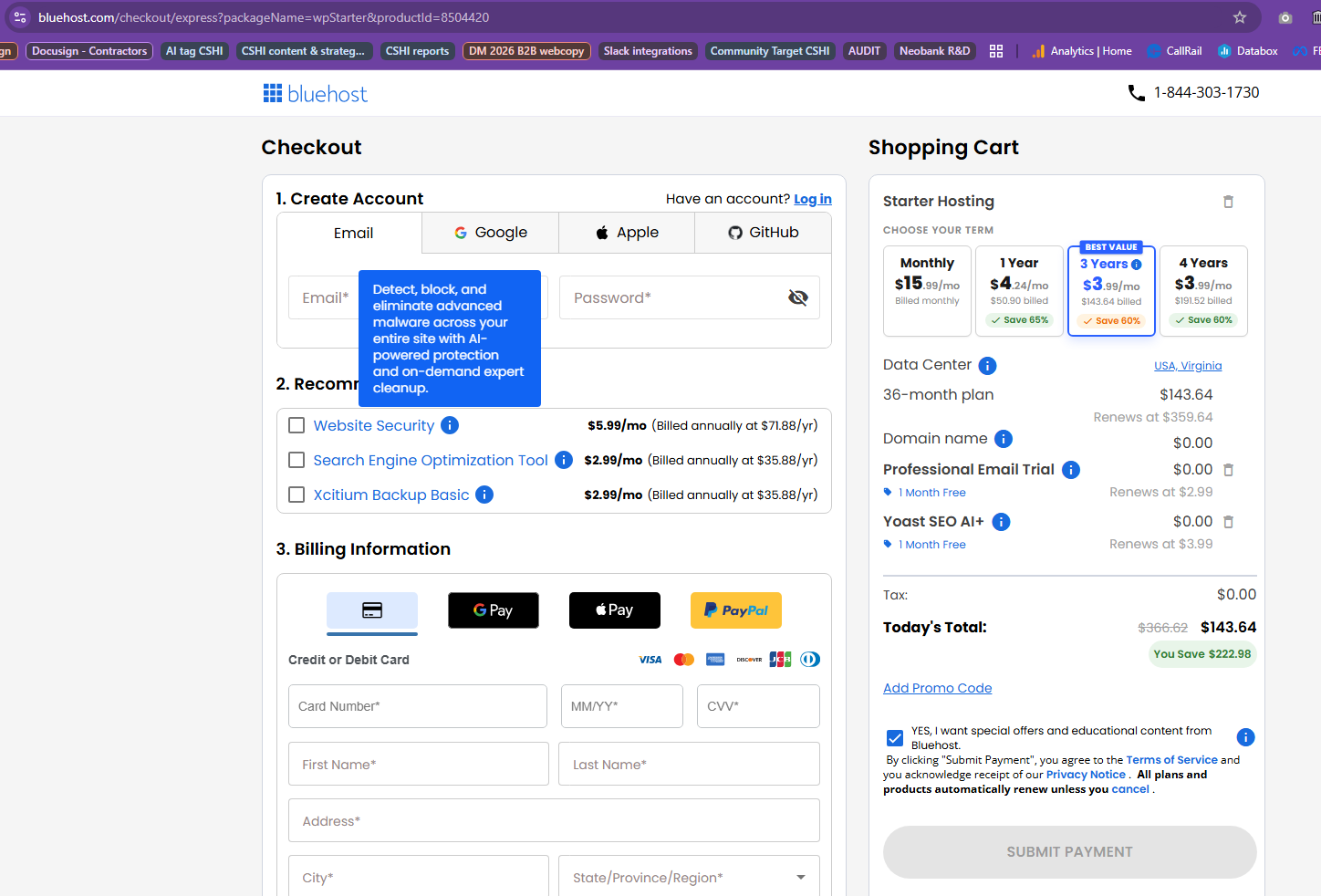
The following page displayed a cart summary for the Professional Email plan. Here, I could see the plan duration (one year), the initial cost ($14.99), and a summary of any discounts or savings applied. Bluehost offers both annual and monthly billing options, which makes budgeting flexible. I reviewed the details and continued to checkout.

Finally, the checkout page appeared, where I filled in my contact, account, and billing information. Bluehost lets you pay via credit card or PayPal and use your billing address to keep things simple.
Before finalizing, I reviewed the order summary, which clearly listed any savings and my total cost.
With one last click on “Submit Payment,” my registration was complete.

The entire process was smooth and transparent, with helpful prompts at each stage. From selecting a plan to finalizing payment, Bluehost’s system makes it easy to start with professional email hosting, even if you’re unfamiliar with the process.
The clear steps, flexible payment options, and transparent pricing impressed me greatly.
Bluehost email hosting doesn’t rely on the typical cPanel interface. Instead, it offers a streamlined account manager designed to make managing professional email hosting simple and user-friendly.
So, after registering, I logged in using the account details I set up during registration and immediately accessed the tools available to set up and manage my professional email.
The Bluehost account manager is organized and intuitive. The side navigation menu on the left provides a straightforward path to everything I need, starting with the Email & Office tab, the primary email hosting hub.

From here, I can choose between Google Workspace and cPanel Email options depending on my preferred setup.
Creating a new email account was quick and straightforward. Under Email & Office, I navigated to Email Accounts and clicked Create.

Here, Bluehost provided simple fields to customize each account:

The entire setup took just a few minutes, and Bluehost’s account manager provided clear feedback along the way, making the process smooth and accessible.
Once my email accounts were set up, viewing and managing them was easy. Back in the Email Accounts section, I could see all active addresses and sort them by email address, username, or domain.
There were also options to delete accounts and make specific changes, such as adjusting the storage quota. The Manage button provided easy access to update storage limits, toggle unlimited storage, or change account passwords if necessary.
For password updates, the account manager even has a Generate Password feature, which suggests strong passwords—a great touch for enhancing security.
Deleting an email account was just as straightforward. In the Email Accounts section, clicking Manage brings up an option to Delete the Email Account.
Bluehost warns that all emails associated with the account will be permanently deleted, ensuring there’s no accidental data loss. The straightforward layout of the account manager made it easy to find and use this feature without hassle.

The account manager in Bluehost Email Hosting is built with user-friendliness in mind. Whether creating new email accounts, adjusting quotas, or managing passwords, everything is accessible in a few clicks.
The clear layout and organized sections make navigating easy, even if you’re not tech-savvy. For those using Google Workspace, the account manager offers a seamless way to access these tools alongside professional email hosting.
After testing Bluehost Email Hosting, I can say it’s a solid choice for businesses and professionals looking for a straightforward, reliable email solution.
The setup process is refreshingly simple, and the account manager is designed with user-friendliness in mind, making it easy to create, manage, and organize email accounts.
I was particularly impressed by the thoughtful features like domain-matching email, ad-free inboxes, and security options, which include spam and phishing protection and even one-click encryption in the Professional Email Plus plan.
For small to medium-sized businesses and anyone wanting a professional email that’s seamlessly tied to their brand, Bluehost Email Hosting offers great value.
While it may lack some enterprise-level services’ advanced functionalities, its simplicity and effectiveness make it a dependable option for most users. Overall, I’d recommend Bluehost Email Hosting for those who prioritize ease of use, secure email management, and essential productivity tools without the need for overly complex setups.
| Plan Name | Warranty | Price | |
|---|---|---|---|
| Professional Email | CA$0.00 | CA$2.35 | Details |
| Professional Email Plus | CA$0.00 | CA$3.52 | Details |
| Professional Email Ultra | CA$0.00 | CA$8.20 | Details |
| Description | Expert Review |
|---|---|
| Cost-effective hosting for small websites with user-friendly tools. | Read Shared Hosting Review |
| Read WordPress Hosting Review | |
| Scalable hosting with dedicated resources and full root access. | Read VPS Review |
| High-performance hosting with enhanced speed, reliability, and resource scalability. | Read Cloud Hosting Review |
| Enterprise-grade servers offering maximum control, power, and customization. | Read VDS hosting Review |
| Tailored hosting for WooCommerce stores with speed and seamless integration. | Read WooCommerce Hosting Review |
| Customizable Windows VPS solutions for advanced applications and scalability. | Read Windows VPS Review |
| Reliable Windows-based hosting with support for ASP.NET and MSSQL. | Read Windows Hosting Review |
| Secure, efficient hosting with Linux OS for robust website performance. | Read Linux Hosting Review |
| Flexible hosting with robust support for PHP-based websites and apps. | Read PHP Hosting Review |
| Fast and efficient hosting designed for Node.js applications. | Read Node.js Hosting Review |
| Reliable hosting optimized for bloggers with seamless content management tools. | Read Blog Hosting Review |
| Optimized hosting for Magento with fast speeds and enhanced security. | Read Magento Hosting Review |
| Reliable Java hosting environments for developers with flexibility and performance. | Read Java Hosting Review |
| Optimized solutions for secure, fast, and scalable online stores. | Read Ecommerce Hosting Review |
| Hosting tailored for Django projects with robust performance and flexibility. | Read Django Hosting Review |
| Intuitive cPanel interface for simplified website management and hosting tasks. | Read cPanel Hosting Review |
| Scalable, secure hosting solutions tailored for growing business needs. | Read Business Hosting Review |
| Read Website Builder Review | |
| Read Reseller Hosting Review | |
| Read Domain hosting Review | |
| Read Google Workspace Review | |
| Read Hermes Agent Review | |
| Read Openclaw VPS Review | |
| Read Claude Code Review | |
| Read Docker Hosting Review | |
| Read AI website Builder Review |


Domain-specific email uses your company’s website domain for email addresses. For example, if your website is www.bluehost.com, your domain-specific email could be yourname@bluehost.com. This promotes brand consistency and recognition and is highly recommended for businesses.
Customers are more likely to trust and engage with businesses that present themselves professionally, including in their email communications. A professional email matching your domain name shows you are serious and committed to your brand.
Yes, users can have multiple email addresses or aliases with both Bluehost Professional Email and Professional Email Plus plans. This can be helpful for different roles or departments within a company. For instance, you could have addresses like sales@yourdomain.com, support@yourdomain.com, and admin@yourdomain.com all directed to one main inbox.
Yes, Bluehost Pro Email syncs across devices so you can read and respond to emails from your computer, mobile phone, or tablet. You can manage your email wherever you are as long as you have an internet connection.
While both plans offer comprehensive features for business email, Professional Email Plus includes:
The additional features of Professional Email Plus offer more flexibility and enhanced security, which can be especially useful for larger teams or businesses that handle sensitive information.

Answer a few simple questions and find the perfect solution for you!
Start Hosting Search