Node.js VPS Hosting Providers Feature Overview
| Provider | Starting Price | Rating | Moneyback | |
|---|---|---|---|---|
![]() | CA$7.82 | 30 Days | Visit Hostinger | |
![]() | CA$5.66 | 30 Days | Visit Kamatera | |
![]() | CA$5.66 | 7 Days | Visit VPSServer.com | |
![]() | CA$2.83 | 30 Days | Visit IONOS | |
![]() | CA$5.23 | 45 Days | Visit HostArmada | |
![]() | CA$9.19 | 30 Days | Visit Hosting.com | |
| CA$6.50 | 30 Days | Visit Ultahost | |
![]() | CA$4.25 | 30 Days | Visit InterServer | |
![]() | CA$14.16 | 30 Days | Visit Verpex Hosting |
What are Node.js VPS Hosting Providers?
Node.js VPS hosting providers offer virtual private servers (VPS) specifically optimized for running Node.js applications. Node.js is a JavaScript runtime environment that enables the development of fast, scalable, event-driven applications. A VPS gives developers dedicated server resources—such as CPU, RAM, and storage—within a virtualized environment. Unlike shared hosting, a VPS allows more customization and control, making it ideal for hosting real-time applications, REST APIs, and full-stack JavaScript projects using Node.js. These providers typically offer pre-configured Node.js environments, root access, and scalable resources.
When to Choose and When to Avoid Node.js VPS Hosting

| Reasons to Use a Node.js VPS | Reasons Not to Use a Node.js VPS |
| You’re running real-time apps like chat servers or streaming services using Node.js. | You’re just learning web development and don’t need full server access yet. |
| You need root access to configure custom server environments or deploy specific versions. | You don’t want to manage server updates, patches, or security configurations. |
| You want isolated resources (RAM, CPU) for better performance and consistency. | You’re running a basic static site or small blog with low traffic. |
| You need to host multiple Node.js applications on the same server. | You lack the technical skills to handle server administration tasks. |
| Your project includes backend tasks like API development or microservices architecture. | Your hosting needs are fully met by a managed platform-as-a-service (PaaS) solution. |
If a Node.js VPS is Not Relevant to Your Needs, Consider These Alternatives:
- Shared Hosting – Best for simple websites with minimal traffic and no custom backend requirements.
- Platform-as-a-Service (PaaS) – Services like Heroku or Vercel offer managed Node.js environments with minimal setup.
- Dedicated Servers – Useful for large Node.js apps that require total control and extensive resources.
- Cloud Hosting – Suitable for applications needing scalability and deployment across regions.
- Managed WordPress Hosting – Ideal for content-based sites not needing a Node.js backend.
How To Choose The Best Node.js VPS Hosting Provider
- Managed vs. Unmanaged – Choose managed hosting if you’re not comfortable managing servers. Go unmanaged if you want full control and lower costs.
- Check for Node.js Support – Ensure the provider supports the Node.js version your project requires and allows custom configurations.
- Scalability – Look for easy upgrade options for CPU, RAM, and bandwidth as your app grows.
- Control Panel Access – Choose a host that offers tools like cPanel, Plesk, or custom dashboards for easier management.
- Uptime and Speed – Prioritize providers with uptime guarantees (99.9% or higher) and low latency.
- Support Quality – 24/7 technical support is crucial, especially if you’re deploying critical applications.
The Top 9 Best Node.js VPS Hosting Providers of October 2026
-
Best Overall Hosting 2026
-
Users Top Choice 2026
-
Most Recommended NodeJS 2026
-
Best AI App Builder 2026
-
Top 5 Europe Web Hosting 2026

Hostinger is a popular choice for users seeking affordable VPS hosting that supports Node.js. It’s beginner-friendly, with simple controls and onboarding, suitable for developers who are just starting with VPS or Node.js projects. Its plans come with full root access and support for a range of Linux distributions, which is helpful when working with custom Node.js environments.
Rating Based on Expert Review:
- Overall Score: 4.7
- Features: 4.6
- Reliability: 4.7
- User-Friendly: 4.9
- Support: 4.6
- Pricing: 4.7
Detailed Analysis:
Features Hostinger provides full root access, IPv4/IPv6 support, SSD storage, and support for multiple operating systems. VPS plans come with a dedicated IP and virtualized hardware for isolated performance.
Reliability Hostinger operates in several global data centers and provides a 99.9% uptime guarantee, making it dependable for personal projects, testing environments, and growing apps.
User-Friendly The custom VPS dashboard is designed to be simple, offering one-click OS installations and reboot functions in an intuitive interface.
Support Hostinger’s support team is available 24/7 via live chat, handling general hosting issues quickly and clearly.
Pricing VPS hosting starts at around $5.99/month with a 30-day money-back guarantee; fair pricing considering the resources provided, though renewals are higher.
Pros & Cons
- Very easy to use, even for first-time VPS users
- Affordable entry-level pricing
- Full root access for complete control
- Global data center options
- Resource limits on lower-tier plans
- No free daily backups
-
Best VPS Hosting 2026
-
Top 5 Europe Web Hosting 2026
-
Top 5 Australia Web Hosting 2026
-
Top 10 Best Gaming Hosting Provider 2026
-
Top 10 Reseller Hosting 2026

Kamatera offers one of the most configurable cloud VPS environments available, ideal for Node.js developers needing precise control over server setup. With 18 global data centers and instant scalability, Kamatera’s infrastructure allows users to create a customized environment tailored to any Node.js workload.
Rating Based on Expert Review:
- Overall Score: 4.9
- Features: 5.0
- Reliability: 5.0
- User-Friendly: 4.8
- Support: 4.9
- Pricing: 4.9
Detailed Analysis:
Features Select from 1 to 104 vCPUs, adjust memory from 256MB to 512GB, attach block storage, and configure firewalls, load balancers, and custom images.
Reliability 99.95% uptime and no single points of failure across a geographically distributed cloud infrastructure.
User-Friendly Logical console layout for developers comfortable with environment setup and customization.
Support 24/7 live technical support for server tuning, network troubleshooting, and Gentoo kernel assistance.
Pricing Pay-as-you-go billing at $4/month or $0.005/hour, with transparent costs and no hidden fees.
Pros & Cons
- Full server customization
- Wide range of server locations
- Instant scaling on demand
- Pay-only-for-usage pricing
- May require technical knowledge
- Managed service costs extra

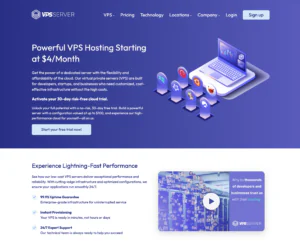
VPSServer’s Node.js VPS hosting is built for developers who want full control over their runtime, dependencies, and deployment workflow. With root access and flexible Linux environments, it’s a practical fit for hosting Express APIs, real-time apps with Socket.io, lightweight microservices, and background workers. The platform is best suited to teams that are comfortable managing a VPS (or using a control panel on top) and want predictable resources without the constraints of shared hosting. Overall value is strong for performance-focused Node.js workloads, though results depend heavily on how well you configure caching, security hardening, and process management.
Rating Overview
- Overall Score: 4.5
- Performance: 4.6
- Support: 4.4
- Security: 4.5
- Pricing: 4.5
- Ease of Use: 4.3
Detailed Analysis
Performance: VPSServer provides dedicated VPS resources that handle Node.js concurrency well when paired with a proper stack (Nginx + PM2, for example). SSD-backed storage and consistent CPU allocation help reduce latency spikes under load. You’ll still need to tune your app, logging, and memory limits to avoid resource creep.
Support: Support is generally responsive for infrastructure and account issues, and they can help diagnose common VPS-level problems. Node.js framework debugging is typically outside scope, so you’ll want in-house familiarity with logs and process monitoring. Documentation is useful, but more Node-specific walkthroughs would improve onboarding.
Security: A VPS model gives you control over firewalls, SSH policies, and patching cadence, which is ideal for serious deployments. Standard best practices (key-based SSH, fail2ban, regular updates) are easy to implement. The trade-off is responsibility—misconfiguration can become your weakest link.
Pricing: Plans are competitively priced for the resources provided, especially for long-running Node services. Costs scale in a straightforward way as you add RAM/CPU for heavier apps. Backups and add-ons can raise the total, so budgeting matters.
Ease of Use: Developers will appreciate the clean server access and compatibility with common toolchains. However, it’s not a “click-to-deploy” Node platform out of the box. Beginners may need time to set up reverse proxies, SSL, and deployments properly.
Pros and Cons
- Full root access for custom Node.js stacks and tooling
- Stable VPS resources suitable for API and real-time workloads
- Flexible scaling for growing apps and traffic patterns
- Works well with PM2, Docker, and CI/CD deployment flows
- Good value for long-running production services
- Requires server management knowledge for best results
- Limited help for app-level Node.js debugging
- Add-ons like backups can increase overall cost
-
Best Value for Money 2026
-
Editor's Choice 2026
-
Most Recommened PHP Hosting 2026
-
Top 5 UK Web Hosting 2026
-
Top 5 Europe Web Hosting 2026

IONOS offers isolated virtual machines with dedicated resources, making it a reliable environment for running Node.js. Their VPS plans are particularly appealing for users who want consistent performance without paying premium prices.
Rating Based on Expert Review:
- Overall Score: 4.6
- Features: 4.6
- Reliability: 4.7
- User-Friendly: 4.5
- Support: 4.6
- Pricing: 4.6
Detailed Analysis:
Features Full root access, SSD storage, dedicated IP, optional Plesk, and support for multiple Linux distributions.
Reliability Guaranteed resources on virtualized hardware with redundant systems and strong uptime.
User-Friendly Straightforward control panel; no one-click Node.js installs, but custom stacks can be deployed easily.
Support 24/7 phone and chat, plus personal consultant access.
Pricing VPS starts at $2/month with stable pricing across tiers.
Pros & Cons
- Dedicated VPS resources
- Competitive pricing
- Personal consultant access
- Wide OS support
- No managed Node.js setup
- Control panel could be more modern
-
Best Web Hosting 2026
-
Top 5 Europe Web Hosting 2026
-
Top 5 Germany Web Hosting 2026
-
Top 10 Reseller Hosting 2026
-
Top 5 USA Web Hosting 2025

HostArmada’s Node.js VPS hosting is aimed at developers who want predictable resources, more control than shared hosting, and a straightforward path to deploying JavaScript apps. With VPS-level isolation, it’s a practical fit for production Node.js workloads such as APIs, real-time services, and small-to-mid SaaS projects where consistent CPU and memory matter. The platform is best suited to users who want a managed-friendly experience without giving up server flexibility—especially teams that need stable performance and the ability to scale as traffic grows. Overall, HostArmada delivers solid value for Node.js hosting thanks to balanced reliability, security tooling, and a smoother onboarding experience than many DIY VPS providers, though power users may still want deeper customization options.
Rating Overview
- Overall Score: 4.5
- Performance: 4.6
- Support: 4.6
- Security: 4.6
- Pricing: 4.4
- Ease of Use: 4.5
Detailed Analysis
Performance: Resource allocation is stable for typical Node.js apps, helping reduce latency spikes during moderate traffic. SSD-based storage keeps builds and dependency installs reasonably fast. For very high concurrency, selecting adequate RAM and CPU is essential to avoid event-loop bottlenecks.
Support: Support is responsive and generally helpful for VPS setup questions and common deployment hurdles. Guidance is clearer for standard configurations than for highly customized stacks. Advanced Node process management (e.g., tuning PM2/systemd) may still require developer-side expertise.
Security: Strong baseline protections and sensible defaults help reduce common VPS risks. Account and access controls are suitable for teams that need safe day-to-day operations. You’ll still need to handle application-layer security, updates, and dependency hygiene for Node.js.
Pricing: Plans are competitively positioned for managed-leaning VPS users, though not always the cheapest option. Value improves if you prioritize support and security features over raw specs. Costs can rise as you scale resources for heavier workloads.
Ease of Use: The control panel and provisioning workflow are approachable for developers moving up from shared hosting. Routine tasks like managing domains, SSL, and basic server upkeep are simplified. More complex CI/CD pipelines and custom networking may take extra setup time.
Pros and Cons
- Stable VPS resources suitable for Node.js APIs and app backends
- Support team that assists with common setup and deployment needs
- Solid security baseline for production-oriented hosting
- Scales reasonably well as your Node.js app traffic increases
- Beginner-friendly provisioning and management experience
- Not the lowest-cost option for specs-focused VPS shoppers
- Advanced customization may require more hands-on server knowledge
- Scaling to high concurrency can demand higher-tier resources
-
Top 25 Offshore Hosting 2026

Hosting.com provides VPS and cloud infrastructure with an emphasis on compliance, enterprise support, and customization. It’s an option for businesses deploying Node.js apps that require high-security standards or operate under regulatory constraints like HIPAA or PCI.
Rating Based on Expert Review:
- Overall Score: 4.5
- Features: 4.7
- Reliability: 4.6
- User-Friendly: 4.4
- Support: 4.6
- Pricing: 4.3
Detailed Analysis:
Features VPS with compliance support (HIPAA, PCI, SOC), DDoS protection, dedicated firewalls, and customizable configurations.
Reliability Tier 3 data centers and high availability features ensure consistent uptime for production-grade apps.
User-Friendly IT-focused interface requiring sysadmin know-how, often involving third-party tools for management.
Support 24/7 support with compliance consulting; hands-on help for enterprise clients.
Pricing Plans start at $20+/month, reflecting infrastructure designed to meet regulatory and security needs.
Pros & Cons
- HIPAA, PCI, and SOC-compliant hosting
- Strong security and firewall features
- Ideal for business-critical Node.js apps
- Not beginner-friendly
- Higher pricing
-
Best Dedicated Hosting Provider 2026
-
Best Windows Hosting Provider 2026
-
Top 5 France Web Hosting 2026
-
Top 10 Website Builder 2026
-
Top 10 Web Hosting 2026

Ultahost provides VPS hosting with free server management included on all plans, making it ideal for developers who want control over a Node.js environment without handling every technical detail themselves.
Rating Based on Expert Review:
- Overall Score: 4.8
- Features: 4.8
- Reliability: 4.7
- User-Friendly: 4.7
- Support: 4.8
- Pricing: 4.7
Detailed Analysis:
Features NVMe storage, DDoS protection, custom stack support, and LiteSpeed on higher tiers.
Reliability SSD/NVMe storage with RAID 10 and global data centers ensure strong uptime and performance.
User-Friendly Clean control panel with managed updates and monitoring included.
Support Live chat, phone, and ticket support with migration and optimization assistance.
Pricing Plans start at $5.50/month with free server management included.
Pros & Cons
- Free server management
- NVMe storage on all plans
- Helpful support team
- Flexible OS choices
- Entry plans may be limited for heavier apps
- No free domain
-
Best Linux Hosting Provider 2026
-
Top 5 USA Web Hosting 2026
-
Top 10 Reseller Hosting 2026
-
Top 10 Windows Hosting 2026
-
Great Support 2026

InterServer is a US-based provider known for its low-cost VPS with reliable infrastructure and transparent pricing. Node.js users who are comfortable managing their own servers will find its plans affordable and well-equipped for custom configurations.
Rating Based on Expert Review:
- Overall Score: 4.5
- Features: 4.6
- Reliability: 4.5
- User-Friendly: 4.5
- Support: 4.5
- Pricing: 4.8
Detailed Analysis:
- Features Full root access, fast SSDs, choice of Linux distributions, and ability to build custom Node.js stacks.
- Reliability Dependable hardware, daily backups, and redundant power supplies ensure uptime.
- User-Friendly Minimal VPS control panel designed for users with some server experience.
- Support 24/7 US-based live chat and ticket support for infrastructure issues.
- Pricing Plans start at $6/month with no renewal price hikes, offering predictable costs.
Pros & Cons
- Fixed, affordable pricing
- Full root access for customization
- No renewal price increases
- Reliable US-based infrastructure
- No managed support by default
- Not ideal for beginners
-
Best Reseller Hosting Provider 2026
-
Top 5 Australia Web Hosting 2026
-
Top 5 UK Web Hosting 2026
-
Top 10 Windows Hosting 2026
-
Top 10 VPS Hosting 2026

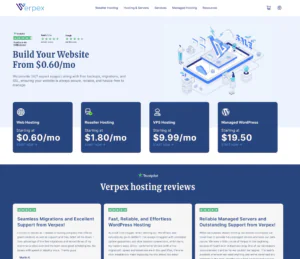
Verpex positions its Node.js VPS Hosting as a practical option for developers who need more control than shared hosting without jumping straight to complex infrastructure. It’s well-suited for small to mid-sized Node.js applications, API backends, and lightweight microservices where consistent resources and predictable performance matter. For teams deploying production apps, Verpex can offer a balanced mix of stability and manageability—particularly if you want a VPS environment that’s straightforward to provision and maintain, with room to scale as traffic grows.
Rating Overview
- Overall Score: 4.4
- Performance: 4.4
- Support: 4.3
- Security: 4.4
- Pricing: 4.5
- Ease of Use: 4.4
Detailed Analysis
Performance: Verpex VPS plans are generally capable for typical Node.js workloads, especially REST APIs and SSR apps with moderate concurrency. Resource isolation helps avoid the noisy-neighbor issues common on shared platforms. For high-throughput real-time apps (WebSockets) you’ll still want to size RAM/CPU carefully and tune your process manager.
Support: Support tends to be responsive for common VPS questions, setup guidance, and basic troubleshooting. It’s a good fit if you want help with standard server tasks but don’t need deep DevOps consulting. For highly customized Node stacks, you may still rely on your own deployment expertise.
Security: VPS isolation is a strong baseline, and Verpex provides the fundamentals you’d expect for a safer environment. You’ll still be responsible for hardening the OS, securing SSH, and keeping Node/runtime dependencies updated. This is a solid setup for developers comfortable with basic server security hygiene.
Pricing: Pricing is competitive for entry-to-mid VPS tiers, making it approachable for startups and side projects. The value is strongest when you need predictable resources rather than premium managed features. Scaling up is typically straightforward, but costs rise as you move into higher CPU/RAM tiers.
Ease of Use: Provisioning is generally simple, and the VPS model fits common Node.js deployment patterns (PM2, systemd, Nginx reverse proxy). It’s easier than assembling cloud components, while still giving real control. Beginners may face a learning curve if they’ve never managed a Linux server before.
Pros and Cons
- Predictable resources suitable for Node.js APIs and SSR workloads
- VPS-level control for custom runtimes, reverse proxies, and scaling
- Competitive pricing for entry and mid-tier server sizes
- Straightforward provisioning and plan upgrades as projects grow
- Good baseline isolation compared with shared environments
- Requires server administration skills for best results
- Not as feature-rich as fully managed Node platforms
- Real-time apps may need careful sizing and tuning
Why Trust Our Recommendations
At HostAdvice, our mission is to deliver accurate, unbiased recommendations based on real-world testing and expert analysis. We combine hands-on experience with user feedback to rank Node.js VPS providers based on performance, features, support, and pricing. Every provider listed has gone through a structured evaluation process to help you make informed decisions.
How Do We Test and Rank
Our evaluation process includes purchasing hosting plans as real users, deploying live Node.js applications, and monitoring server performance over time. We test speed, uptime, ease of use, scalability, and customer support. Each provider’s claims are verified through real-world benchmarks. We continuously refine our review criteria to reflect the evolving needs of developers and businesses using Node.js VPS hosting.
Final Recommendations
Node.js VPS hosting is ideal for developers and businesses looking to run scalable, real-time applications with more control than shared hosting. Whether you need root access, custom configurations, or isolated resources, a VPS tailored for Node.js gives you the performance and flexibility to support your application’s demands. Evaluate your technical needs and project goals before choosing a provider from the list above.