


60 Days Money-Back Guarantee


Get up to 82% OFF Web Hosting when you use this exclusive HostAdvice coupon. This offer applies an additional 15% discount on top of Hostinger’s regular pricing, plus a free domain for the first year.

Get started today with $100 in free credits and experience everything for 30 days.

50% off all web hosting plans + exclusive 15% discount

80% OFF + 2 FREE months – unbeatable value and performance for websites of all sizes.


First, you need to find a WP Engine coupon code you want to use.
Then, head to the WP Engine website by clicking the “Show Code” and select the plan you want to buy.
Next, click the “Buy Now” button to move forward with your purchase.
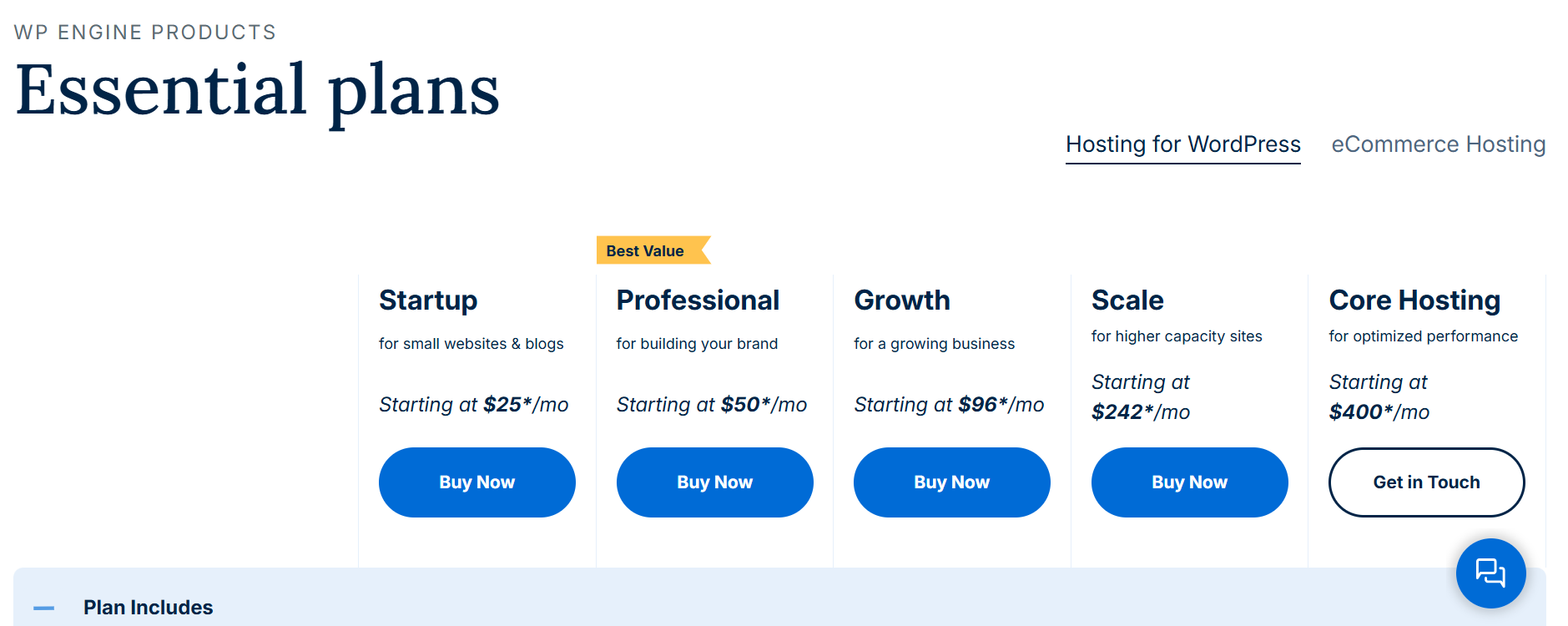
After you click on the “Buy Now” button, you’ll be taken to a page where you need to choose your billing period, get add-ons if you want to, and create an account.
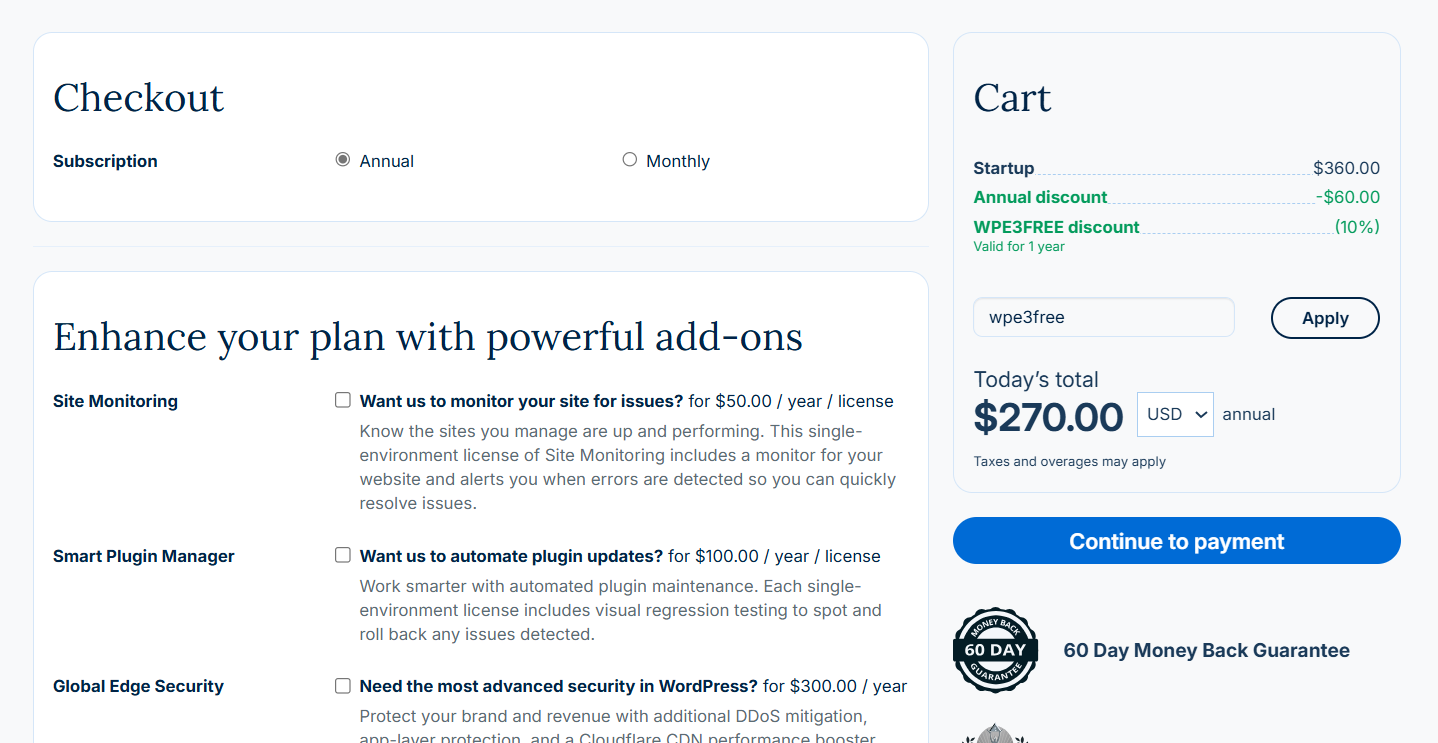
After completing all the required steps, you can apply your WP Engine coupon code on the right side of the page.
Just enter or paste the code into the box above the “Today’s total” section, then click “Apply” and then “Continue to payment.”
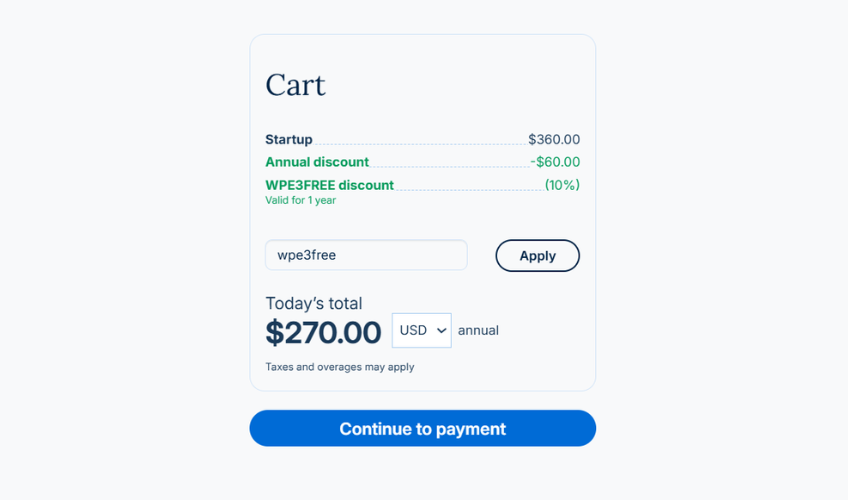
Now that you have applied your coupon, you can enter your billing information and pay, and you’re good to go!
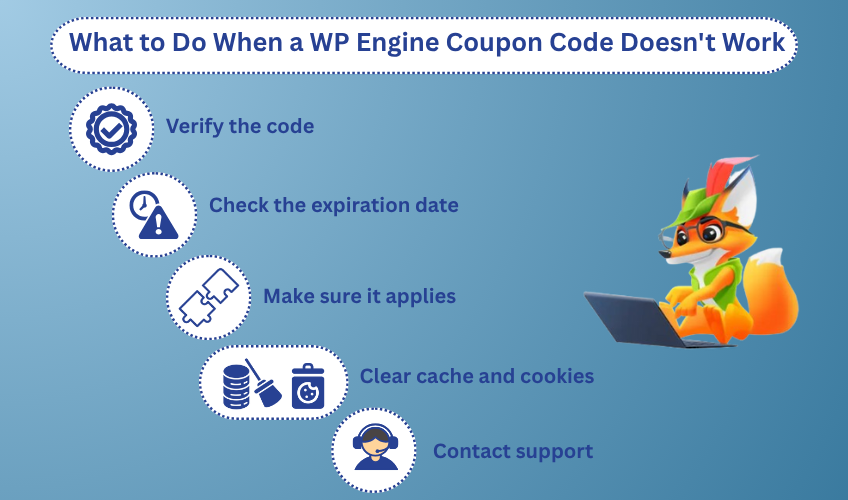
If a WP Engine coupon code doesn’t work, follow these steps:
WP Engine doesn’t allow coupon stacking. If you enter multiple codes, the system will usually apply just one,typically the first one you add.
To get the best deal, go with the code that offers the biggest discount or the perks that matter most to you.
No, WP Engine doesn’t currently offer coupons for existing customers. All promo codes are only valid for new users.
If you want to get a discount or up to four months of hosting for free, you’ll need to buy a WP Engine plan with a new account.
You’ll find solid WP Engine promotions throughout the year. Here’s what to expect from their holiday and seasonal sales:
WP Engine offers a few unique discounts that go beyond standard promo codes. Here’s a quick look at the custom deals available.
To get four months of hosting free, you’ll need to sign up for an annual plan. This offer isn’t available for monthly subscriptions.
WP Engine offers various special discounts and deals for businesses.
Small businesses get access to optimized WordPress hosting solutions with enhanced security, faster load times, and managed updates.
Enterprises benefit from custom pricing, dedicated account management, premium support, and scalable hosting solutions that meet strict compliance standards.
Agencies can join the Agency Partner Program, which includes priority support, discounted pricing, referral commissions, and co-marketing opportunities.
For more details, visit the Small Business, Enterprise, and Agency pages on their website.
Currently, returning customers cannot use promo codes to get a discount. So, you will need to create a new account to apply WP Engine’s coupons.
WP Engine is an excellent solution for all users looking to host their websites. It offers great deals throughout the year and is ideal for both individuals and companies looking to get online.
If you want to find out more about WP Engine and everything it offers, check out our expert review.
WP Engine coupon codes are for new customers and initial sign-ups. However, existing customers can look for renewal offers or loyalty discounts during major sales events, like Black Friday and Cyber Monday, or by subscribing to their newsletter for exclusive deals.
Yes, it does. Aside from the annual Black Friday and other seasonal sales, WP Engine offers frequent discounts and deals that you can take advantage of throughout the whole year and save up to 25% on its services or get up to four months of free hosting.
To stay updated, subscribe to WP Engine’s newsletter, follow them on social media, and regularly visit their website for the latest promotions and discounts.
WP Engine is best for WordPress users who want fast, secure, and hassle-free hosting. It’s ideal for high-traffic sites, businesses focused on growth, and anyone who prefers managed hosting with expert support.
WP Engine manual migration involves backing up your WordPress site’s files and database, then uploading them to your new WP Engine account. You’ll also update your DNS settings to point to WP Engine’s servers. It’s a hands-on process, but it gives you full control over the move.

