


Push notifications help businesses reach users fast.
They pop up on mobile devices, desktops, and browsers, grabbing attention instantly. These alerts boost engagement and keep customers coming back.
Whether you need a free option or advanced features, this guide will explore the 25 best push notification services to connect with your audience and grow your business.
Best Website Builders to Support Your Push Notification Strategy
| Provider | User Rating | Recommended For | |
|---|---|---|---|
 | 4.6 | Beginners | Visit Hostinger |
 | 4.4 | Pricing | Visit IONOS |
 | 4.2 | Design | Visit Squarespace |
What Are Push Notification Services?
Push notification services help businesses send messages straight to users’ devices—even when they’re not using an app or website. These alerts appear on phones, tablets, and desktops, keeping your brand in front of customers.
Think of them as a quick tap on the shoulder. They remind shoppers about abandoned carts, announce flash sales, and share breaking news. Unlike emails, push notifications don’t get buried—they show up instantly.
Key Benefits of Push Notifications
Push notifications pack a serious punch when it comes to e-commerce marketing effectiveness. They grab attention immediately and don’t get buried in spam folders like emails often do.

Here’s why businesses love them:
- They drive engagement rates up to 4 times higher than email marketing.
- You can reach users even when they’re not on your site.
- Messages get delivered in real-time, perfect for time-sensitive offers.
- They help bring back users who haven’t visited in a while
- Personalized messages make customers feel valued.
- They work across multiple platforms (mobile, desktop, web)

Common Use Cases
Different businesses use push notifications in smart ways.
E-commerce stores send abandoned cart reminders, flash sale alerts, and back-in-stock notifications. News sites push breaking stories as they happen. Bloggers share new posts and livestream updates.
SaaS companies remind users about subscription renewals or new features. Even retail stores use them to bring in nearby customers with location-based offers.
Learn how to create a job board website for your brand.
How to Choose the Right Push Notification Service
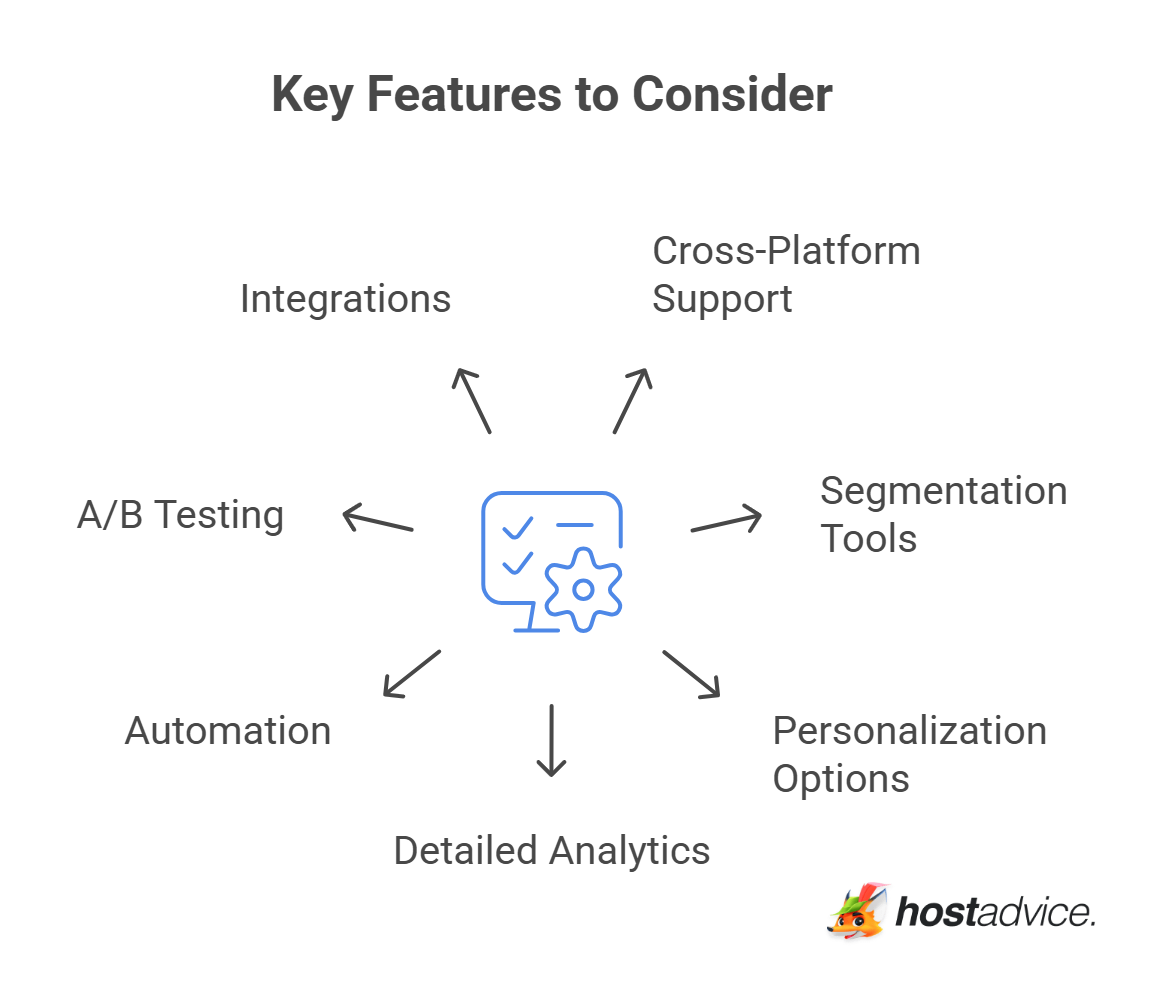
Key Features to Consider
Not all push notification platforms are the same. Here’s what to check:
- Cross-platform support: Works on mobile devices, desktop browsers, and web push
- Segmentation tools: Target users based on behavior, location, or demographics
- Personalization options: Customize notifications for each user
- Detailed analytics: Track notification delivery and user engagement
- Automation: Trigger notifications based on user actions
- A/B testing: Compare messages to see what works best
- Integrations: Connect with your digital marketing tools and CRM

Pricing Considerations

Push notification services typically offer tiered pricing based on:
- Number of subscribers or monthly active users
- The volume of notifications you can send
- Access to premium features like advanced analytics
- API call limits

Many services offer free tiers with limited functionality, making it easy to test before committing. Others provide free trials of their premium features.
Technical Requirements
Before choosing a service, there are things you need to consider. Some push notification services need coding skills to set up.

Make sure the service works with your platform and has SDKs for mobile apps and web browsers. Easy-to-follow guides help, while self-hosted options need their own hosting and upkeep.
Once you create your website or app, you also need the best web hosting to send push notifications quickly and without problems. If your hosting is slow or unreliable, notifications may be delayed or fail, which can hurt user engagement.
Choosing the right web hosting helps keep users interested and ensures business growth.
25 Best Push Notification Services
Free and Budget-Friendly Options
1. OneSignal
OneSignal is a leading push notification service with a free plan for up to 10,000 users. Big companies like Uber and Adobe use it to send notifications on different devices.

The dashboard shows live stats and user activity, helping businesses improve push campaigns. Paid plans add extras like automatic messages, ready-made templates, and faster support.
- Pricing: Free for 10,000 subscribers (limited features)
- Best for: Startups, small businesses, and growing brands
- Main features: Web push, mobile push, in-app messages, audience targeting
- Works on: iOS, Android, and web browsers
- Connects with: HubSpot, Shopify, Amplitude, and Mixpanel
2. Firebase Cloud Messaging (FCM)
Firebase Cloud Messaging (FCM) is a free push notification service from Google. It helps mobile apps, websites, and browsers send messages across multiple platforms with ease.

FCM is fast, reliable, and scalable. It delivers billions of push notifications daily. Developers love its easy setup and detailed analytics. Plus, its automation tools help manage push notifications effortlessly.
- Pricing: Free with Firebase services
- Best for: App developers using Firebase tools
- Key features: Easy-to-use dashboard, strong APIs, message targeting
- Works on: Android, iOS, and web
- Biggest perk: No coding needed to set up
3. PushEngage
PushEngage focuses on marketing automation with features that drive conversions. Its triggered campaigns work well for abandoned carts and page visits.
Segmentation tools help you target users based on behavior or interests. Welcome notifications boost engagement by 25%. The analytics dashboard tracks click rates, user engagement, and revenue in real time.
- Pricing: Free for 30 campaigns and up to 200 subscribers
- Best for: Bloggers and content creators
- Key features: A/B testing, drip campaigns, triggered notifications
- Works on: Web and mobile browsers
- Biggest perk: Revenue tracking for measuring ROI
4. SendPulse
SendPulse is a full marketing platform that helps businesses engage users with customized notifications. Its automation tools combine push notifications, email, and SMS.
AI-powered timing ensures messages reach users when they’re most active. Rich notifications with images and buttons boost clicks by 25%. Their customizable opt-ins let brands match their style.

- Pricing: Free for unlimited messages to 10,000 subscribers
- Best for: Online stores and marketplaces
- Key features: Targets users based on actions, and supports multiple marketing channels
- Works on: Web and mobile push notifications
- Biggest perk: Easily connects with email and SMS marketing

5. Truepush
Truepush stands out with its unlimited free push notifications supported by an ad-based model. It works on popular browsers like Chrome, Firefox, Safari, and Edge.
The RSS-to-push tool saves time by turning RSS feeds into automatic messages. With easy scheduling, businesses can reach users by location, device, or habits across many websites.

- Pricing: Free for unlimited messages
- Best for: Small to mid-sized websites
- Key features: User targeting, easy-to-use dashboard, automated notifications
- Works on: Web browsers
- Biggest benefit: Converts RSS feeds into push notifications for content sites
E-commerce Focused Solutions
6. PushOwl
PushOwl is built specifically for Shopify store owners, helping online stores sell more with smart push notifications.
It reminds shoppers about abandoned carts and restocks. Price drop alerts bring customers back. Stores can schedule messages in advance.

Pricing: Free for up to 500 impressions per month
- Best for: Shopify store owners
- Key features: Abandoned cart reminders, back-in-stock alerts, price drop notifications
- Works on: Web push notifications
- Biggest perk: Sets up in less than a minute through the Shopify app store
7. FirePush
FirePush combines multiple communication channels for Shopify stores, bringing back lost sales and promoting new products.
With multiple ways to send messages, it reaches customers where they prefer. Smart timing sends alerts when users are most active. Simple reports show sales, customer actions, and campaign results.

- Pricing: Free for up to 250 contacts
- Best for: Small Shopify stores
- Key features: SMS, email, and push notification integration
- Platforms supported: Web push
- Biggest advantage: Tools specifically designed to grow Shopify stores
8. FoxPush
FoxPush is great for businesses with location-based offers. It supports rich notifications with images and emojis to boost engagement.
The platform is fraud-free and brand-safe, with a 20-30% click rate. It offers custom opt-ins, real-time analytics, and A/B testing to help optimize push campaigns.

- Pricing: Free for unlimited notifications on one website
- Best for: Online stores
- Main features: Supports emojis, targets by location, high click rates (up to 30%)
- Works on: Web push
- Biggest benefit: Sends location-based offers to customers
9. Aimtell
Aimtell specializes in highly personalized push messaging for e-commerce. It targets people by location, shopping history, and wish lists.
Time-sensitive alerts go away after sales end, so users don’t get confused. It also brings back old visitors. Aimtell’s messages can include pictures, buttons, and videos.

- Pricing: Starts at $49/month for 10,000 subscribers
- Best for: Online stores
- Key features: Location-based messaging, personalized offers based on shopping history
- Works on: Web push notifications
- Biggest perk: Set expiration dates for limited-time deals
Enterprise and Advanced Solutions
10. MagicBell
MagicBell provides a complete notification system with multiple delivery channels. Smart delivery sends messages through preferred channels. Batching prevents too many alerts at once. Cross-device sync stops duplicate notifications.

Pricing: Free for up to 100 users
- Best for: SaaS apps and platforms
- Key features: Push notifications, in-app messages, emails, and a notification inbox
- Works on: All devices
- Biggest benefit: Keeps notifications in sync across devices to avoid repeats
11. WebEngage
WebEngage offers a comprehensive marketing automation platform with robust push capabilities. It lets you send personalized messages with custom content.
The platform tracks user actions with detailed reports. It also supports automatic alerts and works with CRM tools and marketing software.

- Pricing: Custom pricing (varies by need)
- Best for: Large businesses and agencies
- Key features: Custom templates, detailed reports, test messages
- Works on: All major browsers and devices
- Biggest benefit: Compatible with all systems and browsers
12. VWO Engage
VWO Engage integrates with Facebook Messenger for wider reach. It has contact management tools that organize customer data.
The platform supports rich notifications with eye-catching images to boost engagement. It also connects with VWO Insights for detailed analytics.

- Pricing: Free for up to 50,000 subscribers
- Best for: Retail stores
- Main features: Works with Facebook Messenger, lets you send personalized notifications with images
- Works on: Web push notifications
- Biggest benefit: Helps manage contacts from in-store visits to online shopping

13. PushWoosh
PushWoosh delivers personalized, multimedia-rich notifications with language support. It automatically sends messages in the user’s language, making it easy for global users.
The system sends messages based on what users do. With real-time tracking, you can change campaigns while they run.

- Cost: Starts at $49/month
- Best for: Growing startups
- Top features: Auto language support, easy audience grouping
- Works on: Web and app notifications
- Big plus: Live tracking to improve campaigns
Specialized Push Services
14. iZooto
iZooto caters specifically to content publishers with multi-language support. It works in many languages, making it great for worldwide audiences. Its reminder tools encourage visitors to return.
One-click buttons help grow sign-ups and subscribers. Custom messages reach readers based on interests. It connects easily with website tools.

- Pricing: Starts at $85/month
- Best for: Media publishers
- Key features: Multi-language support, retargeting across sites
- Platforms supported: Web and app push
- Biggest advantage: Built-in call to action for user registration
15. Catapush
Catapush guarantees delivery with SMS backup options. It tracks messages in real-time, so you know they arrived. If push notifications fail, SMS backup steps in.
Developers get clear API docs for easy setup. It supports instant alerts for urgent updates. End-to-end encryption keeps messages safe and private.

- Pricing: Free for the first 12 months (limited to 100 active users per month)
- Best for: Apps that need reliable message delivery
- Key features: Live status updates, and SMS backup
- Works on: Mobile devices
- Biggest perk: Easy-to-follow API guide
16. PushAssist
PushAssist offers quick setup and real-time campaign tracking. It works with all major browsers and connects smoothly with WordPress.
Smart targeting uses user behavior and demographics for better results. Track campaigns in real-time, customize opt-ins and send notifications at the best times.

- Pricing: Free basic plan available
- Best for: Small businesses
- Key features: Simple setup with WordPress and other platforms
- Works on: Web push
- Big plus: Smart targeting based on user actions and demographics
17. Notification Button
Notification Button focuses on converting website visitors to subscribers. It offers different ways for visitors to join.
You can send custom messages with pictures and buttons to boost engagement. Their tracking tool shows how many sign-ups turn into customers. It also works well with online stores.

- Pricing: Free for up to 3,000 subscribers
- Best for: Online stores and digital marketing agencies
- Key features: Tools to turn visitors into subscribers, group targeting
- Works on: Web browsers
- Big advantage: Different ways for users to sign up
18. Wigzo
Wigzo combines email and push notification marketing in one platform. It offers customizable opt-ins to grow subscribers.
With push, email, and SMS, Wigzo keeps messages consistent. Deep analytics track customer journeys. Smart segmentation targets users based on behavior. It even supports direct mail for offline marketing.
- Pricing: Varies by plan
- Best for: Online stores
- Key features: Custom signup prompts, works across channels
- Platforms supported: Web push notifications
- Biggest benefit: Detailed tracking for personalized messages
Open Source Solutions
19. AeroGear
AeroGear provides an open-source mobile development platform with push capabilities. It helps send targeted messages and personalized notifications to users. It works with different systems, making it useful for mobile apps. It’s open-source, so it’s free to use with no hidden fees.

Pricing: Free (open-source)
- Best for: Developers who need to customize
- Main features: Grouping users, sending specific messages
- Works on: iOS and Android
- Biggest benefit: Works with different backend systems

Hostinger: Top Website Builder for Beginners
20. AirNotifier
AirNotifier offers cross-platform notifications with an admin UI. It supports APIs for smooth system integration. Access tokens keep messages secure. Detailed logs help fix issues quickly.
Businesses can host it themselves or choose a paid hosting plan for convenience and full notification control.
- Pricing: Free (open-source)
- Best for: Developers
- Main features: Easy-to-use API, simple admin panel, secure access, activity tracking
- Works on: Android, iPhone, iPad, desktop browsers
- Biggest benefit: Self-hosted for full control
21. Gotify
Gotify is a lightweight, self-hosted notification solution written in Go. It has API support, making it easy to connect with other systems. Built-in Go, runs fast and uses few resources. It’s self-hosted, giving you full control. Plus, it offers encryption and clear setup guides.

- Pricing: Free (open-source)
- Best for: Tech-savvy users
- Main features: Works with APIs, can be self-hosted
- Works on: All major platforms
- Biggest benefit: Strong security with encrypted messages
22. Uniqush
Uniqush provides free, open-source software for sending push notifications to all mobile devices. It supports all major mobile platforms and offers detailed guides to implement push notifications easily. With no vendor lock-in, businesses get full control.

- Pricing: Free (open-source)
- Best for: Developers
- Main features: Works as a separate server program
- Works on: Mobile devices
- Biggest benefit: Full control over your notifications system
23. PushJS
PushJS is a simple web push notification service. It’s lightweight, making it great for basic needs. It works with major browsers like Chrome, Firefox, Safari, and Edge.
Developers can use third-party plugins for extra features. Setup is easy, with clear documentation for customization.
- Pricing: Free (open-source)
- Best for: Web developers
- Main features: Supports modern JavaScript, works with extra plugins
- Works on: Desktop web browsers
- Biggest benefit: Easy to set up for websites
24. Simple Push
Simple Push helps Wix users turn visitors into loyal customers. It sends abandoned cart notifications to recover lost sales. It also alerts subscribers about new blog posts. No coding is needed. Easy setup. Built-in analytics track notification performance and user engagement.

- Pricing: Free with a premium Wix plan
- Best for: Wix website owners
- Key features: Abandoned cart notifications, blog post alerts
- Platforms supported: Web push notifications
- Biggest advantage: Seamless Wix integration
25. Simplepush.io
Simplepush.io is fast and easy to use. No sign-up is needed. It supports APIs for simple setup with other systems. You can connect it to third-party tools for extra features. It has end-to-end encryption for security.

Pricing: Free for 100 messages per month
- Best for: Developers who want an easy setup
- Key features: Works with APIs and other tools, no sign-up needed
- Works on: Android and iOS
- Biggest benefit: Strong security with encrypted messages
Explore mobile e-commerce and learn about the latest trends you need to know.
Conclusion
Push notifications help businesses reach users fast. They stand out from crowded inboxes and social feeds.
Whether you need a free service or an enterprise platform, there’s an option for every budget. Send unlimited push notifications to boost engagement, recover lost sales, and keep customers coming back.
Pick the right service, send valuable messages, and watch your business grow.

Next Steps: What Now?
- Optimize Push Notification Campaigns: Test A/B variations, personalize your messages, and analyze conversion rates.
- Find the Best Hosting: Ensure fast performance and reliability by choosing the right mobile app hosting provider.
- Use Multi-Channel Marketing: Combine push campaigns with email, SMS marketing, and in-app messages.
- Improve Customer Retention: Boost customer retention with push notifications, targeted messages, and automated campaigns.
Further Reading & Useful Resources
- What Is Digital Marketing
- Digital Marketing for Beginners
- Retention Marketing: Guide with Examples
- What Is Pay Per Click?
- What is E-commerce? An Introductory Guide
- How To Create an E-commerce Website Using WordPress
- How to Successfully Sell Online
- Challenges of E-commerce and How to Overcome Them
- Do I Need a Business License To Sell Online?
- SEO for E-commerce Sites
- 7 Best Open-Source Hosting Services


