Best AI Agents for Customer Service: Feature Overview
| Provider | Starting Price | Rating | Moneyback | |
|---|---|---|---|---|
![]() | CA$22.38 | - | Visit Symphony | |
![]() | CA$7.72 | 30 Days | Visit Hostinger | |
![]() | CA$34.97 | - | Visit Lovable | |
![]() | CA$6.56 | 30 Days | Visit Bluehost | |
![]() | CA$2.80 | 30 Days | Visit IONOS | |
![]() | CA$3.13 | 30 Days | Visit HostGator | |
![]() | CA$5.60 | 30 Days | Visit Kamatera | |
![]() | CA$8.87 | - | Visit Contabo | |
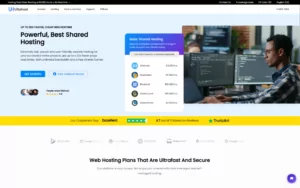
| CA$6.71 | 30 Days | Visit Ultahost | |
![]() | CA$4.88 | 30 Days | Visit Hosting.com |
What Are AI Agents for Customer Service?
AI agents for customer service are software applications that use artificial intelligence to answer customer questions, resolve routine issues, and assist support teams. They can communicate through websites, live chat, email, and other messaging channels, depending on the platform. Unlike basic chatbots that follow predefined scripts, AI agents can interpret natural language, use business information to generate relevant responses, and perform certain tasks, such as checking order details or guiding customers through troubleshooting. Some can also connect with customer relationship management (CRM) systems and help desk software. Businesses use AI agents to provide faster support, reduce repetitive work, and help customers find answers outside regular business hours.
When to Choose and When to Avoid AI Agents for Customer Service
| Reasons to Use AI Agents for Customer Service | Reasons Not to Use AI Agents for Customer Service |
| Your support team receives the same questions about pricing, delivery, returns, or account access every day. | Your business receives very few customer inquiries, so manually answering them takes little time. |
| Customers need help outside business hours, including weekends and holidays. | Most customer issues require personal judgment, negotiation, or an experienced employee. |
| Your support team struggles to respond quickly during seasonal peaks or product launches. | Your budget cannot cover subscription fees, AI usage charges, and the time needed to maintain the system. |
| You want customers to find answers without waiting for a human agent. | Your company lacks reliable documentation, making it difficult for the AI to provide accurate answers. |
| You need to handle routine questions across multiple communication channels. | Your customers mainly prefer speaking directly with a person, especially for sensitive matters. |
| You want to connect customer support with order management, CRM, or help desk software. | Your existing systems cannot integrate with the AI agent, or connecting them would require costly development. |
| Your team spends too much time categorizing requests, collecting basic information, or routing tickets. | Your business handles sensitive personal or financial information without the necessary security and access controls. |
| You need to support customers in several languages and can test the quality of AI-generated translations. | The AI performs poorly in your customers’ languages or frequently misunderstands industry-specific terminology. |
| You want to track common customer problems and identify recurring complaints. | Your company cannot regularly review AI responses or provide a clear way to escalate unresolved issues. |
If AI Agents for Customer Service Are Not Relevant to Your Needs, Consider These Alternatives
Traditional Live Chat: Best for businesses that want customers to communicate directly with human support agents through a website. It is suitable for questions that require personal attention without introducing AI-generated responses.
Help Desk Software: Ideal for teams that manage large numbers of customer requests through tickets. It helps organize inquiries, assign responsibilities, track response times, and maintain conversation histories.
Rule-Based Chatbots: Suitable for businesses with predictable questions and simple workflows. These bots use predefined answers and decision trees, making their behavior easier to control than generative AI systems.
Outsourced Customer Support: A practical option for businesses that need additional coverage but do not want to recruit and train an internal support team. An external provider can handle calls, emails, or live chat according to agreed service requirements.
Self-Service Knowledge Bases: Best for companies whose customers frequently ask questions that can be answered through articles, tutorials, troubleshooting guides, and FAQs. Customers can find information independently without waiting for a response.
How to Choose the Best AI Agents for Customer Service
Choosing the right AI agent requires balancing response quality, automation capabilities, integrations, security, and cost. The best option should solve your team’s actual support problems without making the customer experience more complicated.
- Identify Your Main Support Needs: List the questions customers ask most frequently and the tasks that take up the most time. Choose an agent that can handle those specific requests instead of paying for features you will not use.
- Check Communication Channels: Make sure the platform supports the channels your customers use, such as website chat, email, WhatsApp, or social media messaging. Confirm whether all channels are included in the subscription.
- Test Response Accuracy: Try realistic customer questions, including incomplete requests, spelling mistakes, and unusual situations. Check whether the agent provides correct information and admits when it cannot answer.
- Review Automation Capabilities: Determine whether the agent can perform useful tasks, such as checking an order, updating a customer record, creating a ticket, or routing a request. Distinguish between systems that only generate answers and those that can complete actions.
- Evaluate Integrations: Choose a platform that works with your existing CRM, help desk, order management system, and knowledge base. Verify whether integrations are native, require third-party services, or need custom development.
- Prioritize Security and Privacy: Review data storage, access permissions, retention policies, and available security controls. Confirm that the platform meets the requirements applicable to your business and the customer information you handle.
- Compare Pricing Carefully: Check subscription fees, conversation limits, AI usage charges, and additional costs for integrations or human handoffs. Estimate your expenses using your expected monthly conversation volume.
- Check Human Handoff Options: Choose a solution that can transfer complex or sensitive cases to a human agent, ideally with the conversation history included. Customers should not have to repeat their problem after escalation.
- Measure Results Before Committing: Run a pilot and track resolution rates, response times, customer satisfaction, and the percentage of conversations requiring human assistance. Use the results to decide whether the agent delivers enough value.

Symphony by Wix helps businesses manage customer interactions and automate support tasks through AI agents and integrations. It is a practical option for businesses that want to connect customer service with their website and wider operations. By combining AI-powered assistance with tools for handling routine questions, managing workflows, and coordinating tasks, the platform can help reduce repetitive work. Businesses already using Wix may benefit from managing customer-facing services and AI-supported operations within the same ecosystem. The best setup depends on available features, subscription limits, and the complexity of the support workflow.
Rating Overview
- Overall Score: 4.8
- Features: 4.9
- Reliability: 4.7
- User-Friendly: 4.9
- Support: 4.8
- Pricing: 4.7
Detailed Analysis
Performance: Symphony by Wix focuses on AI-powered workflows, agent coordination, and integrations that connect different business tools. These capabilities can help automate repetitive customer service tasks, organize incoming requests, and reduce manual work. Businesses should confirm that the available integrations support their existing help desk and communication channels.
Support: Wix provides customer support resources for its products, with available assistance depending on the service and subscription. Businesses should review the support channels and response options included in their plan, especially if customer service automation is essential to daily operations.
Security: Businesses should review the platform’s data-handling practices and configure access permissions carefully when connecting customer information and third-party applications. Testing automated responses and limiting access to sensitive records can help reduce operational risks. Human review remains important for sensitive customer requests.
Pricing: Costs depend on the features and subscriptions required. Before committing, businesses should compare plan limits, AI usage allowances, and potential additional charges for integrations or connected services. Evaluating these costs against expected time savings can help determine whether the platform offers suitable value.
Ease of Use: Its connection with the Wix ecosystem can make Symphony appealing to businesses already familiar with Wix tools. Centralized workflows can reduce the need to switch between applications, although advanced automations may still require configuration, testing, and ongoing adjustments.
Pros and Cons
- AI-powered workflow automation
- Integrations with business tools
- Suitable for businesses using Wix
- Can reduce repetitive support tasks
- Advanced workflows may need configuration
- Available features can depend on the plan
- AI responses require monitoring and validation
-
Best Overall Hosting 2026
-
Users Top Choice 2026
-
Most Recommended NodeJS 2026
-
Best AI App Builder 2026
-
Top 5 Europe Web Hosting 2026

Hostinger offers website hosting, website creation tools, and AI-powered features that help small businesses manage their online presence. For customer service, these tools can help businesses share information through their websites, answer common questions, and simplify routine interactions. Hostinger is a practical starting point for smaller teams that do not need a complicated enterprise support system. Its main advantage is combining website management with accessible AI tools, although businesses should distinguish between website-focused AI features and a dedicated customer service agent platform.
Rating Overview
- Overall Score: 4.7
- Features: 4.7
- Reliability: 4.7
- User-Friendly: 4.9
- Support: 4.6
- Pricing: 4.8
Detailed Analysis
Performance: Hostinger’s AI tools support website creation and content generation, while its website ecosystem helps businesses publish FAQs, service details, and customer information. These resources can reduce basic inquiries by helping visitors find answers independently. Businesses requiring ticket routing, conversation history, or advanced chatbot integrations should confirm which capabilities are available or require additional tools.
Support: Hostinger provides customer assistance through its support channels. Businesses should review the assistance options included in their subscription and remember that hosting support differs from technical support for a separate AI customer service application.
Security: Businesses should protect customer information collected through their websites and ensure forms and connected services use appropriate security measures. Review access permissions, privacy practices, and data-handling settings before introducing AI tools into customer-facing workflows.
Pricing: Hostinger offers different hosting and website plans, with costs depending on the subscription and included features. Businesses should confirm whether their required AI functionality is included or requires a separate service. Comparing subscription limits and potential add-on expenses can help establish the overall cost.
Ease of Use: Hostinger is known for its accessible control panel and guided website setup. Small business owners can manage website content without extensive technical experience, making it easier to publish helpful customer information and maintain self-service resources.
Pros and Cons
- Accessible tools for small businesses
- Website creation and AI features in one ecosystem
- Helpful for building customer self-service pages
- Competitive entry-level hosting options
- Not every AI feature is a dedicated support agent
- Advanced help desk automation may require other tools
- Additional services may increase total costs
-
Top 10 AI App Builders 2026

Lovable is an AI-powered app development platform that helps users build web applications using natural-language instructions. For customer service, it can be used to create custom support portals, customer-facing interfaces, internal dashboards, and applications that connect to AI models or external services. Rather than functioning as a traditional, ready-made customer service agent, Lovable helps teams develop solutions tailored to their workflows. This makes it useful for businesses seeking greater control over the support experience, provided they are prepared to configure integrations, test the application, and maintain the finished product.
Rating Overview
- Overall Score: 4.7
- Features: 4.8
- Reliability: 4.5
- User-Friendly: 4.8
- Support: 4.5
- Pricing: 4.6
Detailed Analysis
Performance: Lovable can generate application interfaces and supporting functionality from written prompts. Businesses can use it to prototype an AI support assistant, create a knowledge base interface, or build a customer request portal. The final capabilities depend on the application’s design, data connections, authentication, and integrated AI services.
Support: Lovable provides platform documentation and support resources, with assistance depending on the subscription and issue. Businesses remain responsible for resolving problems specific to their custom customer service applications, including integration errors and application logic issues that may require developer expertise.
Security: Custom support applications should be designed with appropriate authentication, access permissions, and safeguards for customer information. Teams should review how conversation data is stored and processed, secure API credentials, and test the application for vulnerabilities before launch. Sensitive customer requests may also require human review.
Pricing: Lovable uses subscription plans and usage-based resources for its development workflow. Additional expenses may apply to connected AI services, databases, and hosting. Businesses should estimate the ongoing cost of operating and maintaining the finished application, not just the initial development cost.
Ease of Use: Natural-language development makes it possible to create and adjust an application without manually writing every component. Users can refine layouts and workflows through prompts, although complex requirements may still require technical troubleshooting and code-level adjustments.
Pros and Cons
- Builds customer service applications around specific needs
- Supports natural-language app development
- Useful for rapid prototyping
- Can connect to external services
- Requires testing and ongoing maintenance
- Not a complete out-of-the-box help desk
- Advanced integrations may require technical expertise
-
Top 10 WordPress Hosting 2026
-
Top 10 Website Builder 2026
-
Over 99% Uptime 2023
-
Top 25 WordPress Hosting 2023

Bluehost provides website hosting and website-building tools for businesses, entrepreneurs, and online stores. For customer service, it offers a practical foundation for publishing support information, creating contact pages, and building WordPress websites that can be extended with chatbot or AI customer support plugins. This makes it a suitable option for businesses that want to introduce automated assistance to an existing website without developing a custom application from scratch. However, Bluehost is primarily a hosting provider rather than a standalone AI customer service agent, so available automation features depend on the plugins and services selected.
Rating Overview
- Overall Score: 4.5
- Features: 4.5
- Reliability: 4.6
- User-Friendly: 4.7
- Support: 4.5
- Pricing: 4.6
Detailed Analysis
Performance: Bluehost provides hosting infrastructure for business websites and customer support portals. Website speed and availability are important when visitors rely on online assistance. The performance of an AI chatbot also depends on the selected plugin, AI provider, and external integrations, so businesses should test the complete setup before relying on it for essential support tasks.
Support: Bluehost provides hosting assistance for customers managing their websites and hosting accounts. However, troubleshooting third-party chatbot software, AI integrations, or specialized support plugins may require contacting the relevant developer or service provider.
Security: WordPress websites can use security plugins and available hosting protections to help safeguard customer-facing pages. Businesses should keep WordPress, themes, and plugins updated, use strong authentication, and review how chatbot integrations handle customer information. Security ultimately depends on the complete configuration and the services connected to the website.
Pricing: The overall cost depends on the selected hosting plan and any paid chatbot, help desk, or AI plugins. Businesses should compare introductory prices with renewal rates and account for recurring software fees, premium integrations, and potential usage-based AI charges before choosing a setup.
Ease of Use: Bluehost offers website management tools designed to simplify setup and ongoing administration. WordPress also provides a broad selection of customer service plugins, allowing businesses to expand functionality as needed. However, configuring multiple tools and maintaining compatibility can require additional time and technical knowledge.
Pros and Cons
- Supports WordPress customer service plugins
- Suitable for business websites and support portals
- Offers multiple ways to add chat functionality
- Provides accessible website management tools
- AI agent functionality may require third-party software
- Advanced automation can involve additional costs
- Plugin compatibility and maintenance require attention
-
Best Value for Money 2026
-
Editor's Choice 2026
-
Most Recommened PHP Hosting 2026
-
Top 5 UK Web Hosting 2026
-
Top 5 Europe Web Hosting 2026

IONOS provides web hosting, domain services, website-building tools, and business-oriented digital solutions. For companies exploring AI agents for customer service, it can supply the infrastructure and website tools needed to publish customer resources and connect support applications. Businesses can use these services to establish a professional online presence and integrate suitable chatbot or customer communication software. IONOS is particularly relevant when a company needs website and hosting services alongside its customer service setup. However, businesses seeking a fully managed AI agent with advanced conversation routing should verify whether a separate application or integration is required.
Rating Overview
- Overall Score: 4.6
- Features: 4.6
- Reliability: 4.7
- User-Friendly: 4.5
- Support: 4.7
- Pricing: 4.6
Detailed Analysis
Performance: IONOS provides hosting infrastructure that can support business websites, customer resource pages, and online support portals. Reliable access is important when customers depend on digital assistance. However, the performance of a connected AI agent also depends on the external service, its availability, and the quality of its integrations and data connections.
Support: IONOS offers customer assistance for its own hosting and digital services. Businesses should review the support arrangements included in their selected plan and determine who will troubleshoot third-party AI tools, chatbot integrations, or custom configurations.
Security: IONOS hosting and website services can provide a foundation for maintaining a professional online presence, but overall security depends on the products selected and how they are configured. Businesses should use appropriate access controls, maintain software updates, and check how connected AI applications collect, process, and store customer information.
Pricing: IONOS offers a range of hosting and business service plans to accommodate different requirements. The total cost of an AI-assisted customer service setup depends on the hosting package, automation software, integration requirements, and any usage-based AI charges. Comparing renewal prices and recurring third-party fees can help businesses manage long-term expenses.
Ease of Use: IONOS provides website management tools and guided setup options for users with different levels of technical experience. Core website functions can be managed through its control panel, while more advanced AI integrations may require additional configuration or help from a developer.
Pros and Cons
- Business-focused hosting and website services
- Supports customer portals and online help centers
- Can be extended with additional website tools
- Offers options for different business requirements
- Dedicated AI agent functionality may require another provider
- Complex integrations can require technical setup
- Total costs may increase with premium automation software
-
Top 10 Linux Hosting 2026
-
Top 10 Website Builder 2026
-
Great Support 2026
-
Excellent Service 2026
-
Over 99% Uptime 2026

HostGator stands out as a reliable choice for shared hosting, particularly well-suited for beginners, small businesses, and individuals seeking an economical yet robust online presence. Its intuitive tools and competitive pricing make it an accessible entry point for launching websites without deep technical expertise.
Rating Overview
- Overall Score: 4.5
- Pricing: 4.8
- Features: 4.4
- Performance: 4.3
- Support: 4.5
- User Friendly: 4.7
HostGator is widely recognized for its strong value proposition, making it a favorite among those on a budget. It provides a comprehensive suite of features often found in more expensive plans, including ample disk space, unmetered bandwidth, and a free domain for the first year. Its commitment to making web hosting accessible is evident through its user-friendly interface and robust customer support, ensuring even novices can navigate their hosting journey with confidence.
Detailed Analysis
Features: HostGator’s shared hosting plans come packed with essential features such as a free SSL certificate, unmetered bandwidth, one-click WordPress installs, and free website migration. You’ll also get access to a drag-and-drop website builder and cPanel for easy management, making it comprehensive for basic to moderately complex sites.
Reliability: HostGator commits to a 99.9% uptime guarantee, a standard in the industry, backed by robust data center infrastructure. While specific performance metrics can vary, their focus on stable shared environments ensures consistent availability for most users, minimizing unexpected downtime for your website.
User-Friendly: The platform is designed with ease of use in mind, offering a straightforward account management portal and the familiar cPanel control panel. The one-click installer for popular applications like WordPress significantly simplifies the setup process, making it highly accessible for those new to web hosting.
Support: HostGator provides 24/7/365 customer support via live chat, phone, and a comprehensive knowledge base. Their support staff are generally responsive and helpful, guiding users through technical issues and setup questions, which is a major advantage for beginners who may require frequent assistance.
Pricing: HostGator’s pricing is one of its strongest selling points, especially for longer-term commitments. They offer multiple tiers of shared hosting plans that cater to different needs, all at very competitive introductory rates, delivering excellent value for the features and resources provided.
- Highly competitive introductory pricing for long-term plans
- User-friendly control panel (cPanel) and one-click installers
- 24/7/365 customer support available via multiple channels
- Free domain registration for the first year and SSL certificate
- Generous unmetered bandwidth and storage on most plans
- Renewal rates can be significantly higher than initial pricing
- Performance may not be optimal for very high-traffic websites
-
Best VPS Hosting 2026
-
Top 5 Europe Web Hosting 2026
-
Top 5 Australia Web Hosting 2026
-
Top 10 Best Gaming Hosting Provider 2026
-
Top 10 Reseller Hosting 2026

Kamatera provides cloud infrastructure that businesses can use to deploy AI agents for customer service. Its customizable cloud servers are suitable for applications that need processing power, memory, and storage to run AI models, chatbot backends, APIs, and customer support systems. Businesses can adjust server resources as demand changes, making the platform useful when support volume grows during product launches or seasonal peaks. Kamatera is primarily an infrastructure provider rather than a ready-made customer service agent, so companies must install or integrate the software that powers their AI support workflows.
Rating Overview
- Overall Score: 4.7
- Features: 4.9
- Reliability: 4.8
- User-Friendly: 4.5
- Support: 4.8
- Pricing: 4.7
Detailed Analysis
Performance: Kamatera offers customizable cloud servers with adjustable CPU, RAM, and storage resources. Businesses can use these configurations to host chatbot applications, connect customer databases, run APIs, and deploy supporting services. Resource flexibility helps teams adapt capacity to changing workloads, although actual AI response times also depend on application design, model selection, and external API performance.
Support: Kamatera offers 24/7 technical support, which can help businesses address infrastructure issues and configure their cloud environments. However, customers are generally responsible for managing their AI applications, software integrations, and customer service workflows, so specialized development support may be necessary for complex deployments.
Security: Businesses can configure their cloud environments to support their security requirements, including access controls, network restrictions, software updates, and backup policies. Because AI customer service systems may process personal or account information, teams should also review data handling practices, protect API credentials, and apply appropriate safeguards to connected databases and third-party services.
Pricing: Kamatera uses flexible cloud pricing based on the selected resources and usage. Businesses can begin with a smaller configuration and increase capacity as customer demand grows. However, AI API usage, software licenses, backups, monitoring tools, and additional infrastructure can increase total costs, making workload estimates important when planning a budget.
Ease of Use: Kamatera provides a cloud management console for creating and adjusting servers. Users with technical experience can configure their preferred operating system and infrastructure, but deploying an AI customer service agent may require knowledge of server administration, application development, and security management.
Pros and Cons
- Flexible server configurations for different workloads
- Scalable resources to accommodate customer demand
- Suitable for custom AI deployments
- Multiple operating system options
- 24/7 technical support
- Requires technical setup to deploy AI agents
- AI software and API costs are separate
- Ongoing infrastructure maintenance is the customer’s responsibility
-
Top 5 Germany Web Hosting 2026
-
Top 10 VPS Hosting 2026
-
Top 10 Cloud Hosting 2026
-
Top 10 Dedicated Hosting 2026
-
Excellent Service 2026

Contabo offers VPS and dedicated server solutions for businesses that need affordable infrastructure to run AI customer service applications. Its servers can host chatbot backends, customer support portals, APIs, and self-hosted AI tools, depending on resource availability and software requirements. Contabo is a suitable option for companies that want to manage their own AI environment instead of paying for a complete customer service platform. Its main appeal is the balance between server resources and cost, particularly for businesses testing AI automation or operating applications with predictable workloads. However, customers remain responsible for deploying, configuring, and maintaining their AI software.
Rating Overview
- Overall Score: 4.6
- Features: 4.7
- Reliability: 4.6
- User-Friendly: 4.4
- Support: 4.4
- Pricing: 4.9
Detailed Analysis
Performance: Contabo provides VPS and dedicated server options with different CPU, RAM, and storage configurations. These resources can support customer service applications, knowledge bases, chatbot integrations, and AI application backends. Businesses should evaluate their workload and hardware requirements carefully, particularly if they plan to run larger AI models locally rather than connect to an external AI service.
Support: Contabo provides customer support for its hosting services, helping customers address infrastructure and server-related issues. However, assistance with the hosting environment is different from troubleshooting AI applications, custom integrations, or chatbot behavior. Businesses may need support from their software developers or AI service providers for those issues.
Security: Businesses can configure their servers to meet their security requirements through access controls, firewall rules, software updates, and appropriate backup procedures. Since customer service applications may process personal information, administrators should also secure databases, protect API credentials, and review how connected AI tools handle customer data.
Pricing: Contabo is known for competitively priced server resources, making it attractive to businesses looking to control infrastructure expenses. However, the overall cost may include AI API usage, additional storage, backups, security tools, software licenses, and development work. Selecting a configuration that matches actual demand can help businesses balance affordability with performance.
Ease of Use: Contabo’s server options allow businesses to choose an environment suited to their applications. However, deploying AI software, configuring databases, managing updates, and protecting customer information require technical knowledge. Teams without server administration experience may need assistance with setup and ongoing maintenance.
Pros and Cons
- Competitive server pricing
- VPS and dedicated server options
- Suitable for self-hosted AI applications
- Flexible resource configurations
- Requires technical administration
- AI software support is not included with infrastructure alone
- Additional tools and maintenance can increase total costs
-
Best Dedicated Hosting Provider 2026
-
Best Windows Hosting Provider 2026
-
Top 5 France Web Hosting 2026
-
Top 10 Website Builder 2026
-
Top 10 Web Hosting 2026

Ultahost provides VPS, dedicated server, and other hosting solutions that businesses can use to deploy custom AI customer service applications. Its VPS hosting can serve as the foundation for chatbots, automated support portals, and applications that connect AI models with company knowledge bases. Businesses that prefer managing their own software can use a server environment to customize how their AI agent handles customer questions and connects with other tools. Ultahost is not itself a complete AI customer service platform, so users need to select and configure the relevant software. This approach offers flexibility for companies with specific support requirements.
Rating Overview
- Overall Score: 4.6
- Features: 4.7
- Reliability: 4.6
- User-Friendly: 4.6
- Support: 4.7
- Pricing: 4.6
Detailed Analysis
Performance: Ultahost offers server configurations suitable for hosting web applications, databases, chatbot services, and AI support backends. Businesses can select resources based on their application’s needs and connect external AI APIs. Before choosing a VPS, users should assess expected traffic, memory requirements, and processing demands, especially if they intend to run an AI model directly on the server.
Support: Ultahost offers support for its hosting services, which can help customers resolve server-related questions and technical issues. However, application-level problems involving third-party AI tools, chatbot logic, or custom integrations may require separate troubleshooting or assistance from the relevant software provider.
Security: Businesses can configure their server environments with appropriate access controls, firewall rules, software updates, and backup procedures. AI support applications may process customer conversations and other sensitive information, so administrators should protect credentials, secure databases, and review the data-handling practices of connected AI services.
Pricing: Ultahost offers multiple hosting plans at different price points. Businesses should compare CPU, RAM, storage, and management features to find a configuration that fits their workload. Additional expenses may include AI API usage, software licenses, backups, and security tools, so evaluating the complete operating cost is important.
Ease of Use: Ultahost provides hosting management tools that help users configure and manage their servers. Standard hosting tasks may be manageable for users with basic technical experience, but deploying an AI agent can involve installing dependencies, configuring databases, setting up integrations, and maintaining secure access. More complex deployments may require a developer or system administrator.
Pros and Cons
- VPS and dedicated server options
- Suitable for custom chatbot deployments
- Flexible hosting configurations
- Hosting support available
- AI agents require separate software and configuration
- Advanced deployments may require technical expertise
- AI API and software expenses can increase total costs
-
Top 25 Offshore Hosting 2026

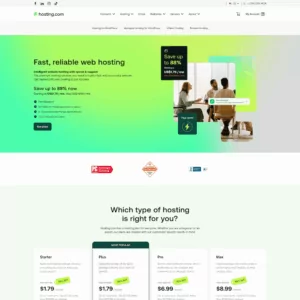
Hosting.com provides web hosting services for businesses, developers, and website owners who need a platform for their online operations. For AI customer service, its hosting can support websites, customer information pages, and compatible applications that connect visitors with automated assistance. Businesses can use a hosted website as the starting point for integrating an AI chatbot, publishing a searchable knowledge base, or directing customers to appropriate support resources. Hosting.com is best viewed as a hosting provider rather than a dedicated AI agent platform. Options for custom deployments depend on the selected hosting plan and the technical requirements of the chosen software.
Rating Overview
- Overall Score: 4.5
- Features: 4.5
- Reliability: 4.6
- User-Friendly: 4.7
- Support: 4.6
- Pricing: 4.4
Detailed Analysis
Performance: Hosting.com offers hosting services that can support business websites, customer information pages, and compatible applications. Businesses can integrate third-party chatbot tools or customer support plugins where their selected hosting environment permits. Before choosing a plan, users should check its resource limits, supported programming environments, integration options, and ability to run any required background processes.
Support: Hosting.com provides customer support for its hosting services, which can help resolve hosting-related questions and technical issues. However, troubleshooting external AI platforms, chatbot behavior, or custom application code may fall outside the scope of hosting support. Businesses should identify which provider is responsible for each part of their customer service setup.
Security: Businesses should review the security features available with their selected hosting plan and maintain appropriate safeguards for customer-facing applications. Keeping software updated, restricting administrative access, protecting credentials, and using secure connections can help reduce risk. Companies should also examine how third-party AI tools collect and process customer information before integrating them into their support workflows.
Pricing: The total cost depends on the selected hosting package, included resources, and any additional services required. Businesses should account for chatbot subscriptions, AI API usage, premium plugins, and development costs when estimating the budget. Comparing renewal rates and recurring fees can help prevent unexpected expenses as the support system grows.
Ease of Use: Hosting.com provides website hosting and management options for different user needs. Standard website administration may be straightforward, while custom AI integrations can require additional technical knowledge or developer assistance. Businesses can simplify implementation by choosing compatible tools and testing integrations before making them available to customers.
Pros and Cons
- Hosting for business websites and support portals
- Can accommodate compatible third-party integrations
- Useful for establishing an online customer support presence
- Options for different website requirements
- Not a dedicated AI customer service platform
- Advanced integrations may require additional software or development
- Overall costs depend on hosting and external AI services
Why Trust Our Recommendations
At HostAdvice, we aim to help businesses make informed decisions when choosing software and online services. Our recommendations consider the features available, ease of use, reliability, support options, pricing, and suitability for different business needs. For AI agents for customer service, it is also important to assess response accuracy, integration options, automation capabilities, and how effectively each solution handles requests that need human attention. We want readers to understand both the benefits and limitations of each option before choosing a platform for their customer support operations.
How Do We Test and Rank
At HostAdvice, our review process considers the features, performance, and practical value of the products we evaluate. We compare available functionality, examine pricing and support arrangements, and assess how well each solution fits its intended audience.
For AI agents for customer service, the evaluation should consider how accurately an agent answers common questions, how easily it connects to existing business tools, and whether it can handle routine tasks without unnecessary human intervention. We also consider usability, customization, security features, and the availability of escalation options.
Where hands-on testing is available, we assess the product through realistic customer service scenarios and compare its advertised capabilities with observed results. We also consider the effort required to configure and maintain the solution, since a tool that performs well but takes considerable time to manage may not suit every business.
Our goal is to provide clear comparisons that help readers understand the differences between available options and choose a solution that matches their requirements and budget. We continue to review our evaluation criteria as AI technology and customer service tools evolve.
Best AI Agents for Customer Service: Final Recommendations
AI agents for customer service can help businesses answer routine questions, reduce support workloads, and provide assistance beyond regular business hours. The right solution depends on the size of your support team, the complexity of customer inquiries, and the systems you already use.
Before making a decision, consider response accuracy, integration options, automation capabilities, security, and total cost. Businesses with straightforward support needs may benefit from a simple chatbot, while larger teams may require advanced integrations, workflow automation, and detailed reporting. Whichever option you choose, start with a limited set of tasks, test it with real customer scenarios, and make sure customers can reach a human agent when necessary.